
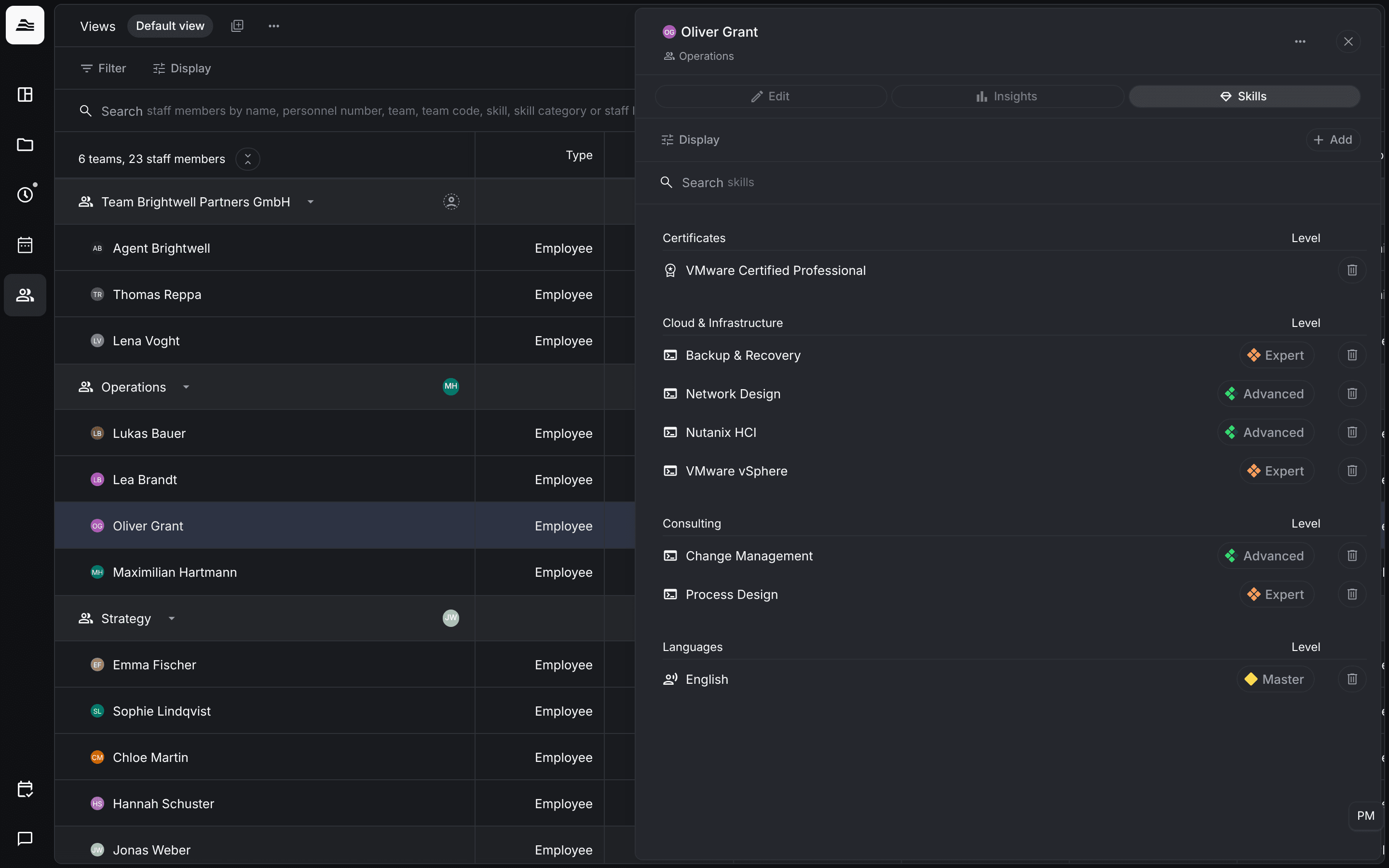
Assign skills to staff members in their profile. The level shows how well a staff member masters a skill. With the skills in place, you find the right staff members through the team search.
Required rights: Admin or a role with Manage all skill assignments. With Manage own skill assignments staff members maintain their own skills. Team members with Manage assigned skills maintain the skills of their team.
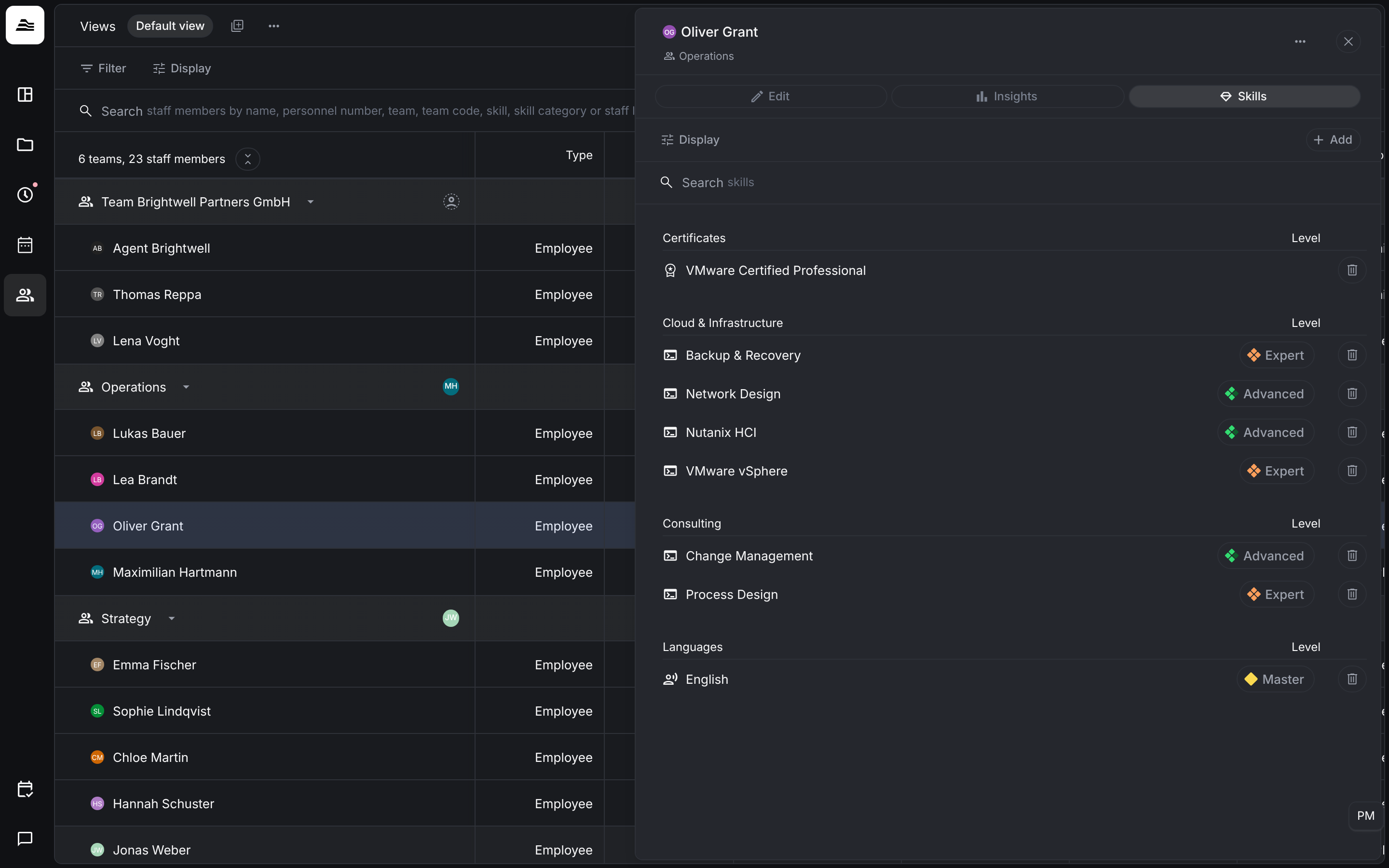
The skills tab
Open a staff member in Team and switch to Skills. The skills are grouped by category, each with its Level. Search with Search for skills.
Add skills
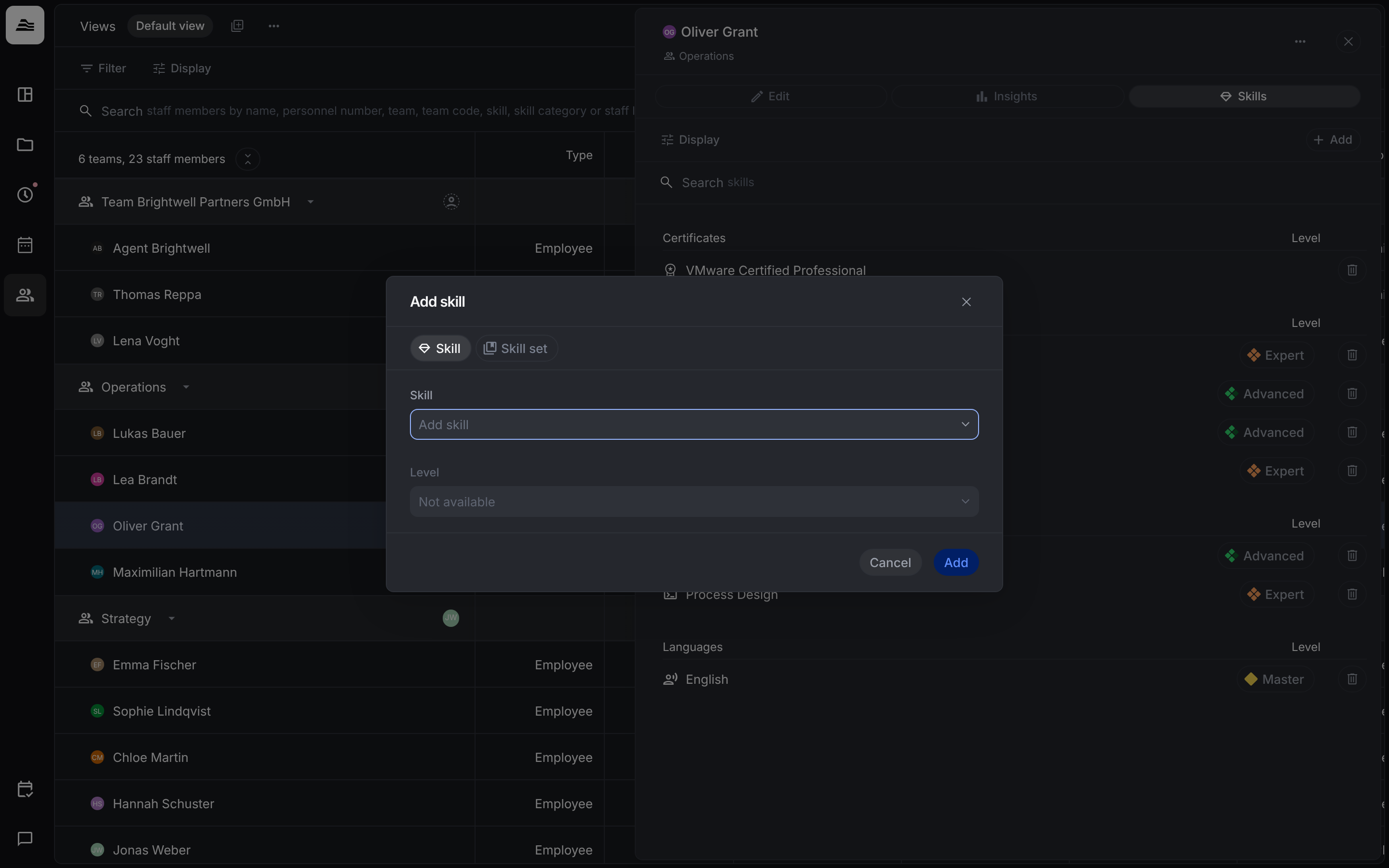
Click Add. In Add skill choose:
- Skill: pick a skill and then its Level.
- Skill set: assigns the skills of a skill set at once, without a level. Set the levels afterwards. Skills the staff member already has stay as they are, only the missing ones are added.
Click Add to save.
Levels
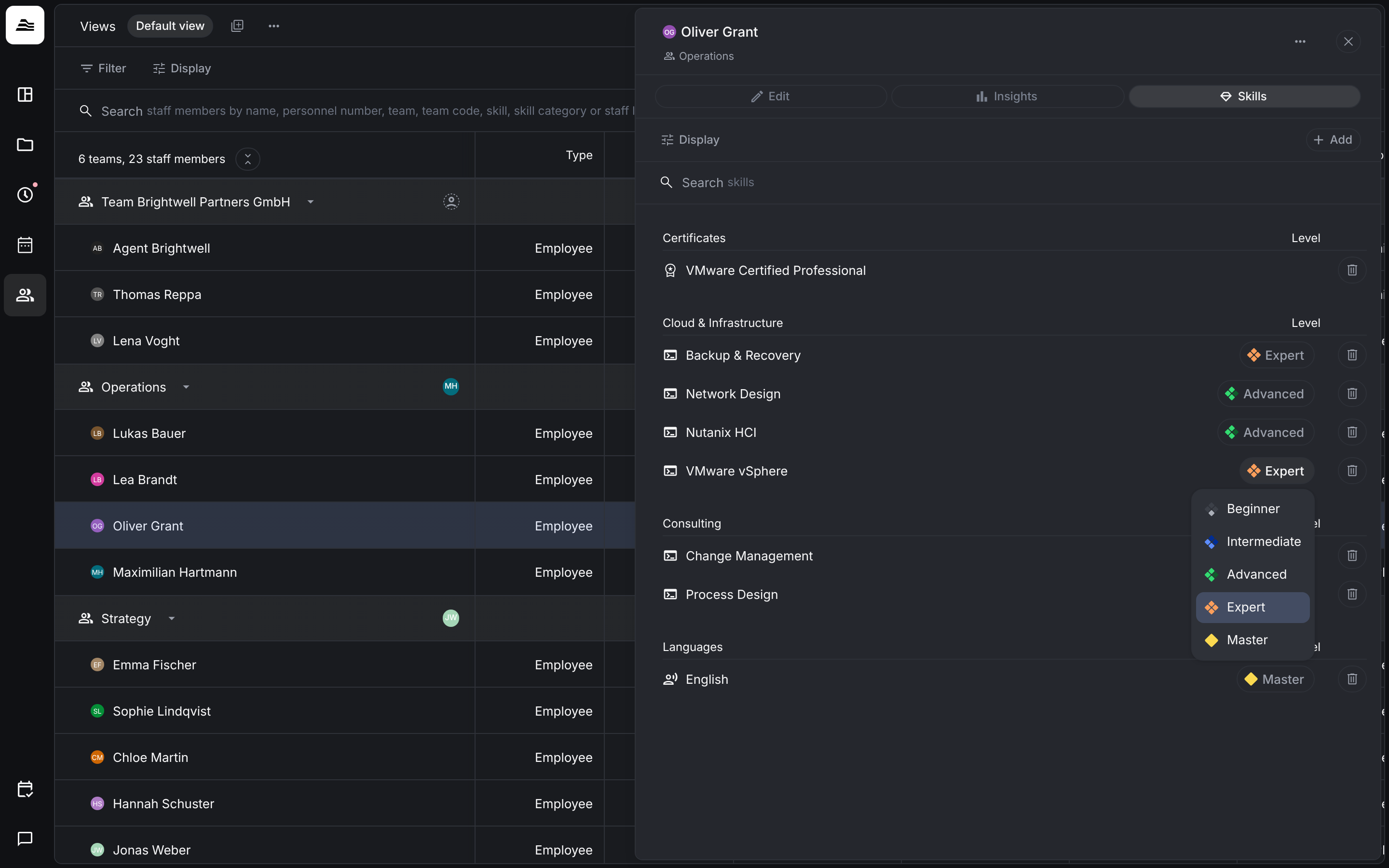
There are five levels: Beginner, Intermediate, Advanced, Expert and Master. To change a level, click the level in the list and choose a new one. Certificates have no level. Click the bin to remove a skill.
Find people by skill
In the search in Team, type a skill or a skill category and choose the suggestion. The list then only shows staff members with that skill. Viewing the skills of other staff members needs View all skill assignments or, within a team, View assigned skills.