Skills describe what your staff members can do, for example a technology, a language or a certificate. Before you assign skills, you set up the catalog in Settings > Skills.
Required rights: Admin
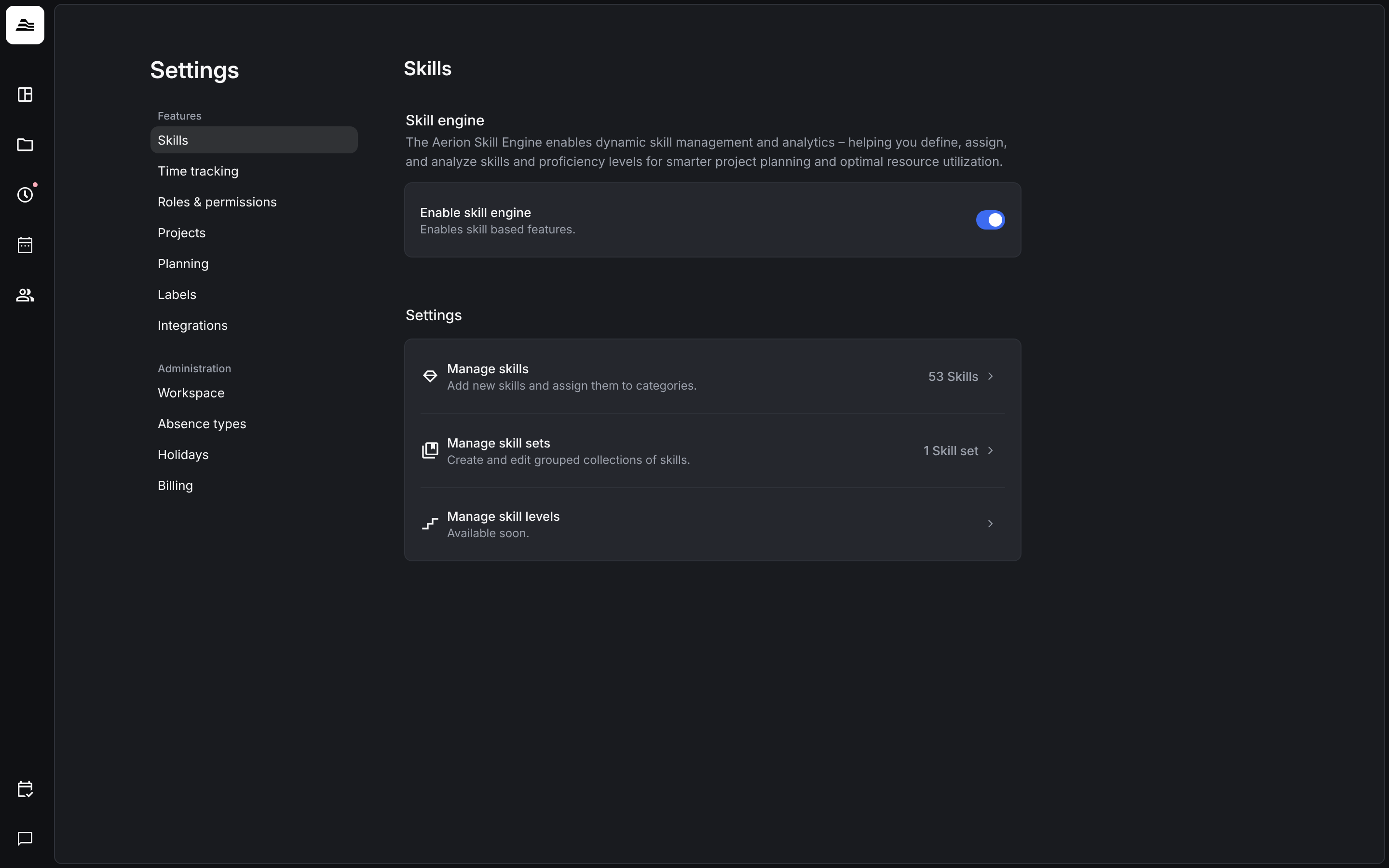
The skills settings
- Manage skills: add skills and sort them into categories.
- Manage skill sets: group skills that belong together.
- Manage skill levels: available soon.
The switch Enable skill engine currently has no effect. Skills work either way.
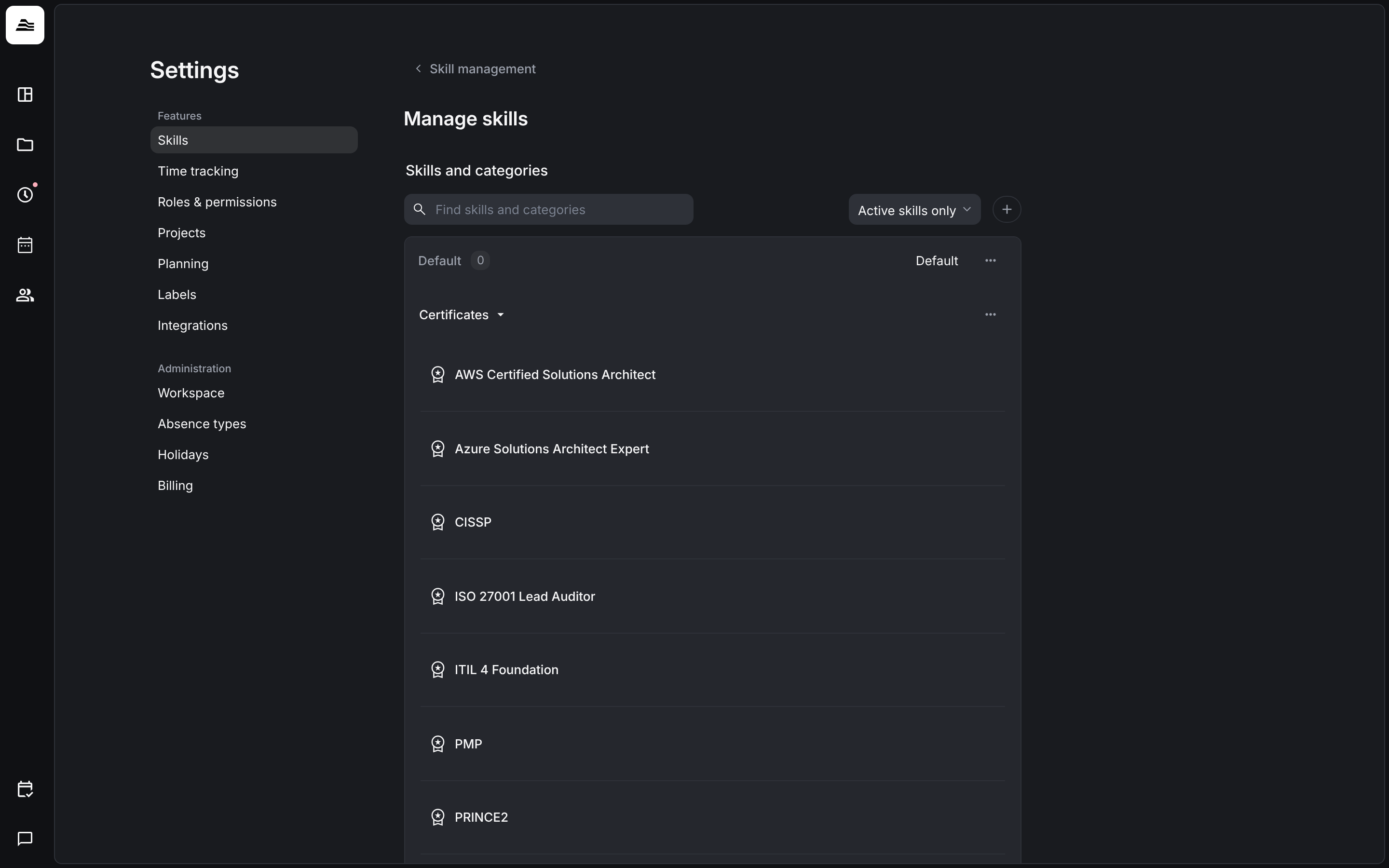
Skills and categories
Under Manage skills you see all skills grouped by category. Search with the search field and switch between Active skills only and All skills. With + you add new skills. Every skill needs a category. New skills go to Default, the standard category, which cannot be deleted. Create more categories to sort your skills.
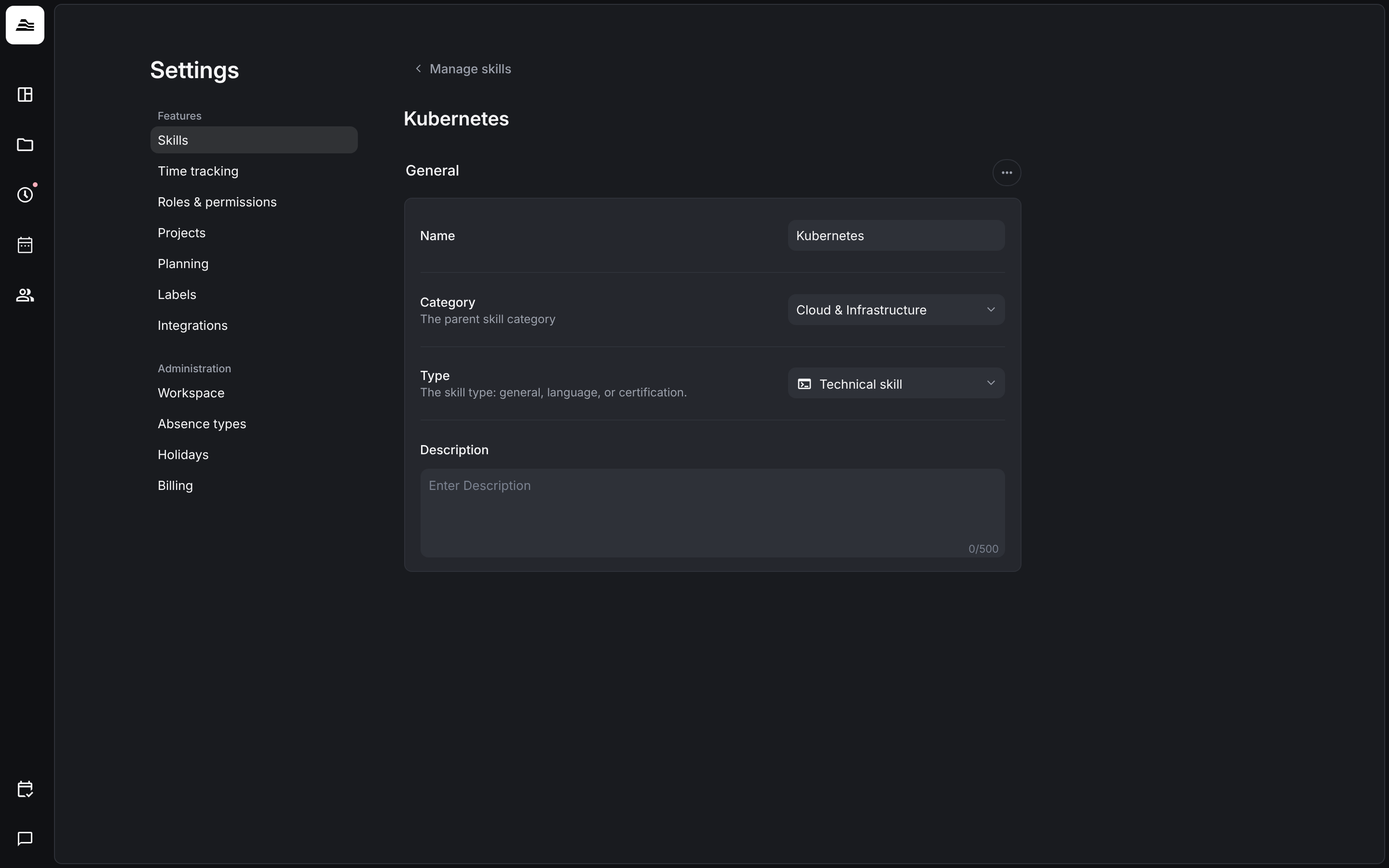
Click a skill to edit it:
- Name and Description
- Category: the parent skill category.
- Type: general, language or certification. Languages and general skills get a level when you assign them.
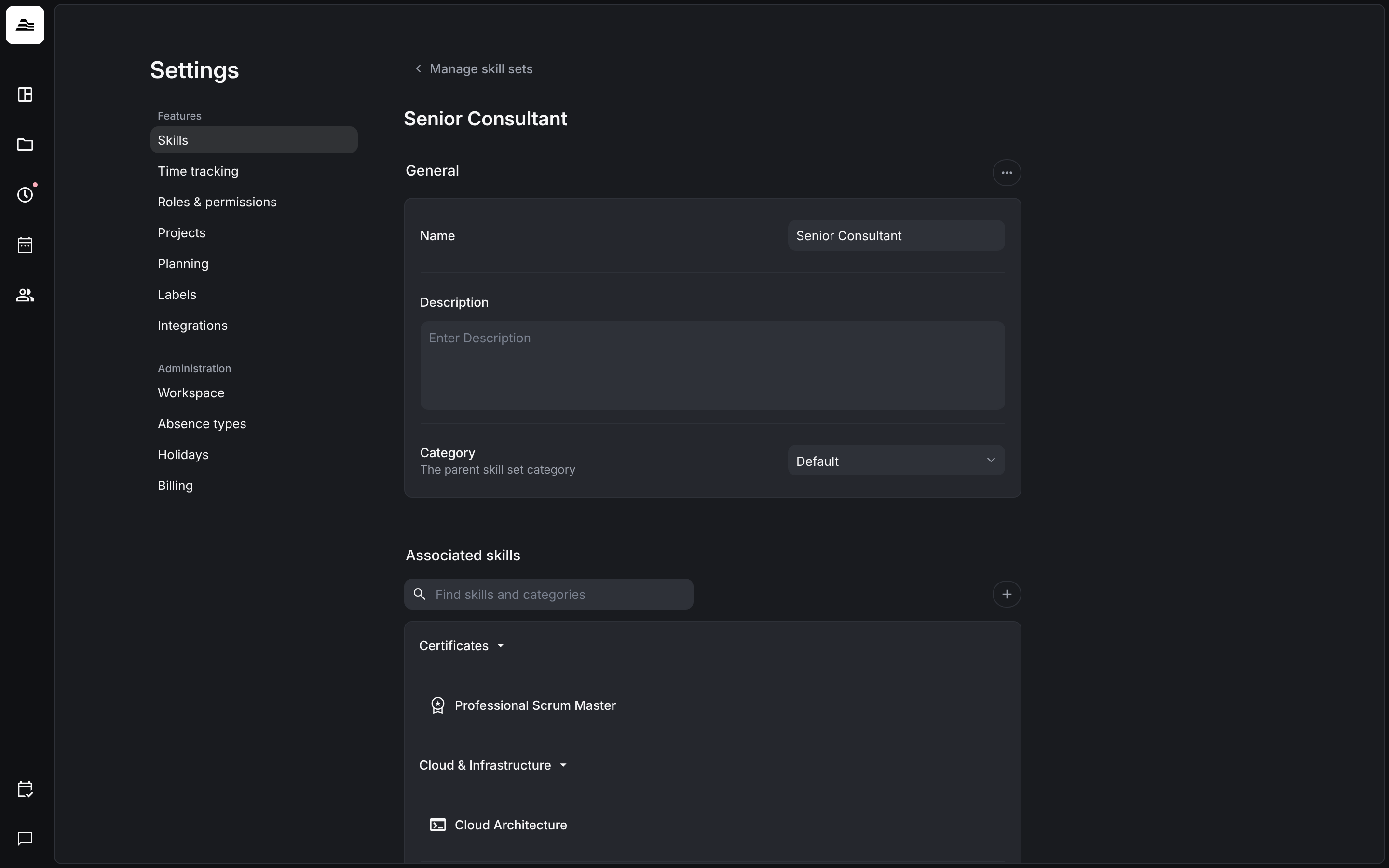
Skill sets
A skill set bundles several skills, for example everything a senior consultant should bring. You give it a Name, a Description and a Category and add the skills under Associated skills. When you assign skills to a staff member, you can assign a whole skill set at once.