

Intro to Aerion 2.0
Aerion 2.0 is a major update. If you're coming from Aerion 1.0, this guide gives you a quick orientation to what's new and what's been reworked.
What's new at a glance
The most important changes:
- Planner 2.0 — a complete overhaul with skill search, saved views, KPIs, drag & drop, and a per-project planning overlay.
- View management — saved, configurable views across all central areas.
- Skill management for team members, as the basis for skill-based planning.
- Deal status + sales KPIs with deal probability and deal value.
- Detail panels — manage projects, staff, teams, and more from anywhere, without switching context.
- Dark mode across the entire interface.
- Improved performance and page transitions throughout the app.
- A holistic UI redesign of all components and views
Details on each below.
New features in detail
Skill management
Maintain skills for your whole team in one central place. Skill management is the basis for skill-based planning and project staffing.
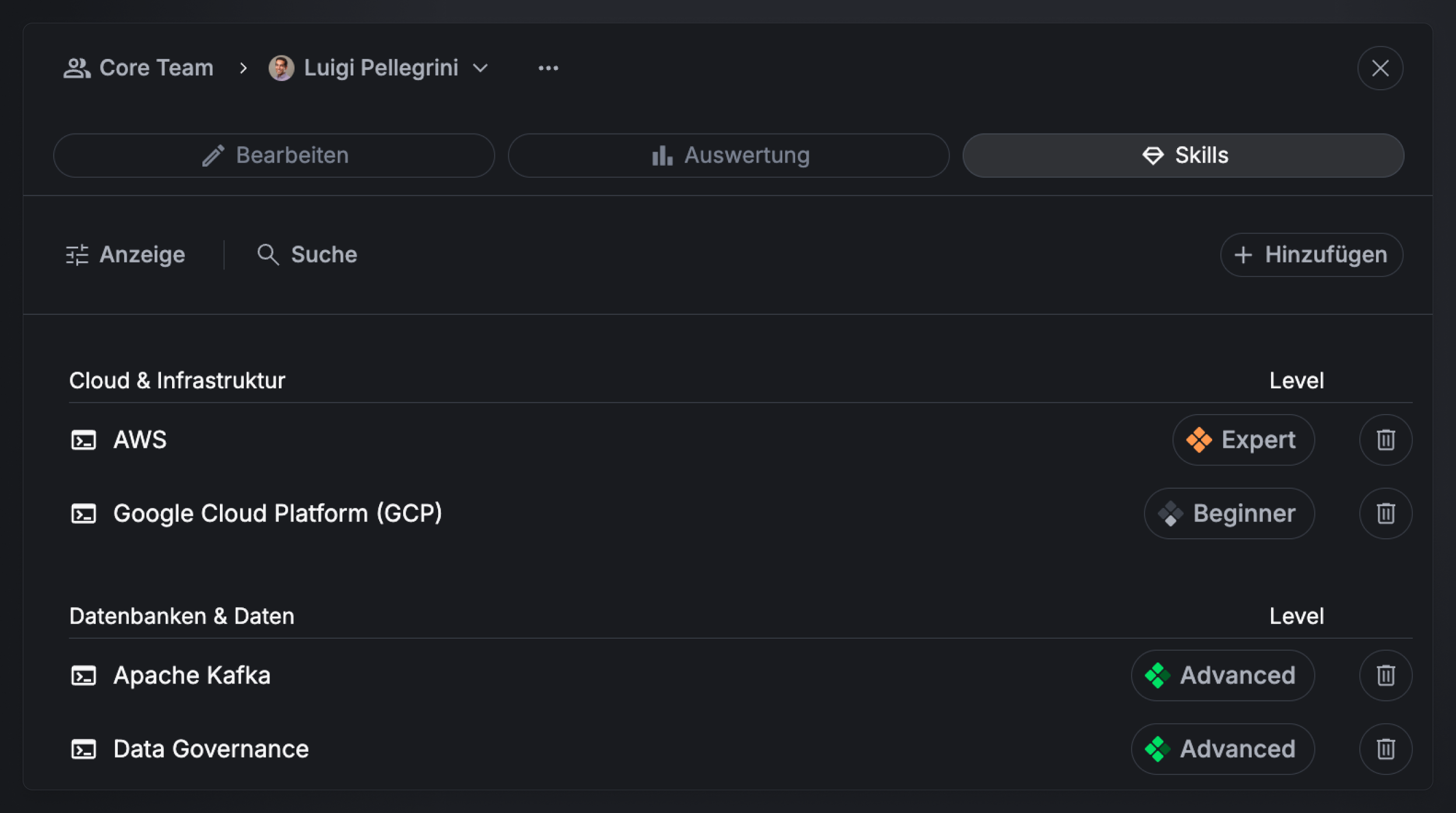
What you can do:
- Manage skills and skill categories centrally — keep every skill and its category in one place.
- Group skills by category — skills are organized into Soft Skills, Technical Skills, Certificates, and Languages.
- Rate with five skill levels — from Beginner to Master.
- Administer skills per staff member — set each person's skills and skill levels individually. Every change must be documented with a comment, so the history stays traceable.
- Flexible permissions — updated team and global permissions give broad flexibility over who can view and update their own skills and those of others.
- Find the right resources — use skills to find the people a project needs, matching capability and availability (via skill search).
Planner 2.0
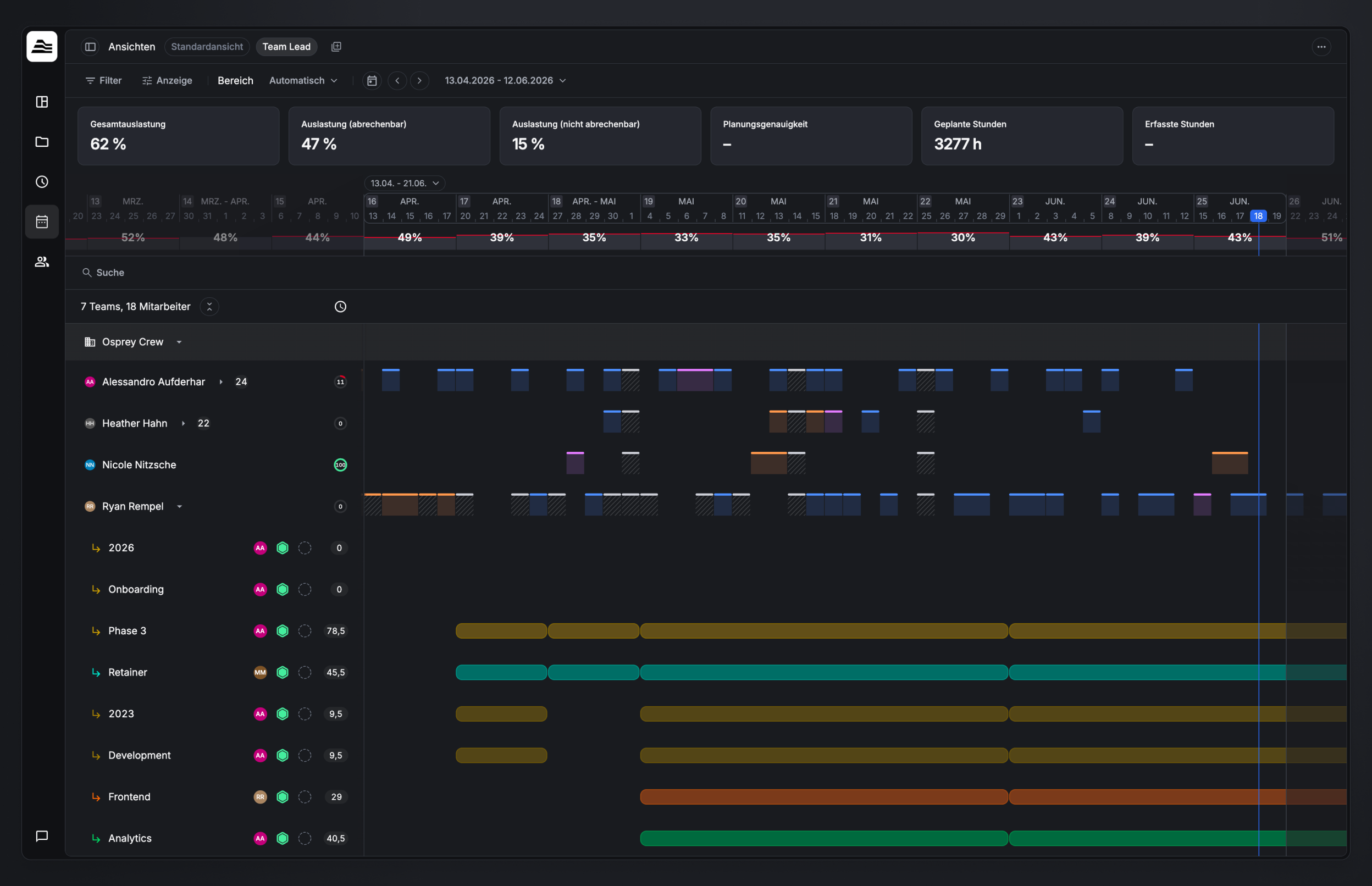
The biggest change in this release. Five building blocks that together create a completely new planning experience:
- A redesigned interface.
- Team search by skills and availability — find the right people who are also free.
- Saved views — save your personal filter and display options as views and switch between them in one click.
- KPIs in the planner — utilization and planning metrics in context, without switching to reporting.
- Drag & drop — move and adjust plans by drag and drop.
- Per-project planning overlay — a dedicated overlay to plan individual projects, available everywhere in the tool.
View management
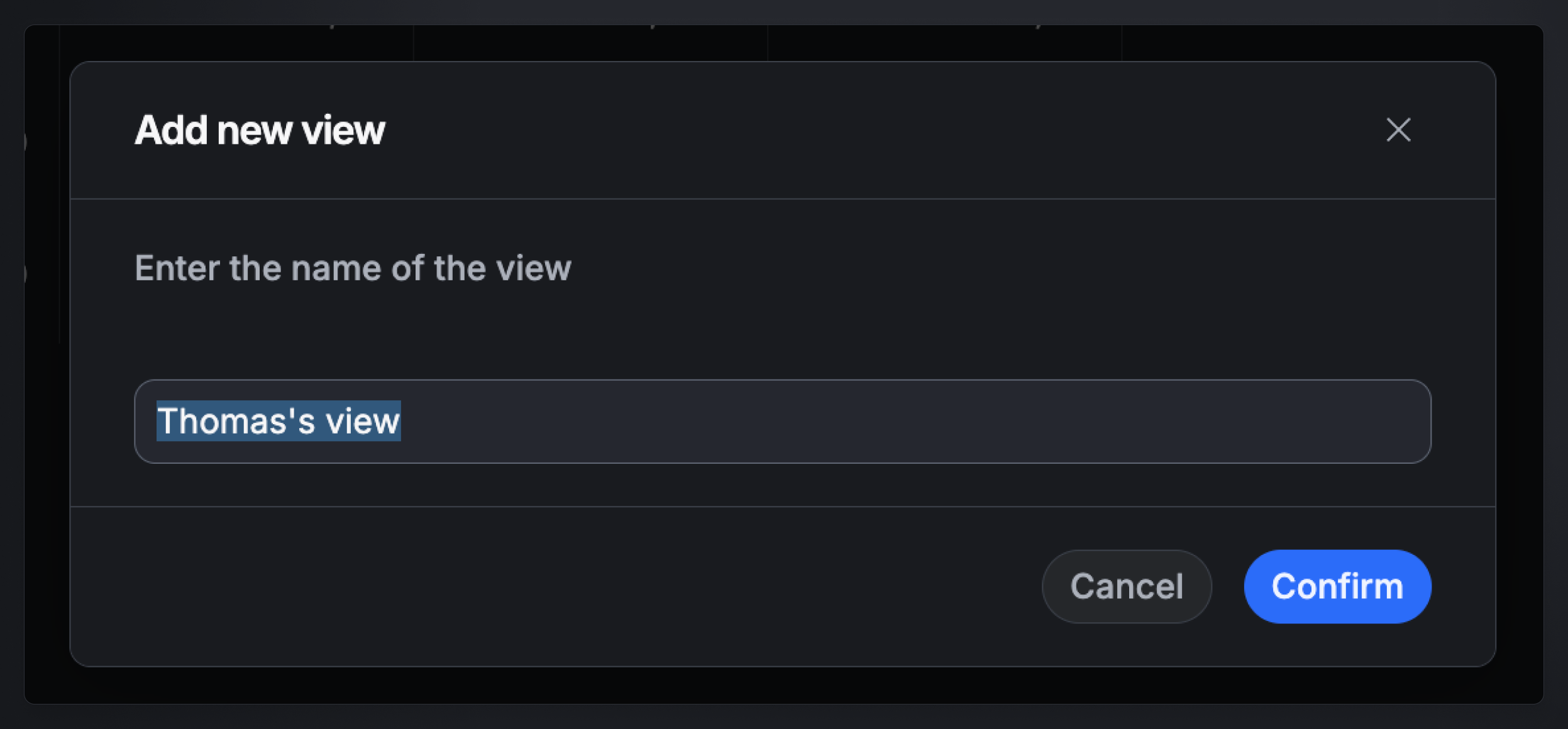
Save your own views across Aerion's central areas — now available in All projects & clients, Utilization, the Projects planner, and the Dashboard.
Each view stores a custom configuration of filters and display options, and you switch between your views via tabs — so you can set up a view once and return to it in a click.
Detail panels
Detail panels let you manage an entity — a project, staff member, team, and more — from wherever you are, without switching context. Instead of navigating away, you open the entity right in your current view and edit it in place: plan a project from the Project Board, edit a staff member from the dashboard, and so on.
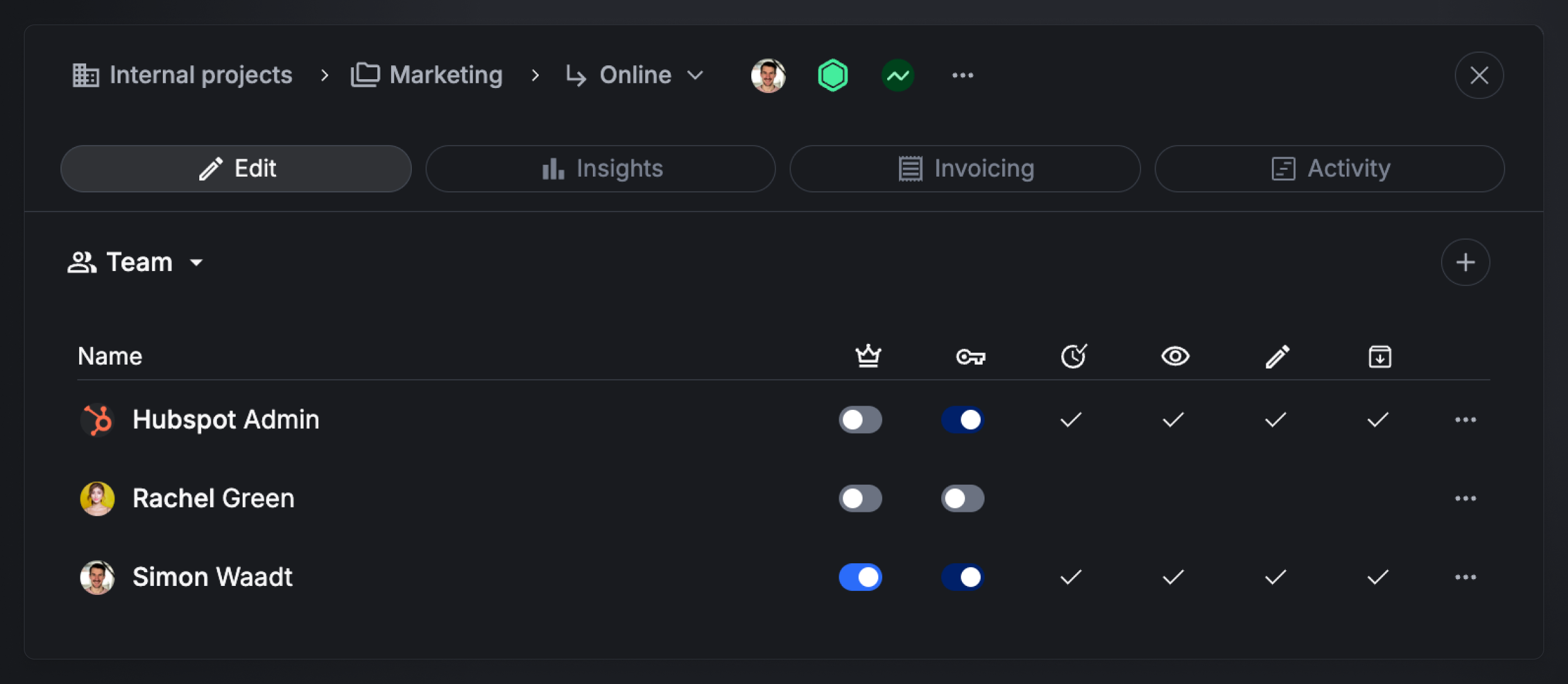
Detail panels are available for planning projects, projects, sub-projects, clients, super-projects, staff members, and teams.
Deal status + sales KPIs
A new deal stage for projects, including deal probability and deal value — the basis for sales reporting and pipeline management.
Reworked
Areas that already existed but were fundamentally redesigned in the 2.0 release:
- All UI components — buttons, tables, fonts, filters, lists, forms, and colors. A new, consistent foundation across the whole tool.
- Settings — redesign and restructuring of all settings areas.
- Project Board — a redesigned project overview with a clearer focus on status and KPIs.
- Time Tracking & Approval — time tracking and approval workflows reworked visually and structurally.
- Team Management — team structure and staff management redesigned.
- Charts & visualizations — modernized charting throughout.