

The staff analytics show for one person how much they worked, what they contributed and what they cost. Open Team, click a staff member and switch to Insights.
Required rights: Admin or a role with Limited staff management
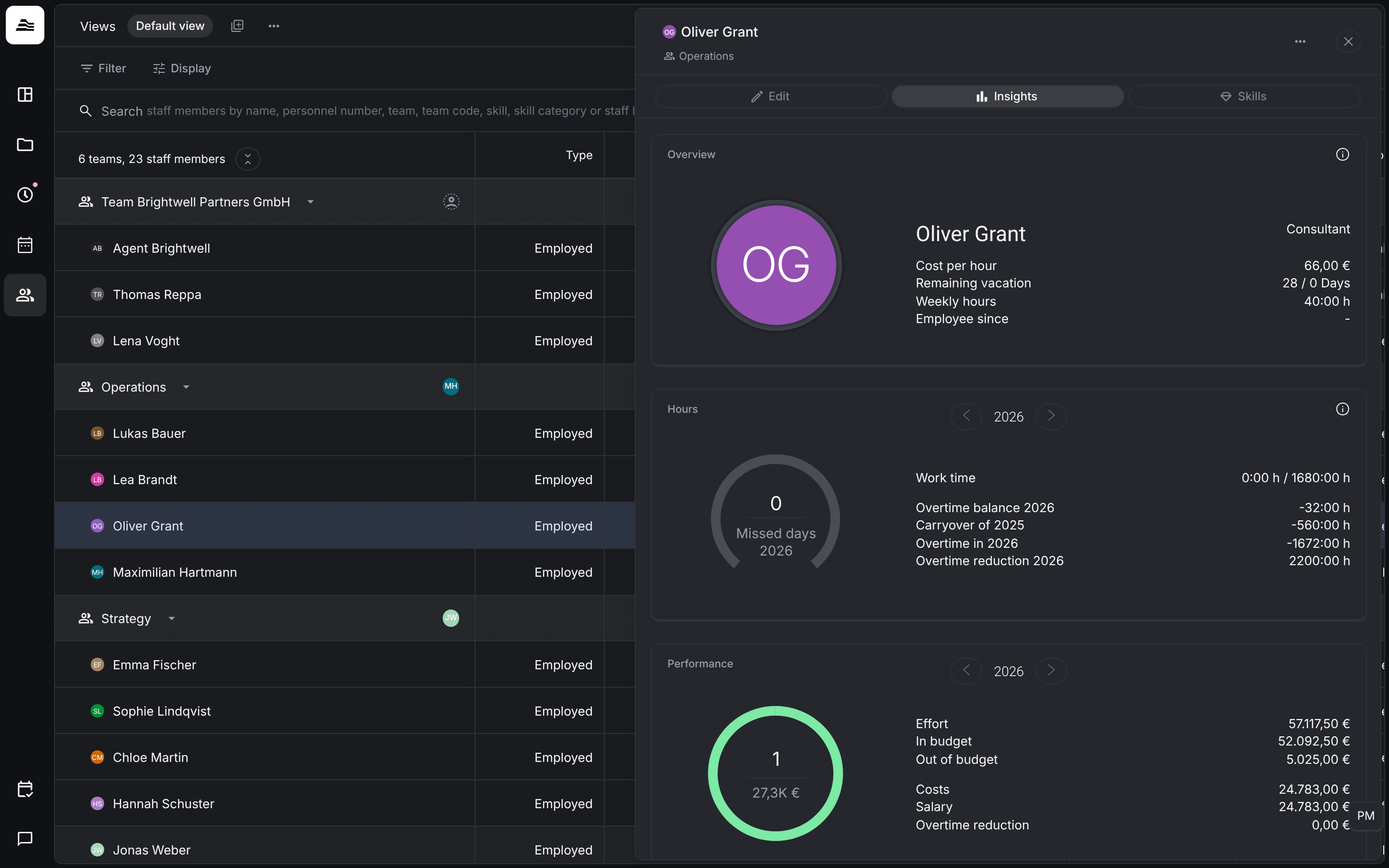
Overview
The job title, the Hourly rate (the cost per hour stored for the staff member), the Remaining vacation, the Weekly hours and the date since when the person has been employed.
Hours
Choose the year with the arrows. The ring shows the missed days. Next to it you see the Work time tracked against the target, the Overtime balance of the year, the Carryover from the previous year, the overtime of the year and the Overtime reduction.
Performance
The ring shows the contribution margin of the year. Next to it:
- Effort: the value of the person's billable work.
- In budget and Out of budget: effort on fixed-price projects within and above the budget limit.
- Costs: the costs of the person's work.
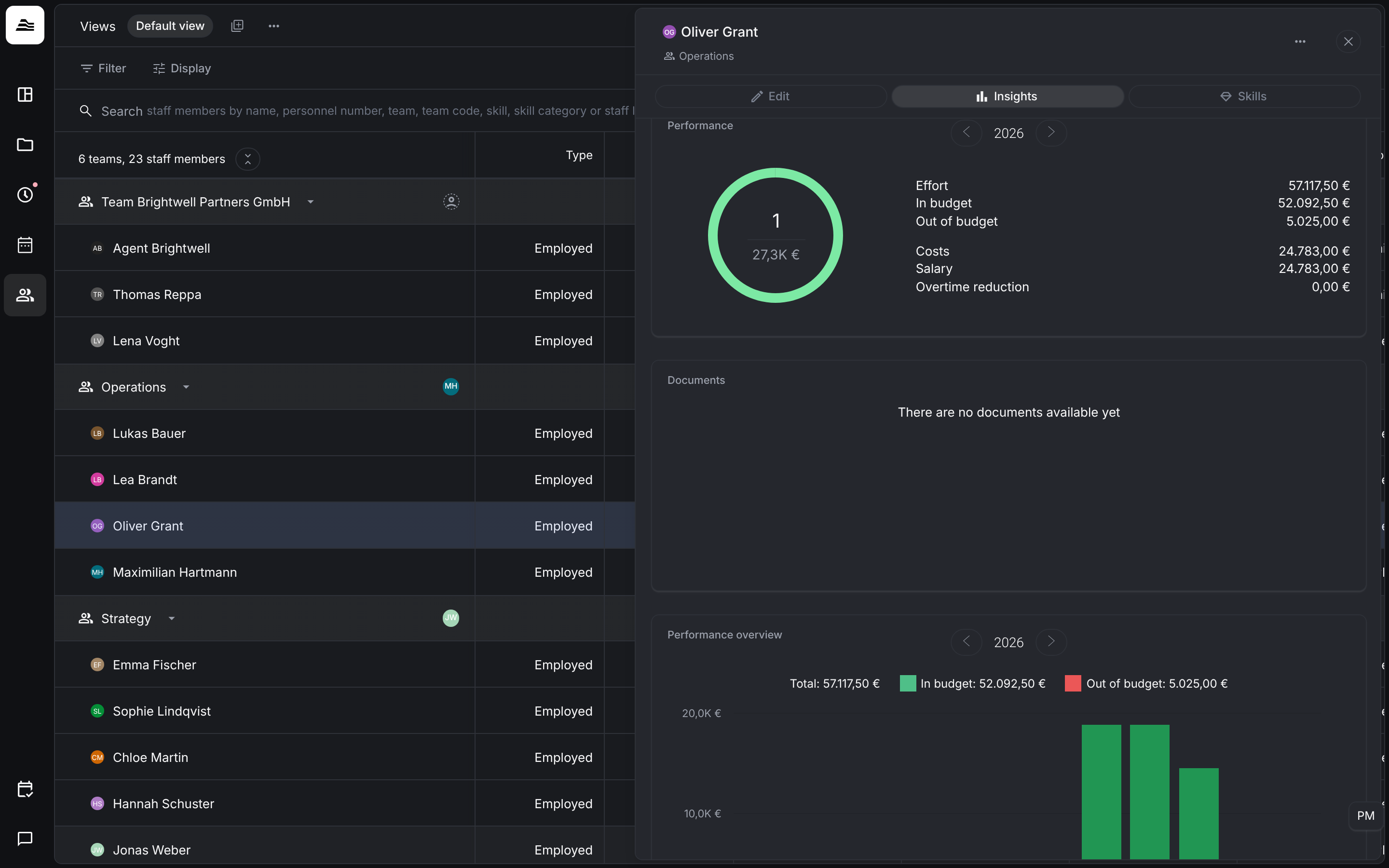
Performance overview, hours and costs trend
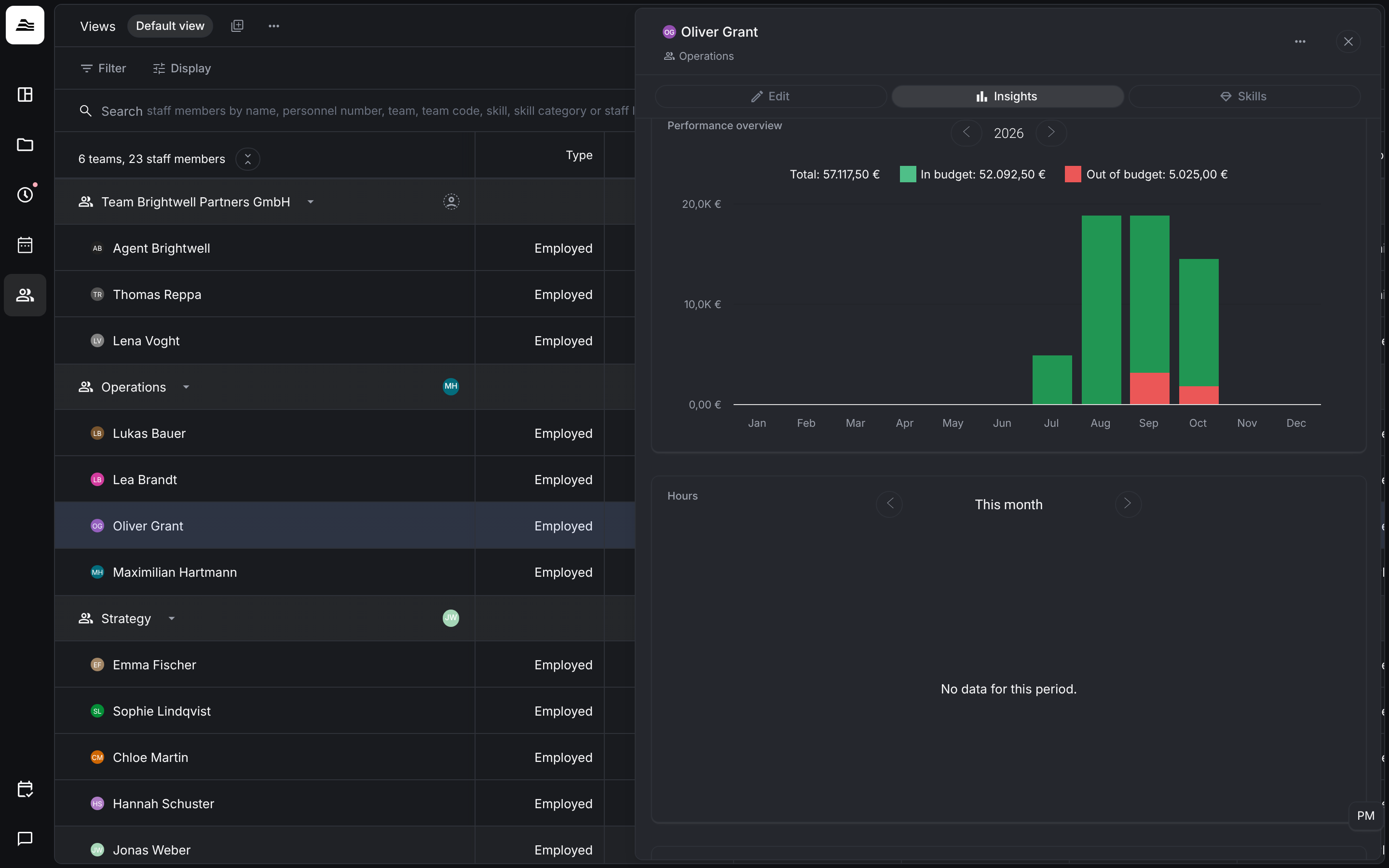
Performance overview shows the effort per month, split into in budget and out of budget. Hours shows the project time of the selected period. Costs trend shows how the cost per hour has developed. Under Documents you find the documents stored for the person.
Related
- Analyze time entries: all time entries of a period.
- KPIs explained: effort, costs and contribution margin on project level.