
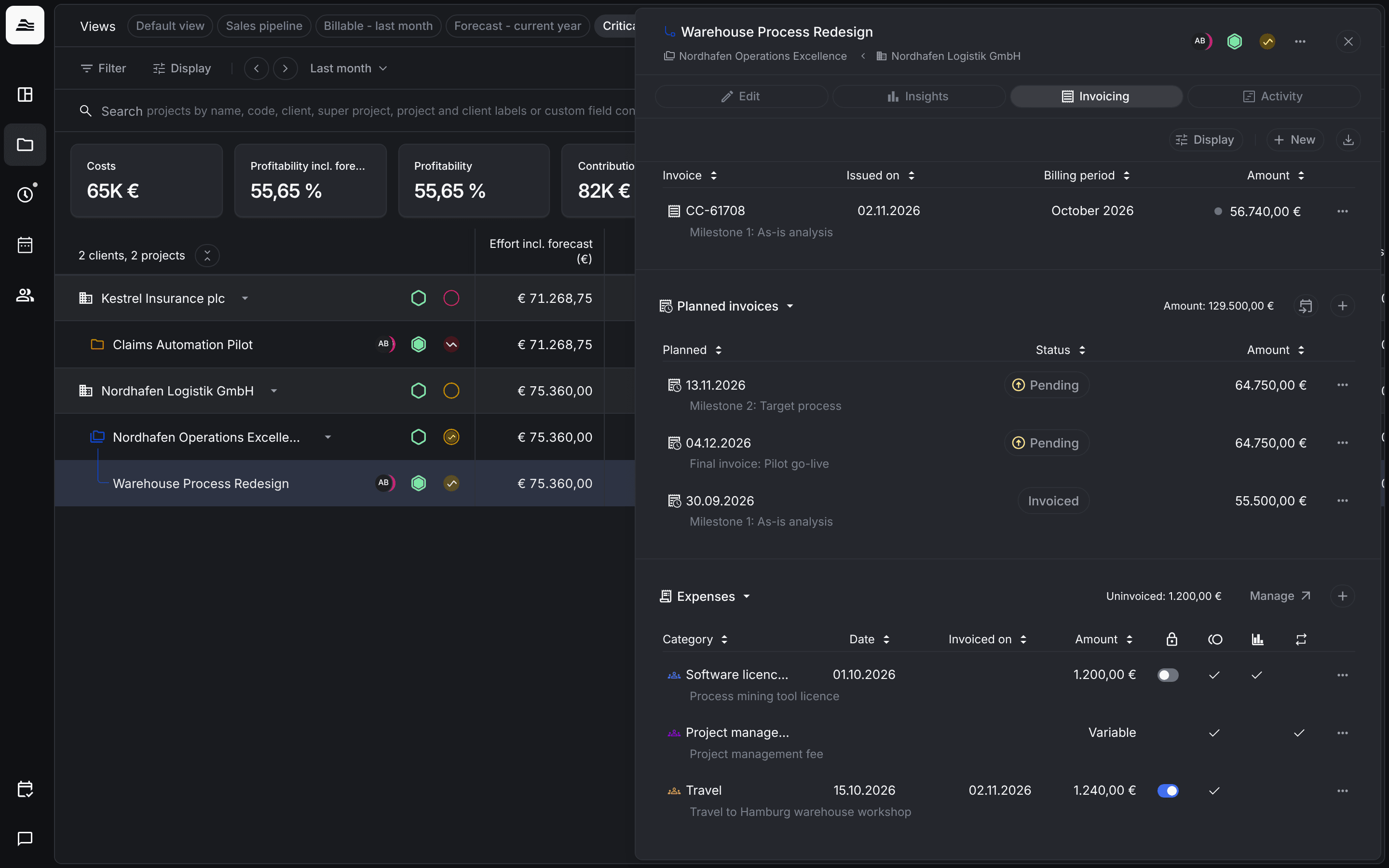
Expenses are costs you bill on top of the tracked time, for example travel, licences or a management fee. Each expense belongs to an expense type that your admin sets up once.
Required rights: Admin for expense types. Admin or individual project rights with the right to invoice the project for expenses.
Set up expense types
Open Settings → Projects and click Manage expense types. There are two kinds:
- Amount based expense types have a fixed amount per expense. With Enable unit pricing you track expenses by quantity, and Aerion calculates the total.
- Percentage calculated expense types add a percentage surcharge, for example a 5 % service fee. The percentage is calculated on the invoice amount without expenses. With Editable, the percentage can be changed at any time during the project.
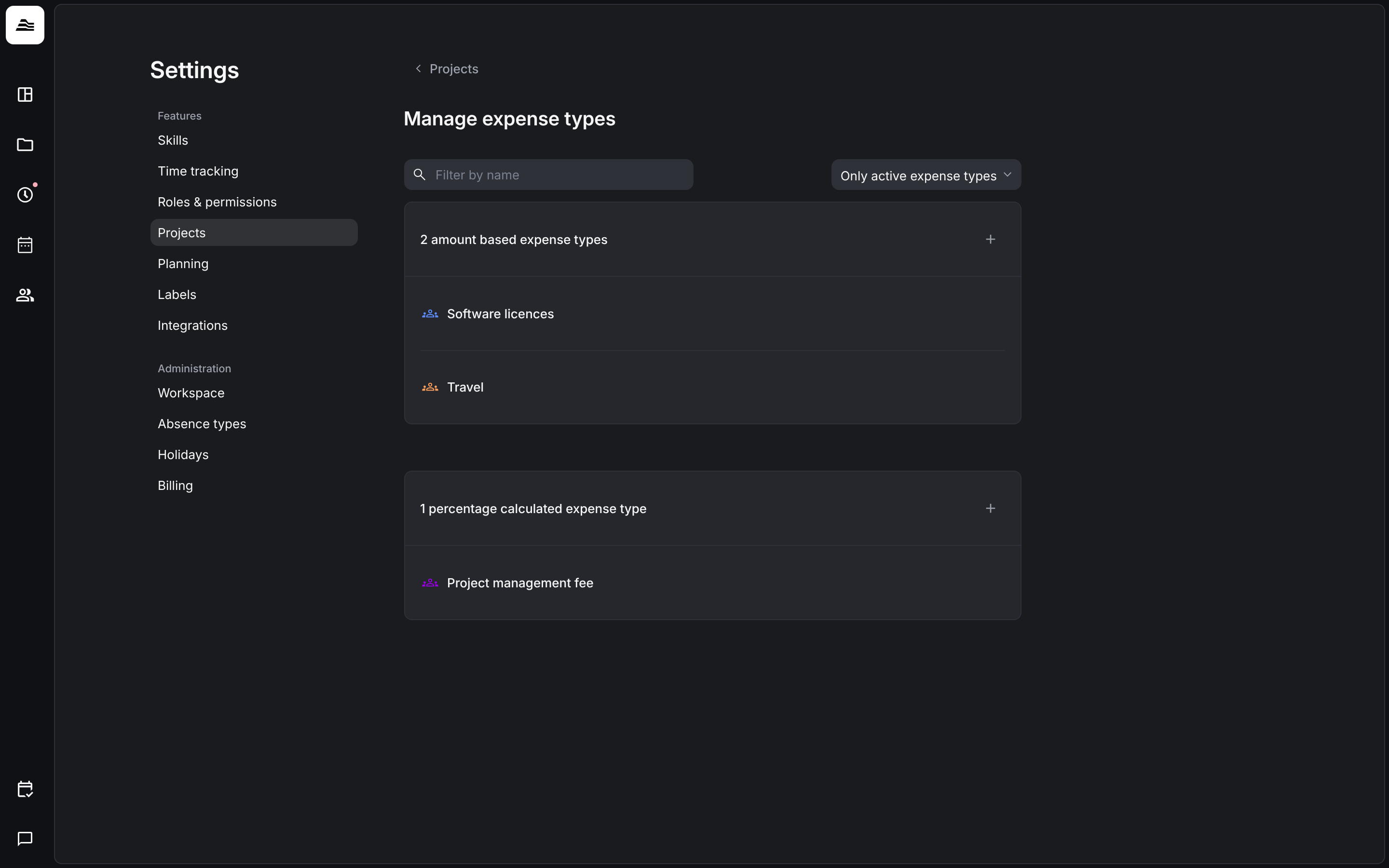
Click + to create a type and set Name, Icon & color and, for a percentage type, the Percent.
Add an expense to a project
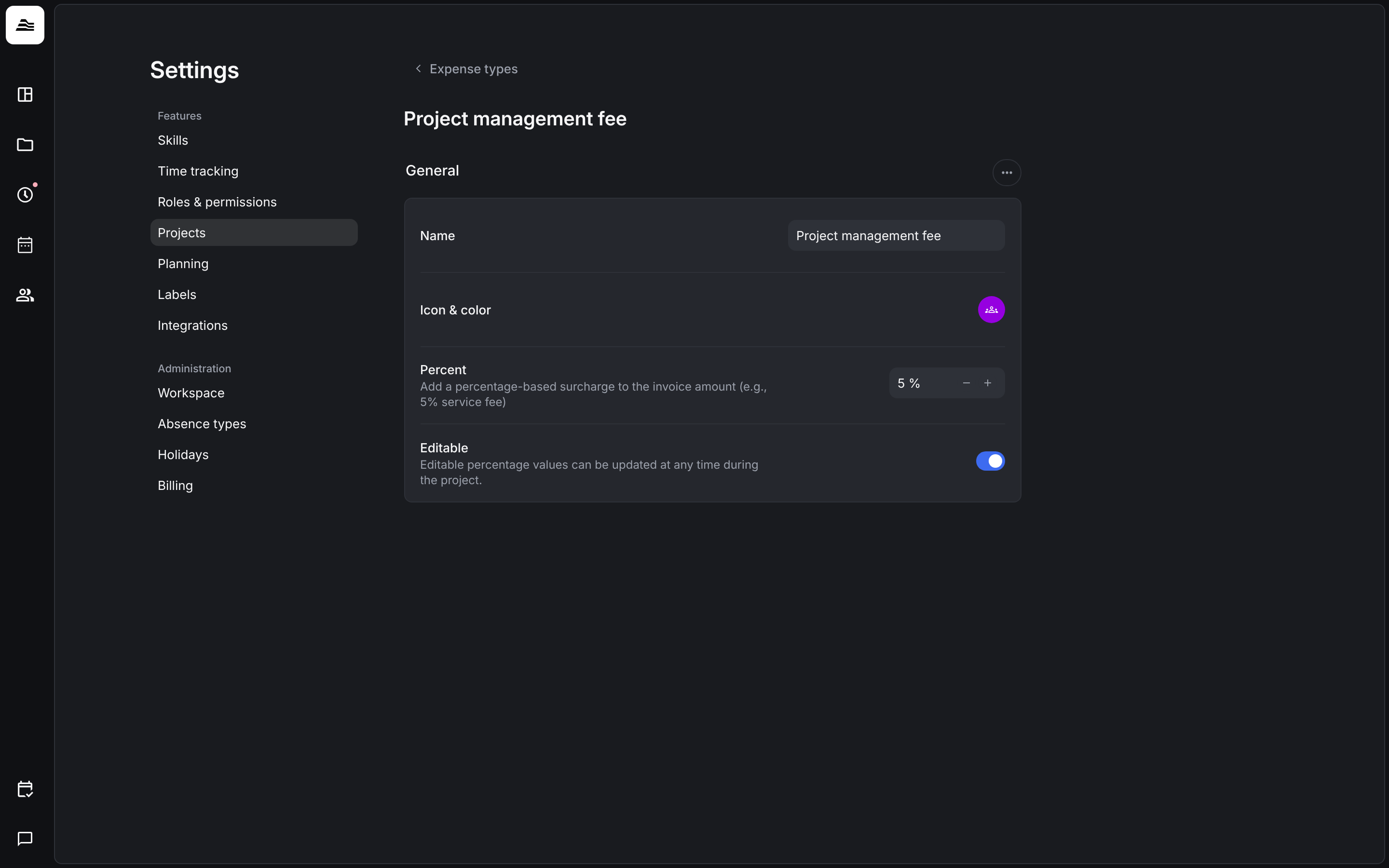
Open the project, switch to Invoicing and click + next to Expenses, or New → Expense…. In Add expense you set:
- Category: the expense type.
- Billing frequency: One time or Recurring. A recurring expense can be billed as often as you like.
- Date.
- Included in project budget: the expense is part of the budget and is not added on top of it.
- Is billable: the expense can be billed to the client.
- Internal costs and Billing amount: what the expense costs you and what you charge the client. This works like the cost rate of a staff member and the hourly rate you bill.
- File and Note, for example the receipt.
The expenses list
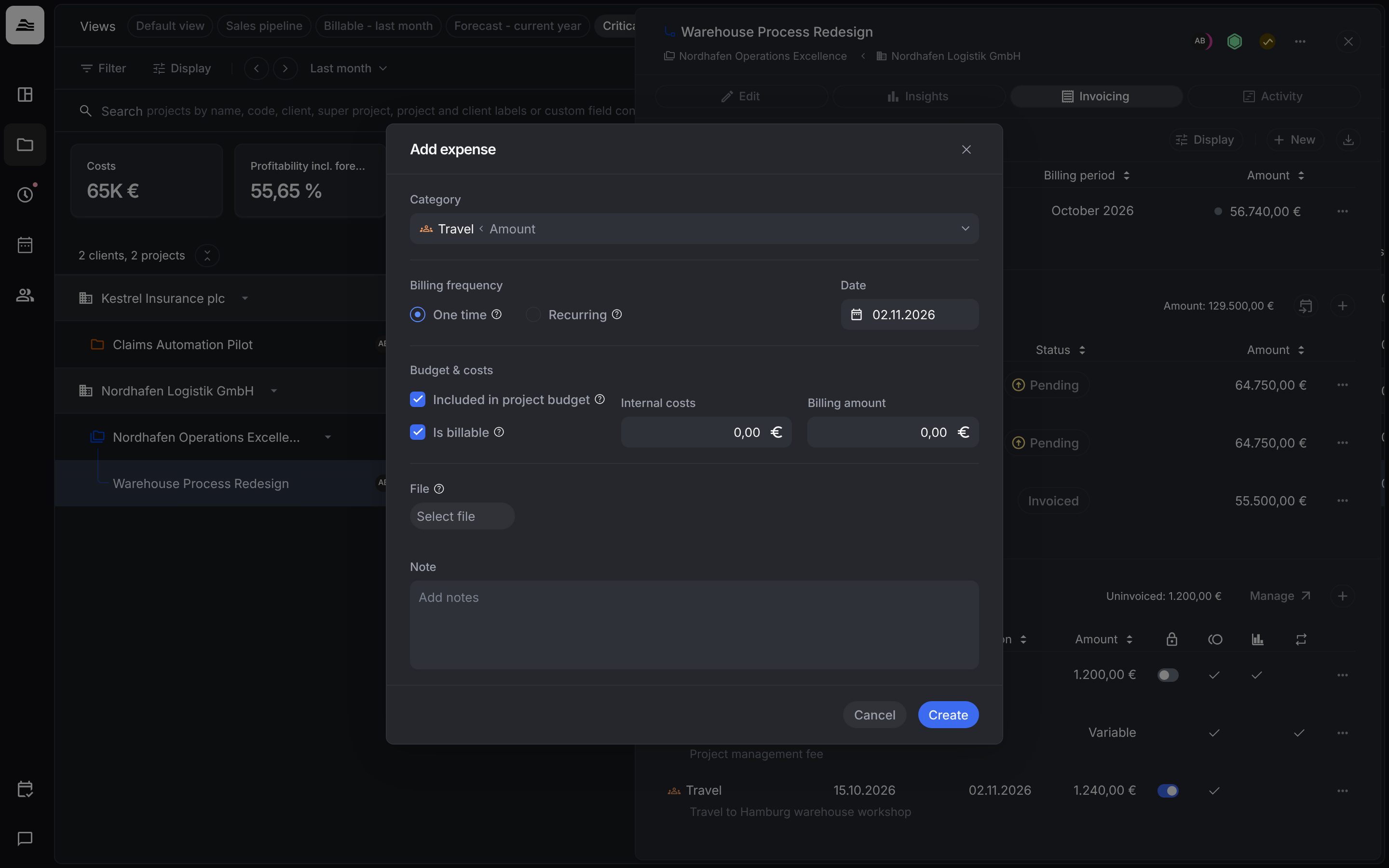
The Expenses section lists every expense with category, date, Invoiced on and amount. The icons in the columns show whether an expense is locked, billable, included in the budget and recurring. Uninvoiced shows the sum still to bill, and Manage opens the expense types.
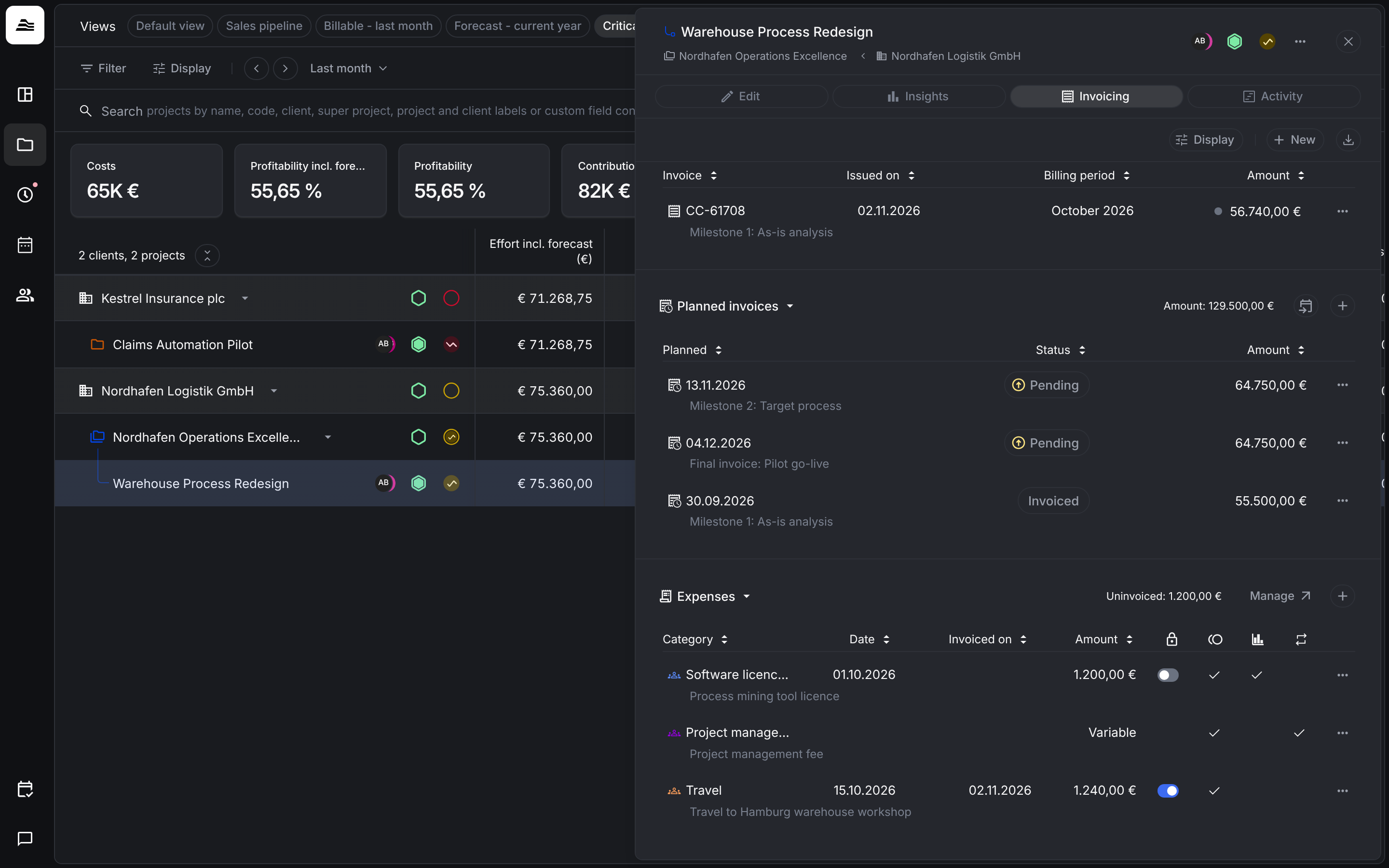
When you create an invoice, you choose which expenses to bill with it. Billed expenses get an Invoiced on date and are locked.
Related
- Invoice a project: bill expenses with an invoice.
- Budget and hourly rates: the project budget.