
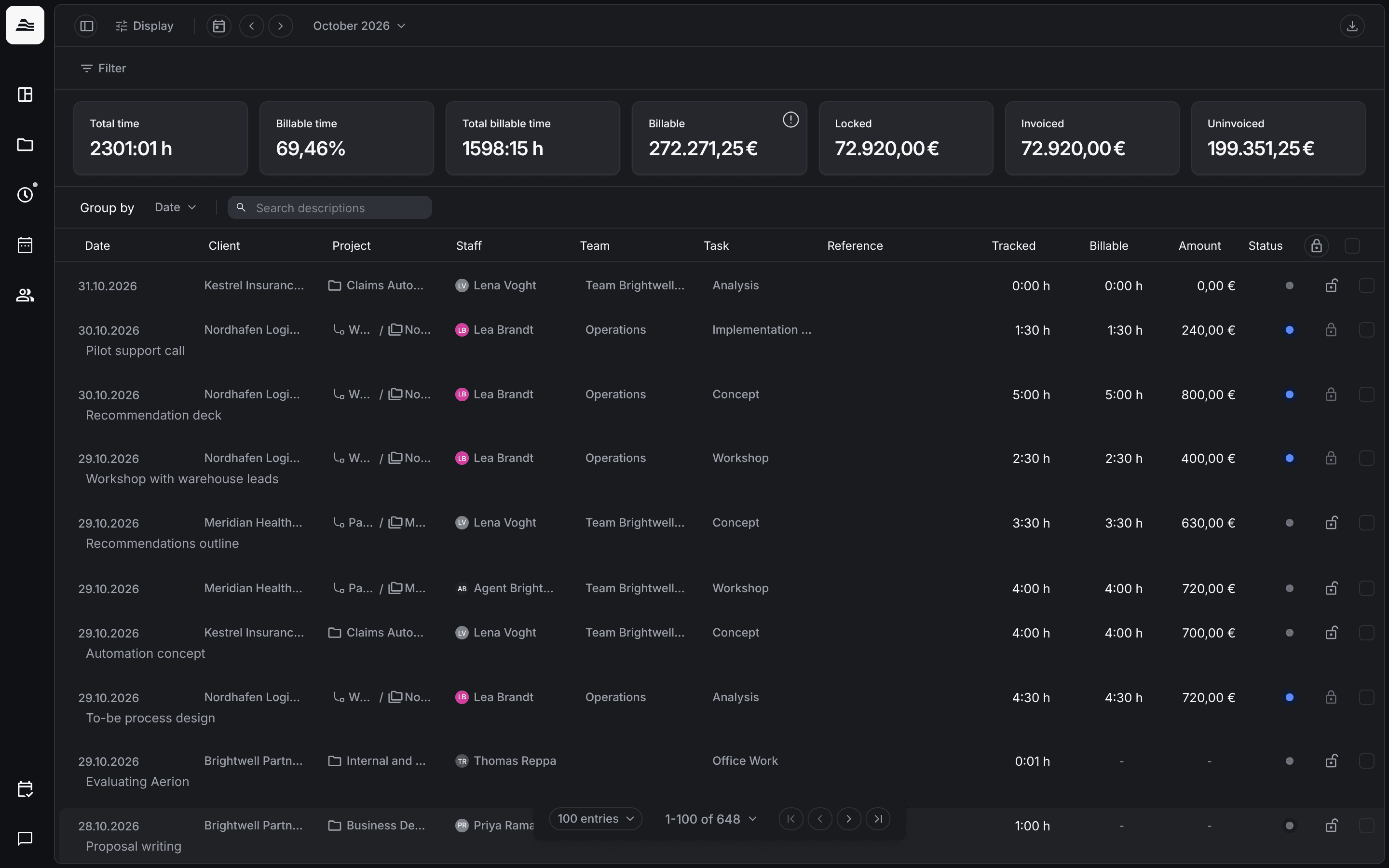
Under Times → Analytics you see all time entries of a period with their billing figures. Here project managers lock entries and you export time sheets for your clients.
Required rights: Admin or individual project rights
Time entries at a glance
Choose the period at the top, for example October 2026, and narrow the list with Filter. The tiles show Total time, Billable time, Total billable time, Billable, Locked, Invoiced and Uninvoiced. With Group by you group the list by date, client, project, staff member, team, task, reference or workset.
Lock time entries
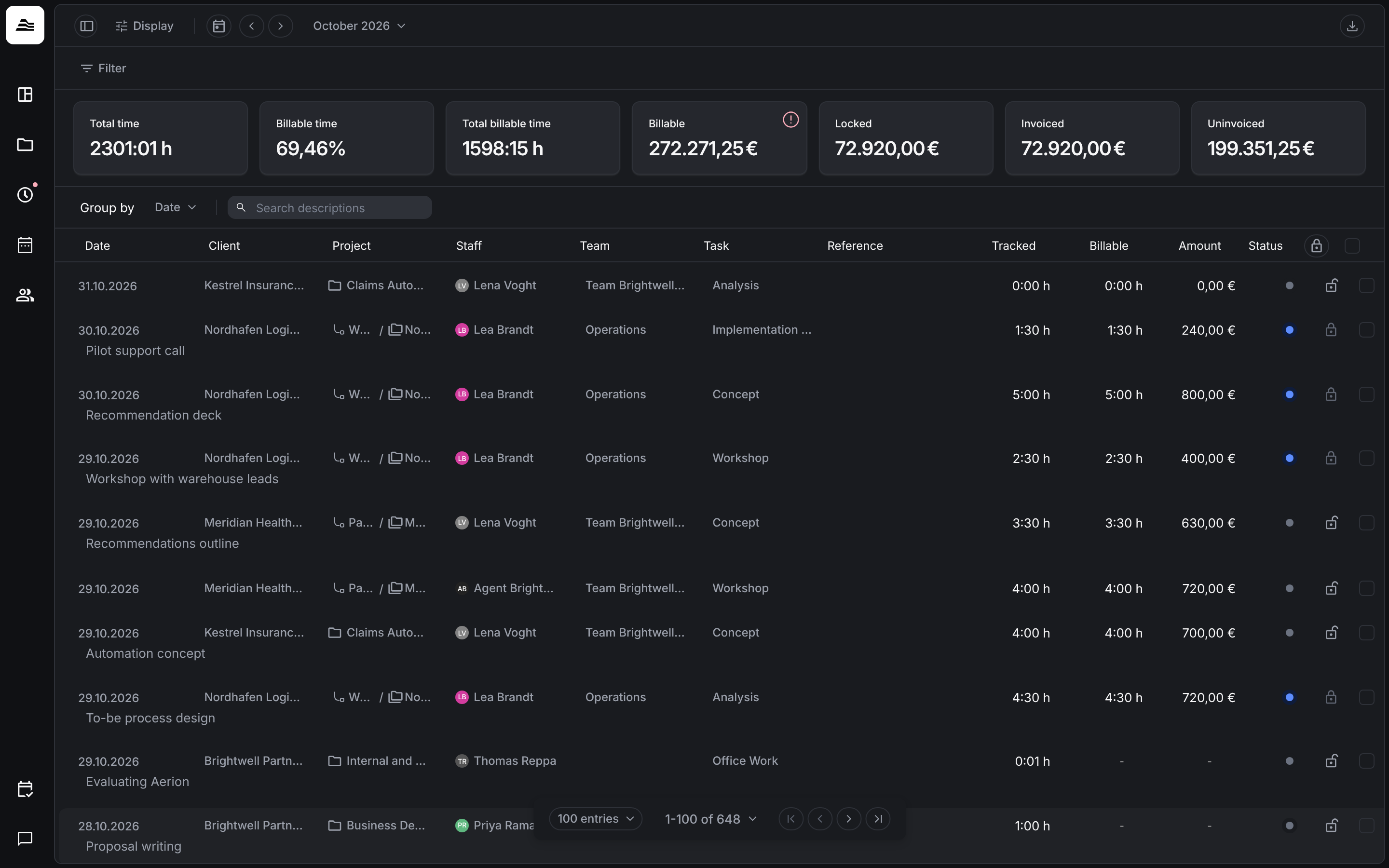
Project managers can lock time entries. A locked entry can't be changed until it is unlocked again.
- Click the lock in a row to lock or unlock one entry.
- To change several entries at once, select them with the check boxes on the right and click the lock in the header, Change lock state.
Invoiced entries are locked automatically.
Export a time sheet
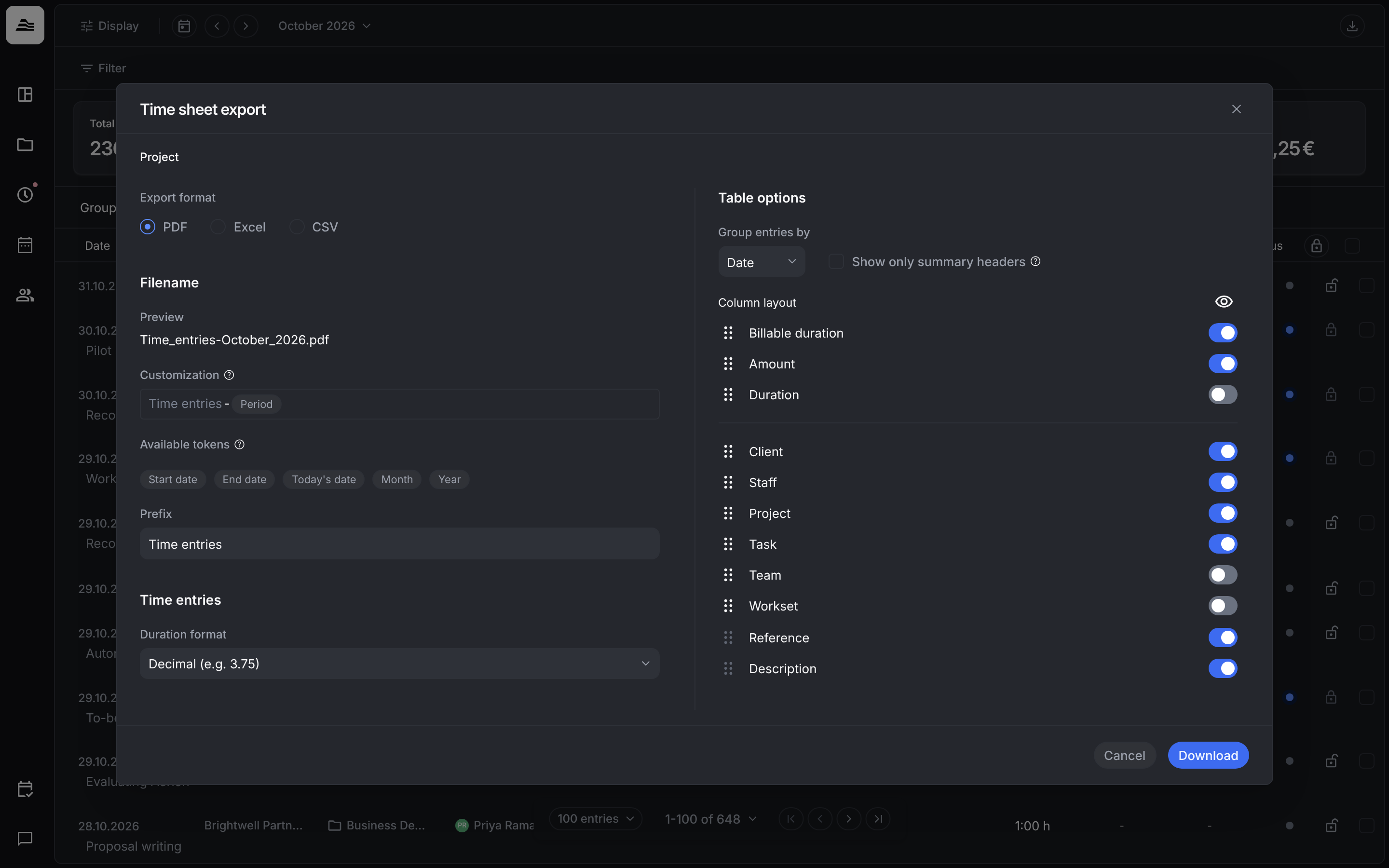
Click the download icon at the top right to open Time sheet export:
- Export format: PDF, Excel or CSV.
- Filename: a Prefix plus tokens such as Start date, End date, Today's date, Month or Year. Preview shows the result.
- Duration format, for example Decimal (e.g. 3.75).
- Table options: Group entries by, Show only summary headers and the Column layout, where you switch columns on or off and drag them into order.
Click Download.
Related
- Approval and billing states: approval states and the billing states invoiced and locked.
- Invoice a project: invoicing links and locks entries.