

Invoice expenses
Add extra costs — such as travel, materials, or service fees — to projects as expenses, then bill them. The relevant expense type must first be created in Aerion.
Required rights
Project management
Overview
The expenses overview sits at the bottom of the Invoices tab on both projects and sub-projects. It's split into billable, billed, and non-billable expenses.
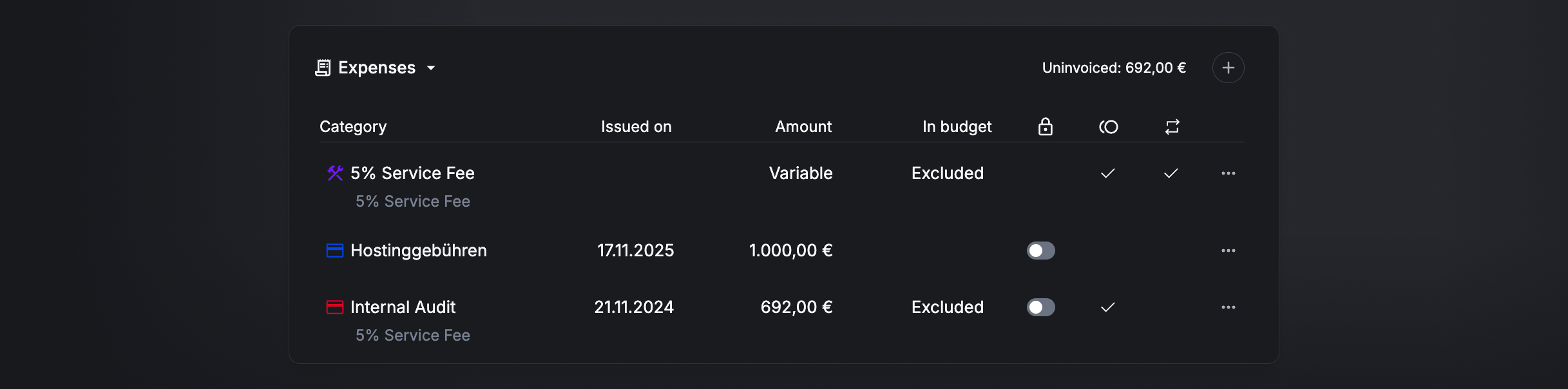
Create an expense
Click the + icon to create a new expense. Depending on the type — amount-based or percentage-based — different options apply.
Amount-based expenses
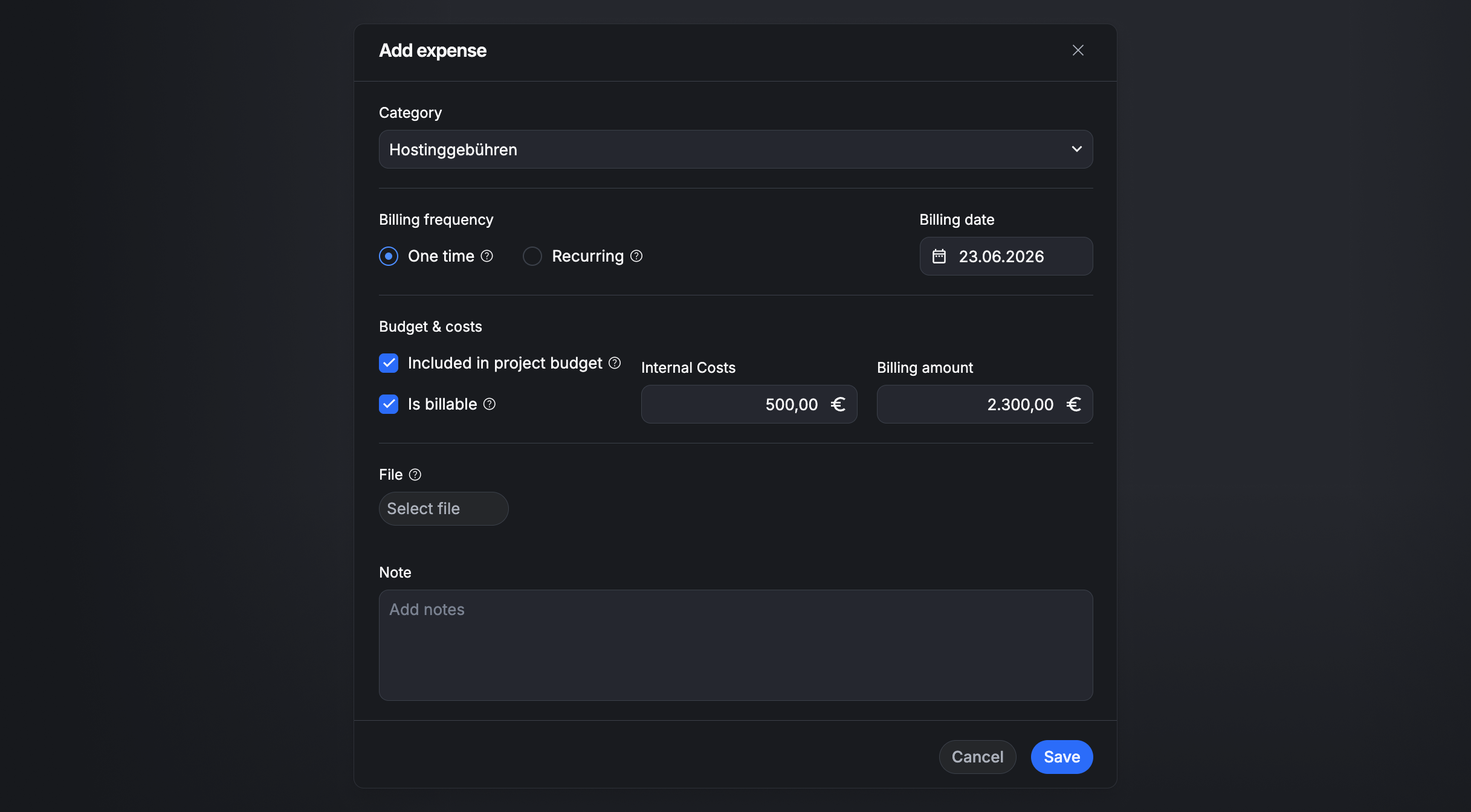
Amount-based expenses have either a fixed price (e.g. a workshop) or a fixed price per unit (e.g. mileage), with these options:
- Date — when the expense occurred (omitted when Recurring is enabled).
- Note — comments or notes on the expense.
- Billable — whether the expense is billable and available to select at invoicing.
- Included in budget — whether the expense is part of the project budget or increases the budget when billed. Available only for projects with a fixed budget.
- Recurring — whether the expense is billed once or recurring. Recurring expenses can be added to the invoice again at every invoicing.
- Internal cost — the internal cost of the expense.
- Billable amount — the amount billed to the client.
- Receipt — upload a receipt.
Percentage-based expenses
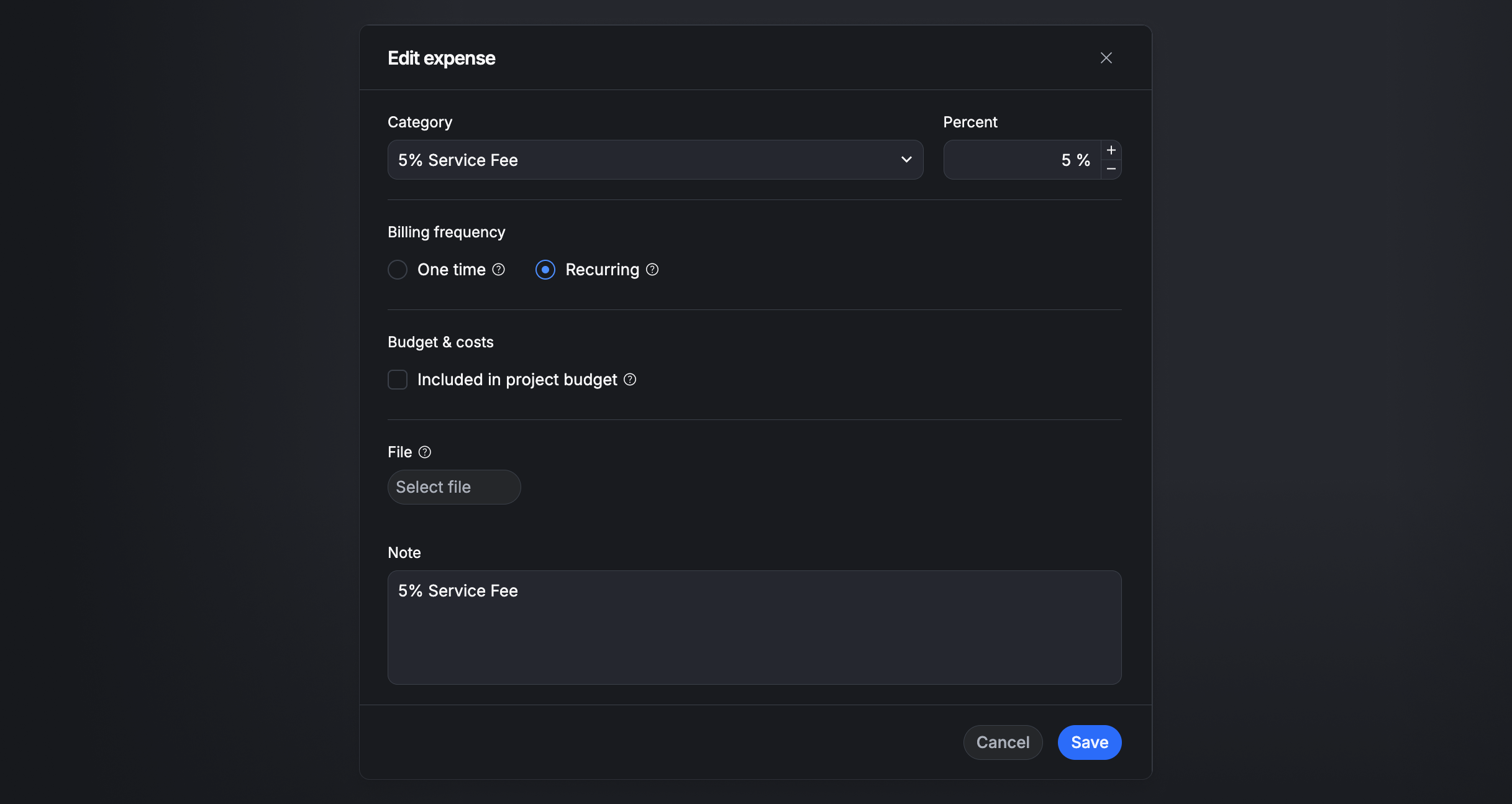
Percentage-based expenses add a percentage on top of an invoice's amount, with these options:
- Date — when the expense occurred (omitted when Recurring is enabled).
- Note — comments or notes on the expense.
- Included in budget — whether the expense is part of the project budget or increases the budget when billed. Available only for projects with a fixed budget.
- Recurring — whether the expense is billed once or recurring. Recurring expenses can be added to the invoice again at every invoicing.
Bill expenses
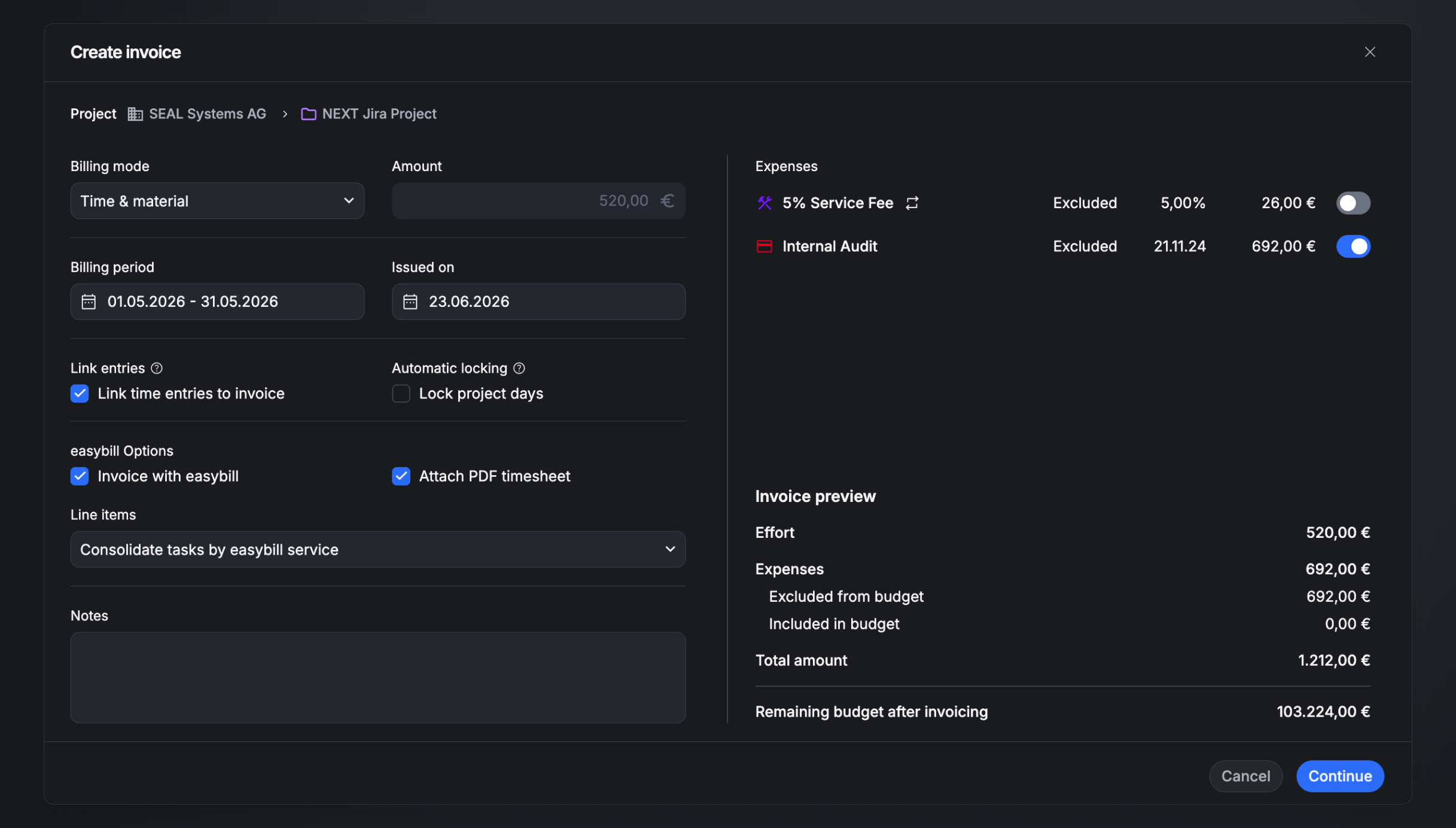
When you create an invoice, all billable expenses are shown and can be added to the invoice as extra line items.
The total of all selected expenses is summarized in a single Expenses line item. Recurring expenses are available again at every invoicing.