

Down payments
Represent down payments correctly and offset them against the work you actually deliver — using a negative expense.
Required rights
Project edit
Overview
In projects with a down payment (an advance the client pays up front), the question is how to account for the advance correctly — especially against the project budget and the work delivered. The approach: record the down payment as a negative expense, then add it as a line item on the first regular invoice so it's offset against the delivered work.
Two levels of budget control
For time-based work there are two budgets, and a down payment only affects one of them:
- Project budget — covers all planned and delivered work (every time entry and its value). This is how you steer profitability.
- Billing budget — how much can still be invoiced. It also accounts for amounts already invoiced, including down payments.
Offset a down payment
The example below uses a €10,000 down payment.
1. Record the down payment as a negative expense
On the project's Invoicing tab, add an expense with a negative billable amount:
| Field | Value |
|---|---|
| Billable amount | −€10,000 |
| Note | e.g. "Down payment credit" |
| Billable | Yes |
| Included in budget | Yes |
| Internal cost | €0 |
| Recurring | Off (billed once) |
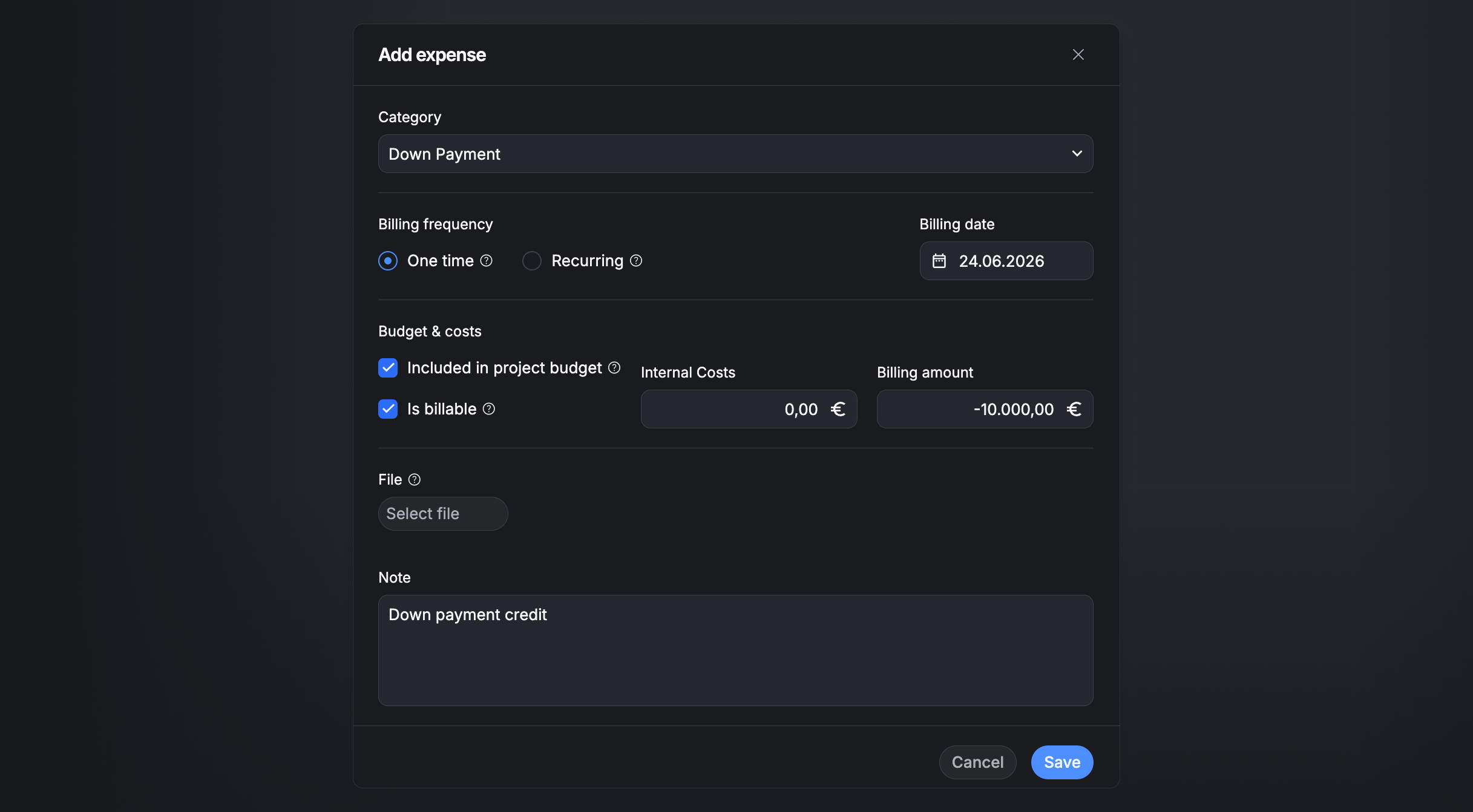
A €0 internal cost means the credit reduces the billable amount without distorting your profitability calculation.
2. Log time entries as usual
Log time entries on the project as normal — in the background they add up to the monetary value of the work delivered (e.g. €50,000 by a given point).
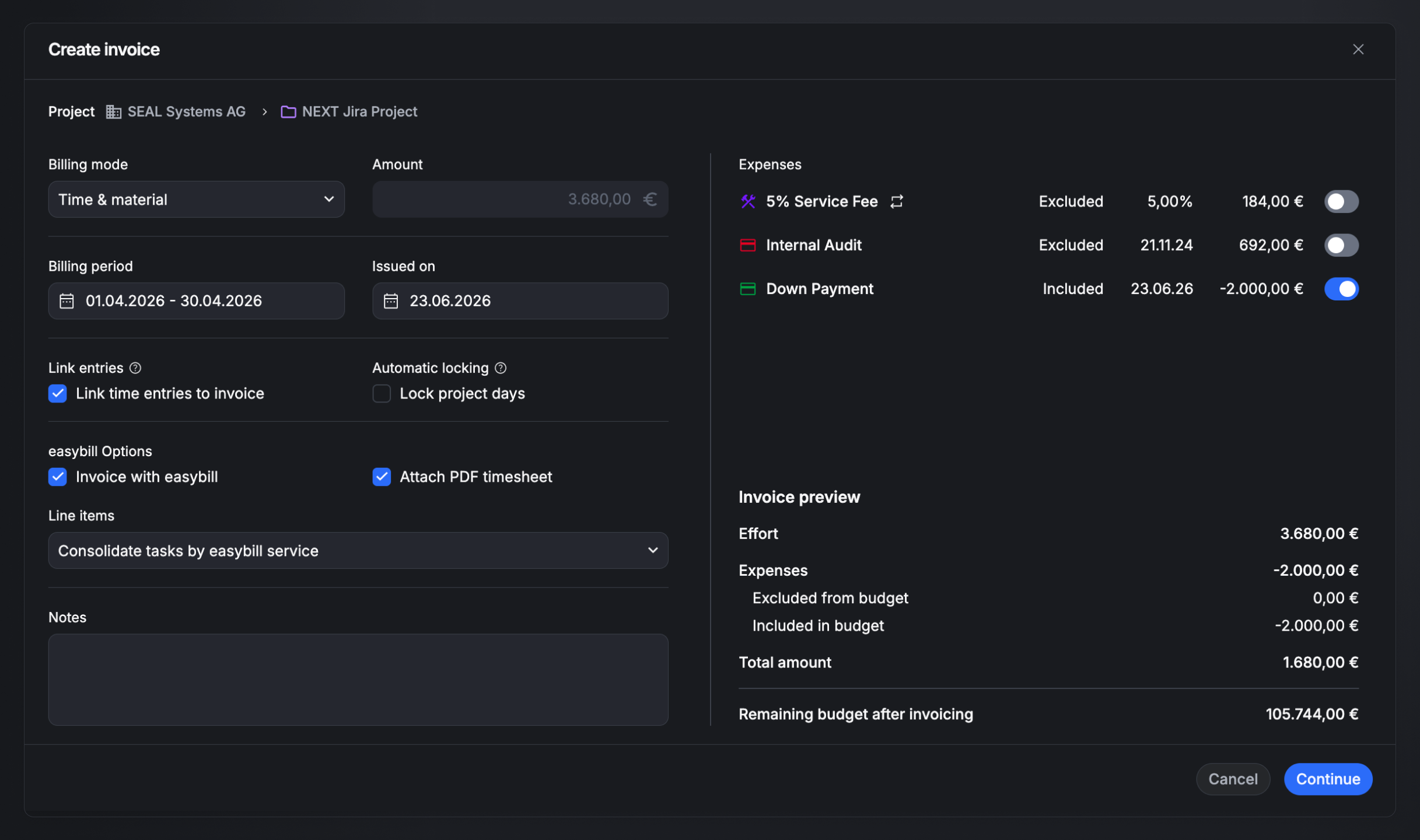
3. Add the credit to the first invoice
Once the delivered work exceeds the down payment, issue the first regular invoice:
- Create an invoice for the period.
- Select all uninvoiced time entries.
- Also select the "Down payment credit" expense — it's added as a line item.
- Save and send the invoice.
Result
The invoice total is the delivered work minus the down payment — e.g. €50,000 − €10,000 = €40,000. The time entries are marked invoiced and linked to the invoice, and the billing budget reflects the correct remaining amount, with the full project budget still accounted for.
Related
- Invoice projects — create, edit, and send invoices.
- Invoice expenses — add and bill expenses.