

Review and billing status of time entries
Time entries in Aerion go through two independent processes: an approval status (whether an entry has been reviewed) and a billing status (whether an entry can still be edited and billed). Together they keep the approval and billing workflow clear and transparent.
Required rights
Project-time / work-time approval (granted per team or globally)
Approval status
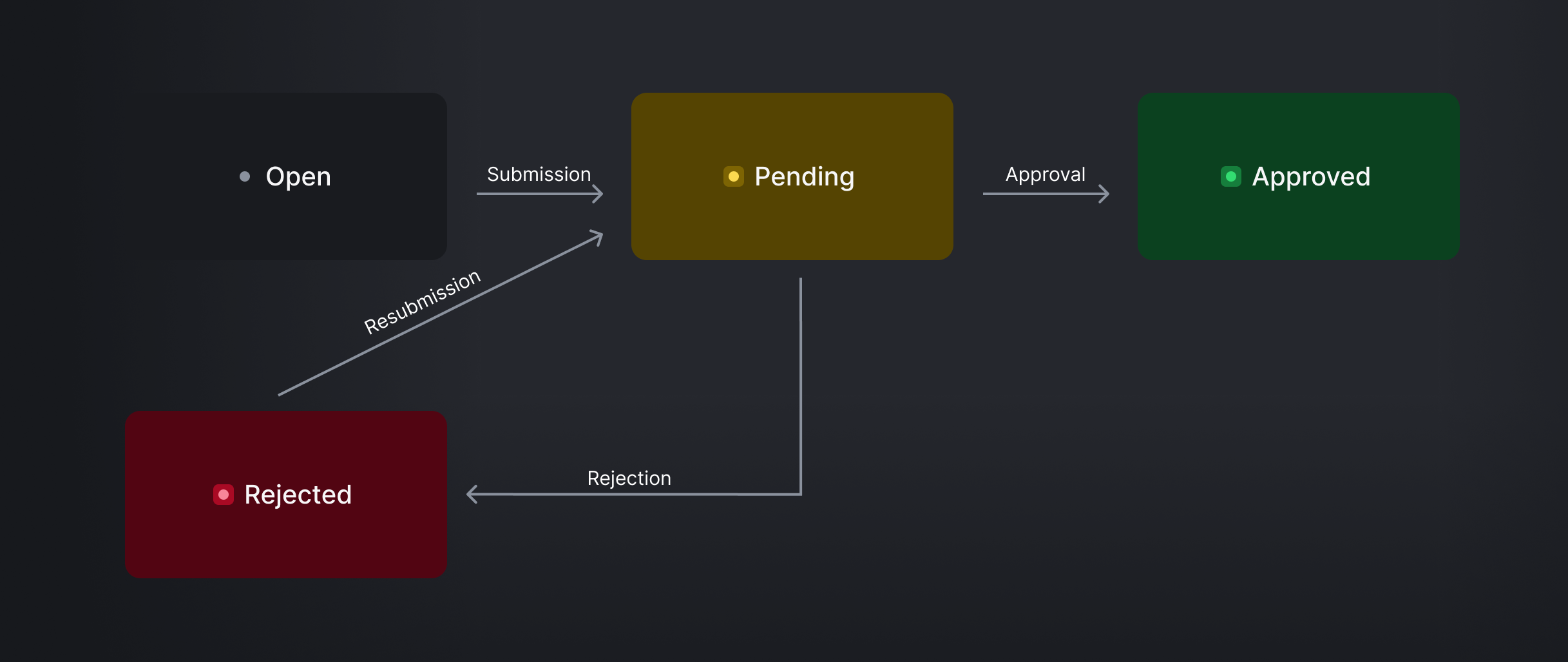
The approval status indicates whether an entry has been reviewed and approved. The possible statuses are:
- Open — the entry has been recorded but not yet submitted for review.
- Submitted — the entry has been submitted and is waiting for review.
- Approved — the entry has been approved and can be billed.
- Rejected — the entry was rejected. It can then be adjusted and submitted again.
When an entry is billed, its approval status automatically becomes Approved — even if it was never reviewed manually.
Billing status
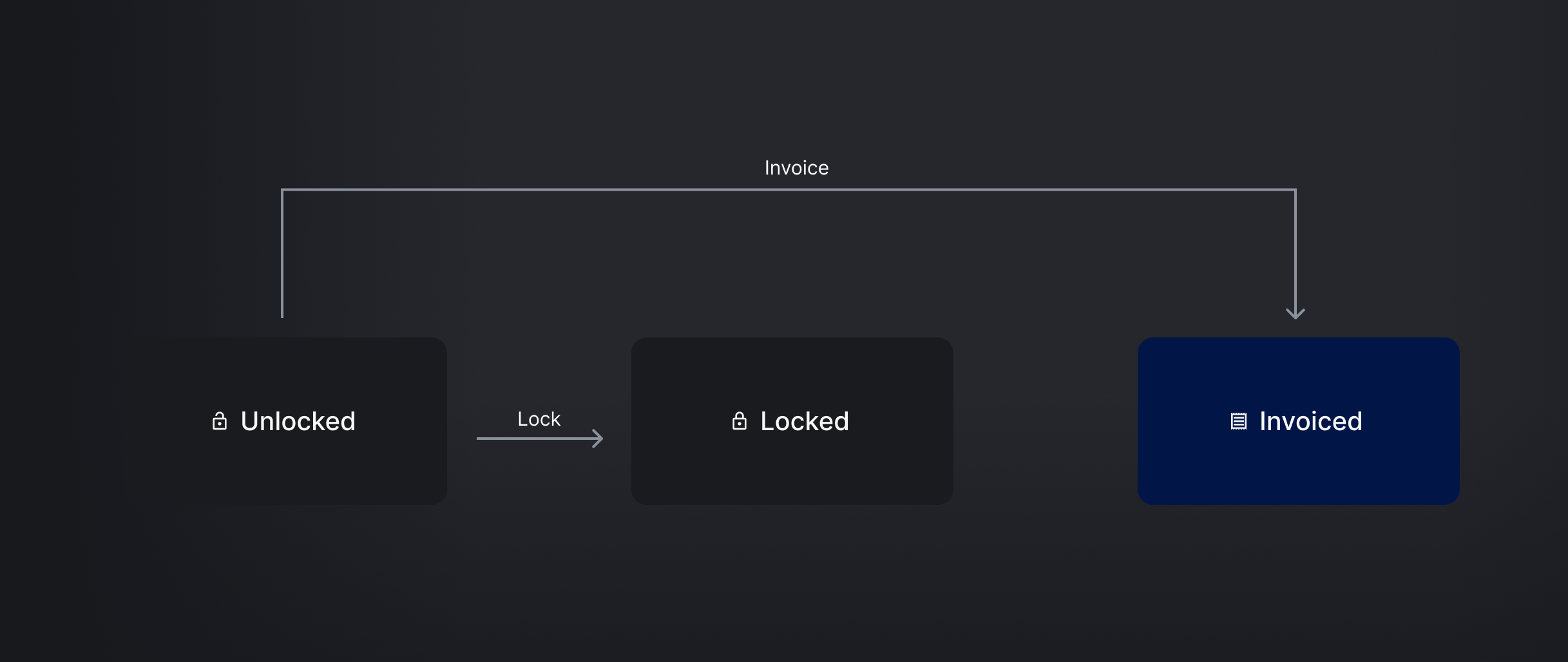
Whether an entry can still be edited and billed is governed by two separate states: its lock state and its billing state.
Lock state
- Unlocked — the default. The entry can be edited and billed.
- Locked — the entry has been locked manually and can no longer be edited or billed.
Locking is generally used to exclude entries from billing — for example, entries that were billed outside Aerion.
Billing state
- Uninvoiced — the entry has not yet been billed and can still be edited and billed.
- Invoiced — the entry was set to Invoiced as part of issuing an invoice.
An entry that is Unlocked and Uninvoiced can be edited and billed; from there it can be either invoiced or locked.
How approval and billing interact
The two processes are independent, but connected at one point: as soon as an entry is billed (billing state Invoiced), its approval status is automatically set to Approved.
This ensures that only approved entries are billed — either reviewed manually, or approved automatically as part of invoicing.
See also: Check work and project time and Bill projects.