

Submission rules check a workday when a staff member submits it. They help you get complete entries before you review them.
Required rights: Admin
Rules for the account
Open Settings → Time tracking → Submission & approval system:
- Enable approval and submission turns submitting and approving on.
- Work time compliance checks break rules under the German Working Hours Act (Germany only).
- Missing description and Missing reference set what happens when an entry has no description or reference.
For each rule you choose whether to Ignore it, Show warning or block the submission.
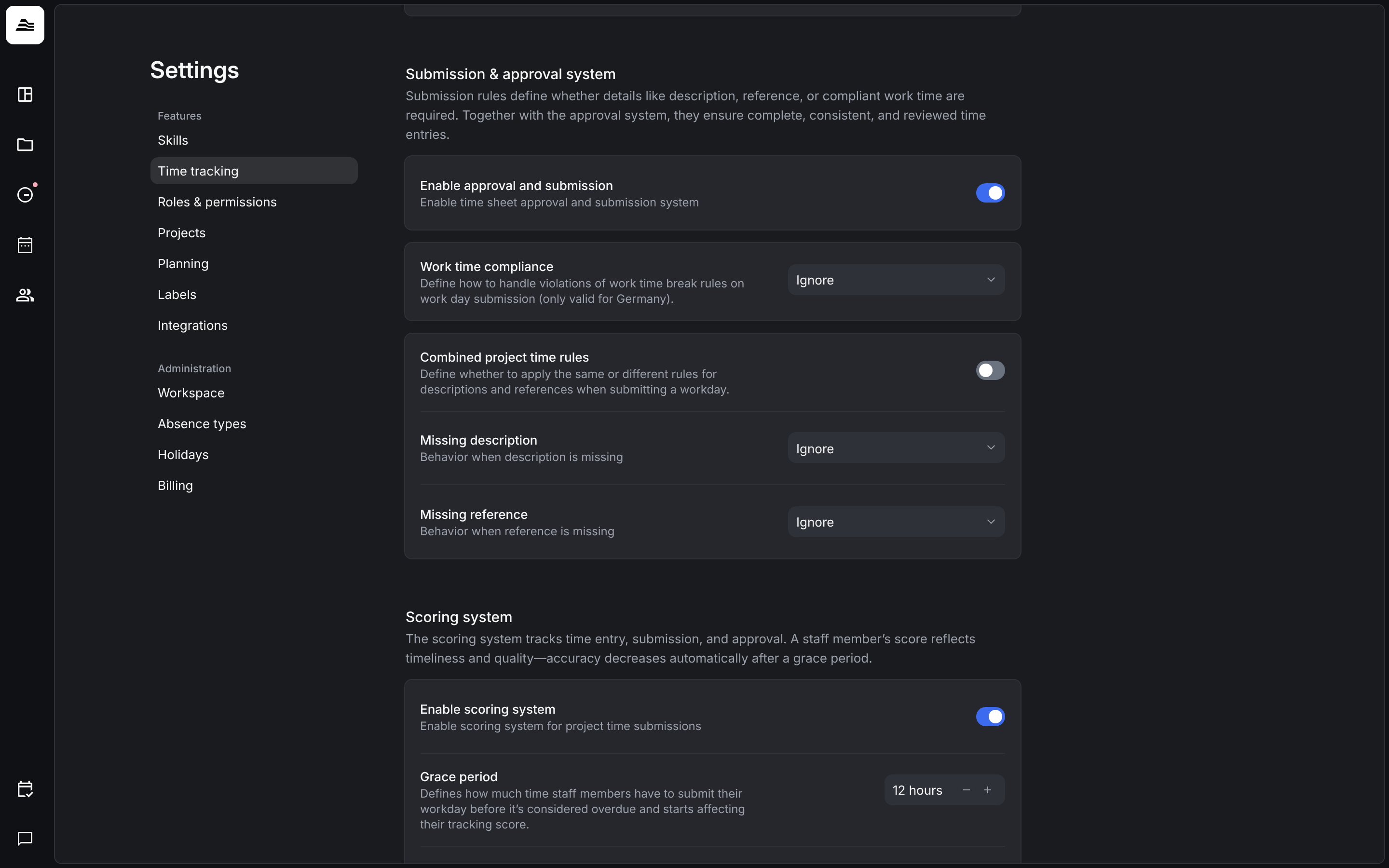
With Combined project time rules, one rule applies to both: an entry needs either a description or a reference.
Rules per project
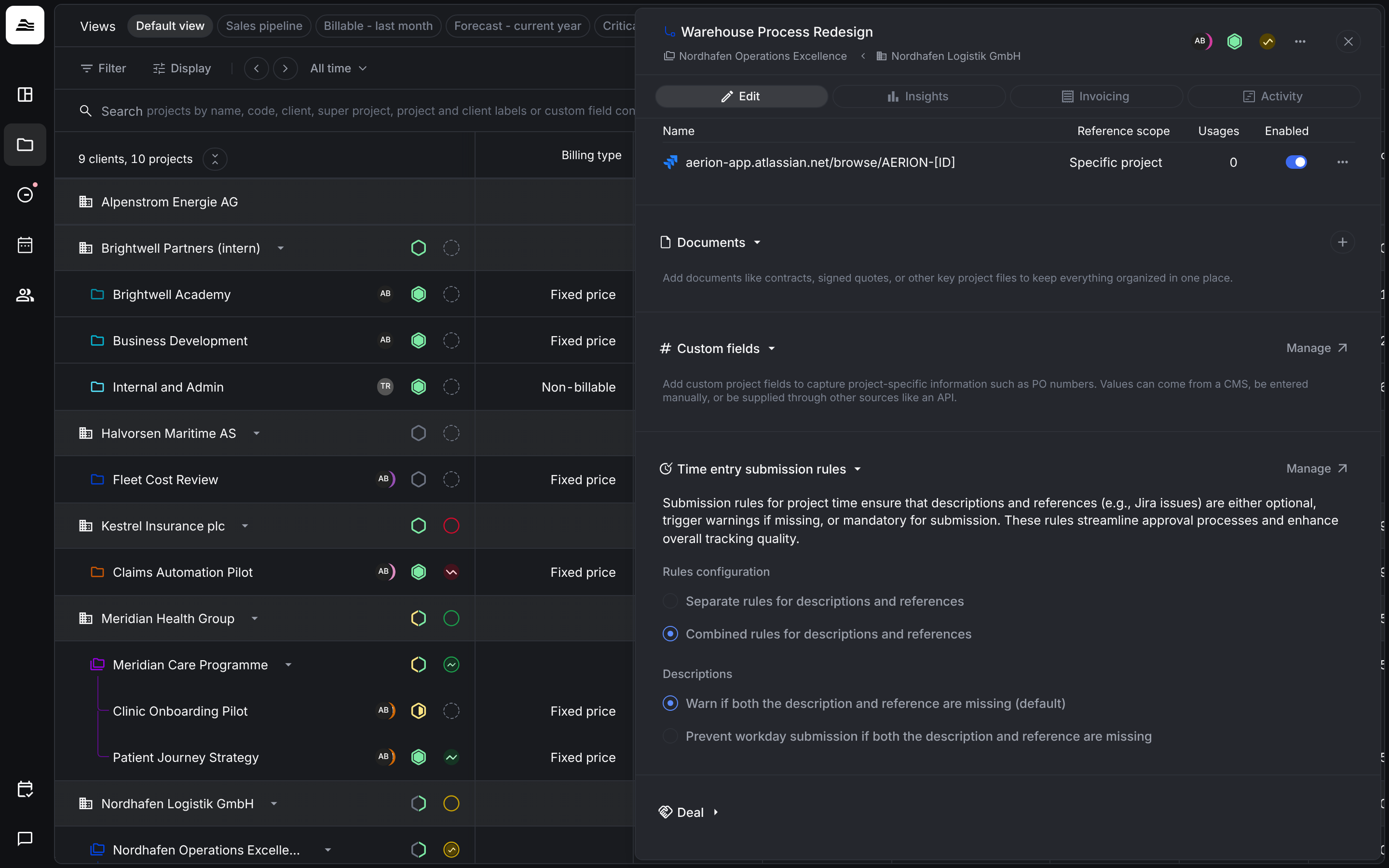
You can set different rules for a single project. Open the project, scroll to Time entry submission rules and click Manage.
Under Rules configuration choose Separate rules for descriptions and references or Combined rules for descriptions and references, then set the behavior, for example Warn if both the description and reference are missing (default) or Prevent workday submission if both the description and reference are missing.
Related
- Submit time: how staff members submit their workday.
- Tracking references: link entries to tickets.