

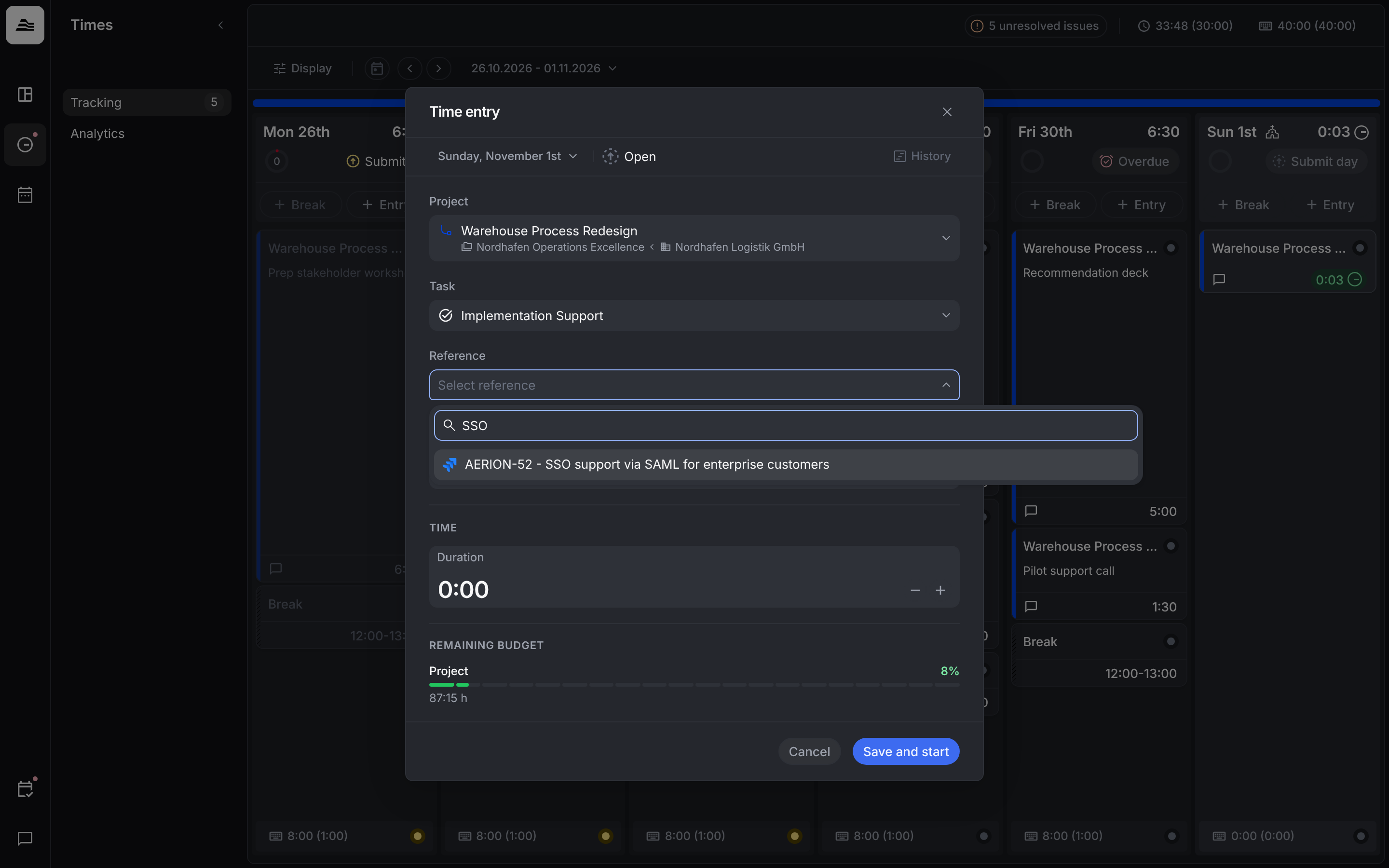
A reference links a time entry to a ticket, for example from Jira. This way you see later which work went into which ticket.
Add a reference
- Open or create a time entry.
- Click Reference and search for the ticket by title or code.
- Select the ticket and click Save.
If the project has no ticket system connected, the field shows No references available.
For admins: connect a ticket system
- Jira: connect it under
Settings → Integrations. - Other ticket systems, for example GitHub, GitLab, Asana, monday.com, Azure DevOps, ClickUp, Linear or YouTrack, are connected as reference services under
Settings → Projects.
Which reference systems a project uses is shown in the project under Reference systems. Click Manage there to add or change them.
Under Settings → Time tracking → Submission & approval system, your admin sets what happens when a reference is missing on submission.
Related
- Track time: track project time.