

The tracking score shows how reliably time is tracked. It is based on two parts:
- Timeliness: how promptly you submit your project time.
- Quality: how much of your project time is approved.
Where you see it
- In time tracking, the circle next to the button at the top of each day shows the score of that day.
- In Submit workday, Tracking timeliness shows the timeliness points of the day.
- On the Team page, the Tracking score column shows the score of each staff member.
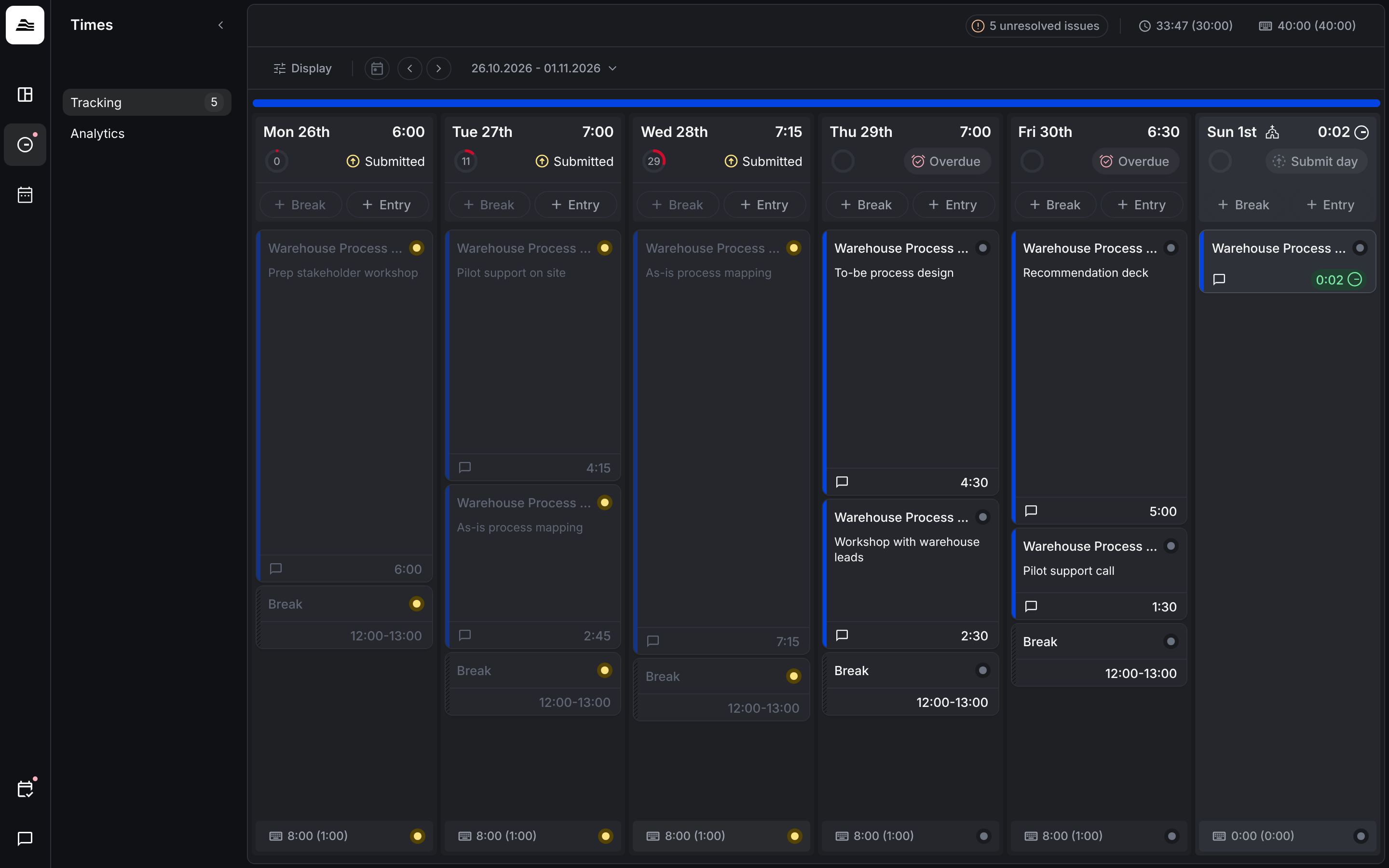
How timeliness drops
Submit within the grace period and your timeliness stays complete. Once the grace period has passed, the day is overdue and the score drops by a set number of points per interval until you submit.
For admins: configure the scoring system
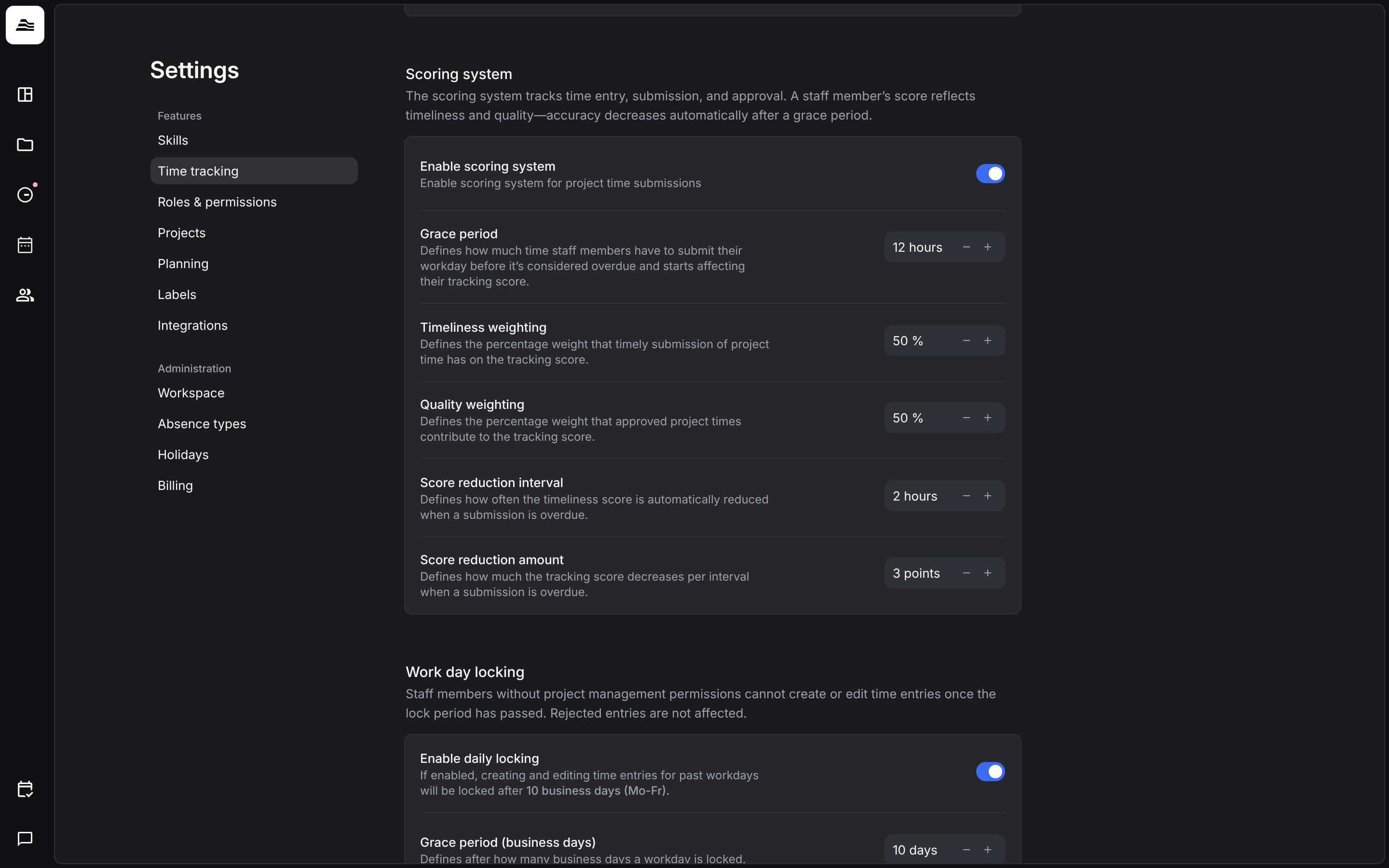
Under Settings → Time tracking → Scoring system:
- Enable scoring system turns the score on for project time submissions.
- Grace period is the time staff members have to submit their workday before it counts as overdue.
- Timeliness weighting and Quality weighting set how much each part counts.
- Score reduction interval and Score reduction amount set how often and by how many points the score drops for overdue days.
Related
- Submit time: submit your workday.