
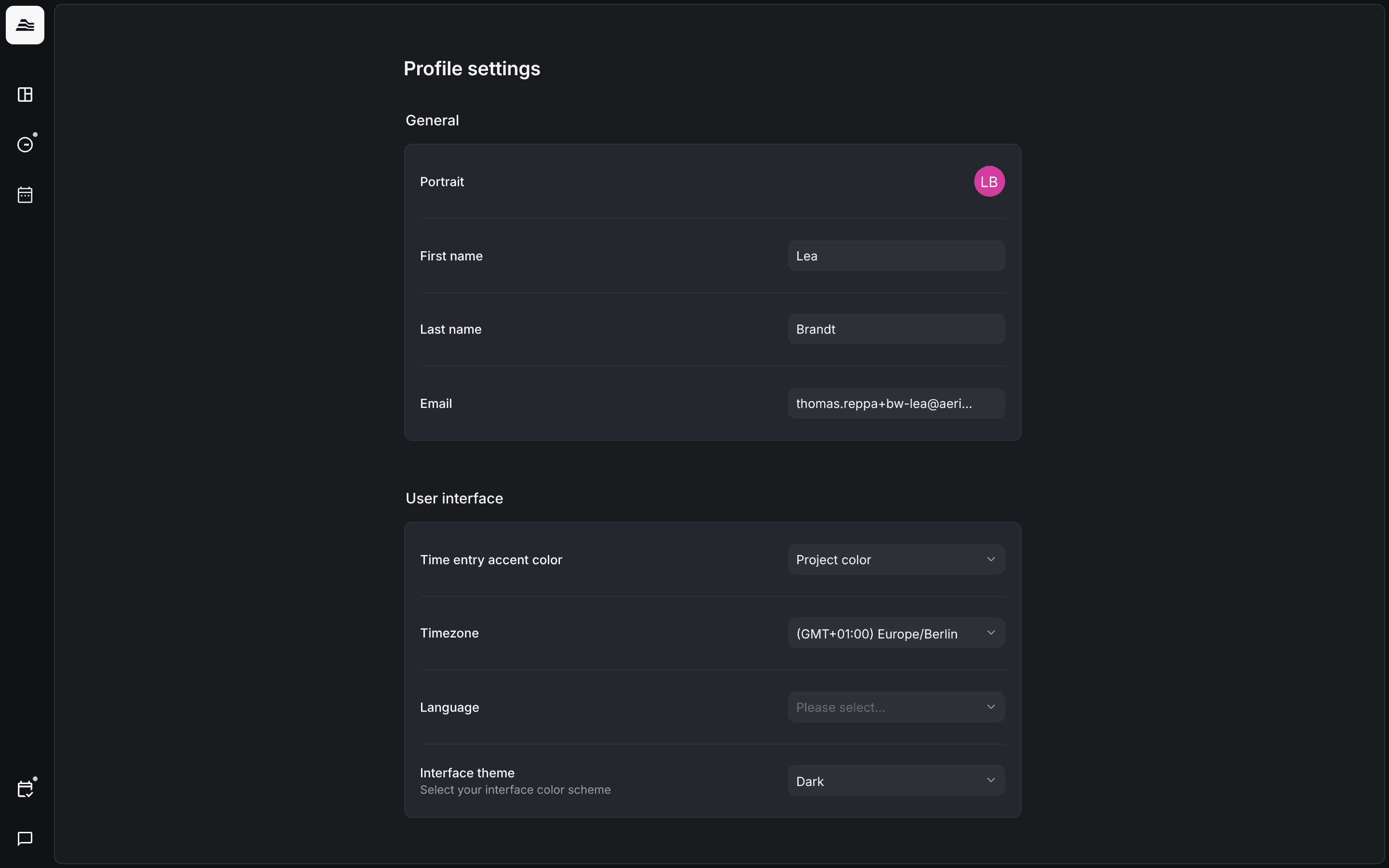
Click the Aerion logo in the top left to open your profile menu. Profile shows your key figures, Preferences your personal settings.
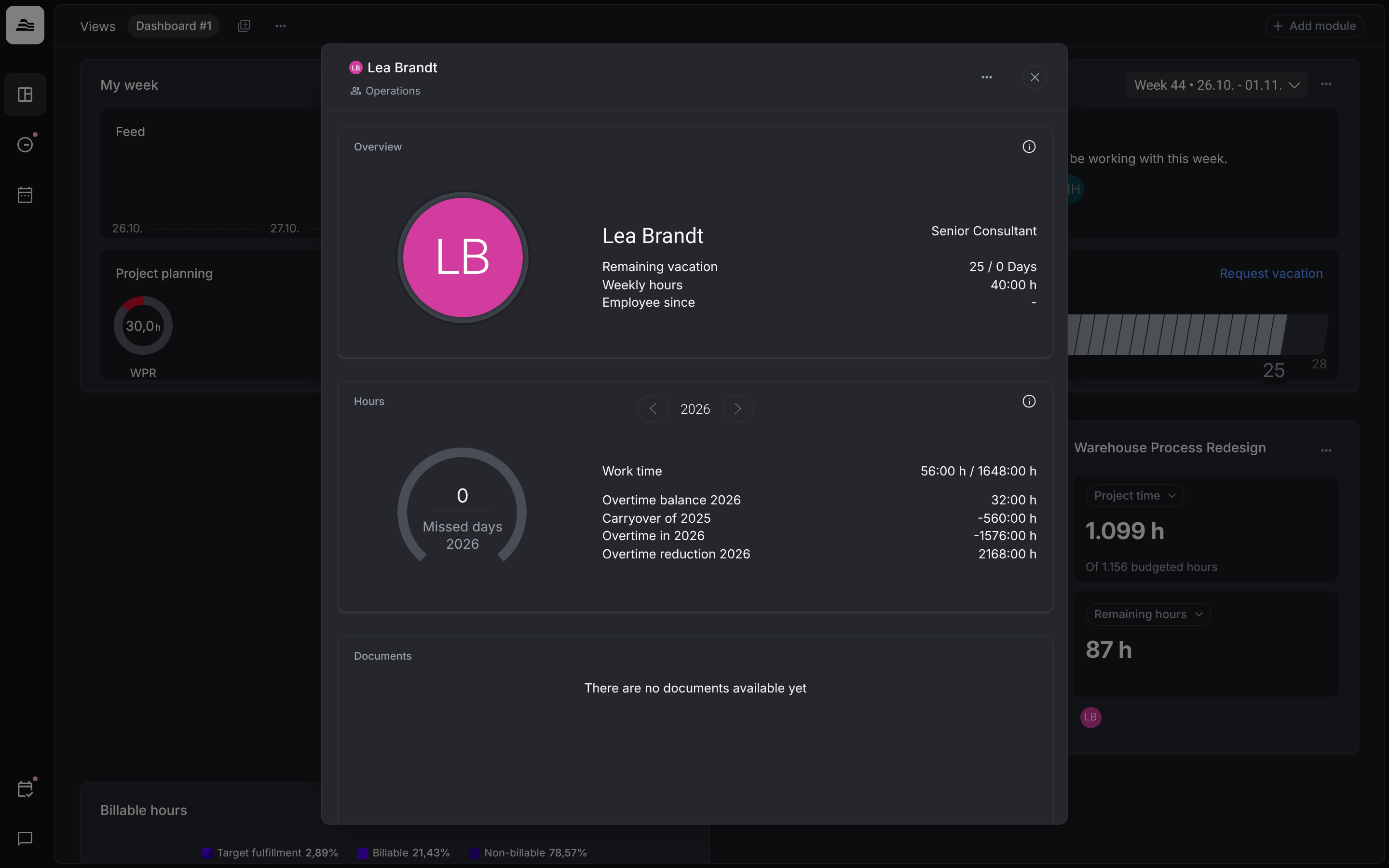
Profile
Your profile has three sections:
- Overview: remaining vacation, weekly hours and since when you are employed.
- Times: work time, overtime balance, carryover from the previous year, overtime and overtime reduction for the selected year, plus your days of absence.
- Documents: documents such as contracts. They are added by staff members with HR permissions, for example admins.
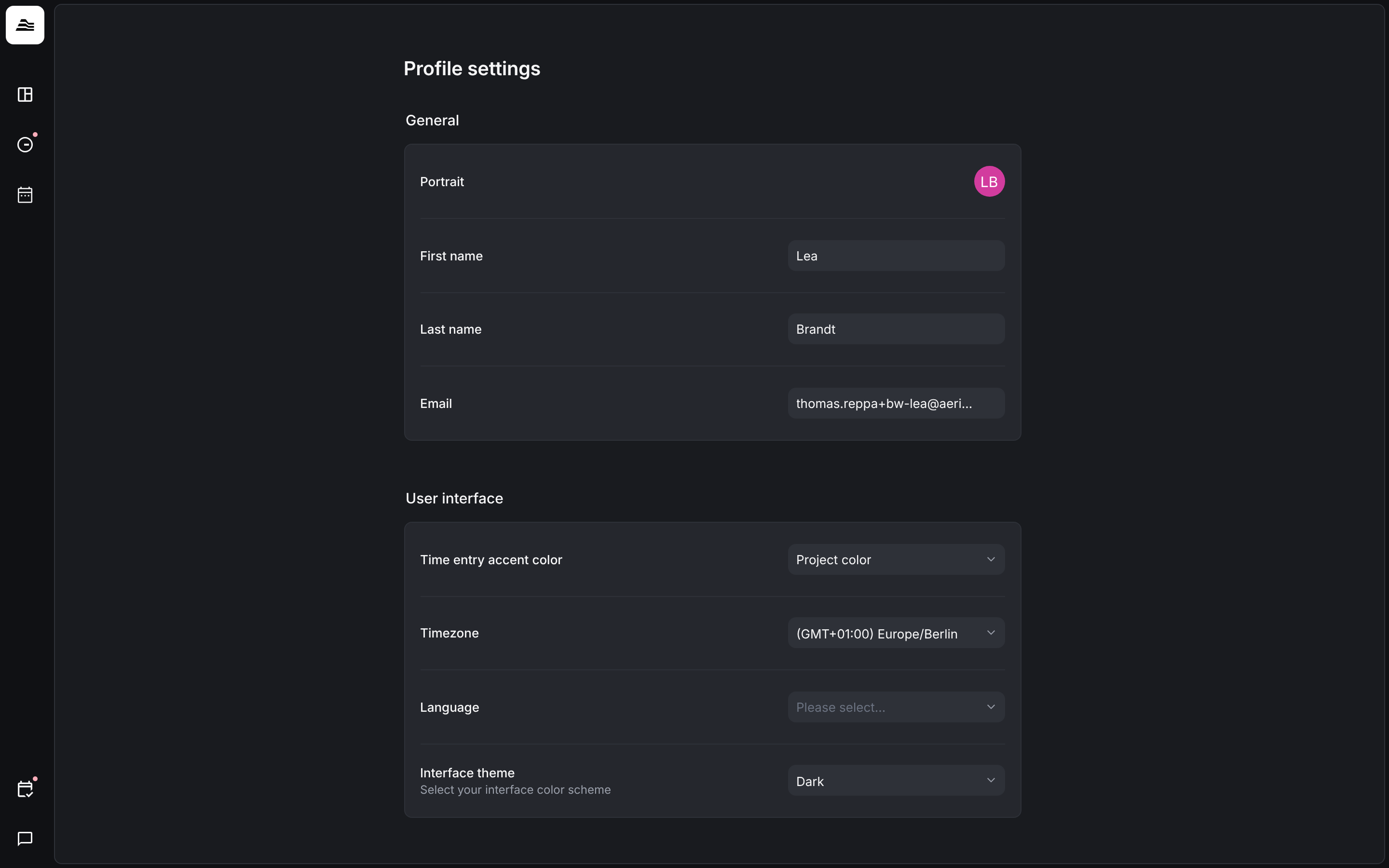
Preferences
Under Profile settings you change:
- General: portrait, first name, last name and email.
- User interface: time entry accent color, timezone, language and interface theme.
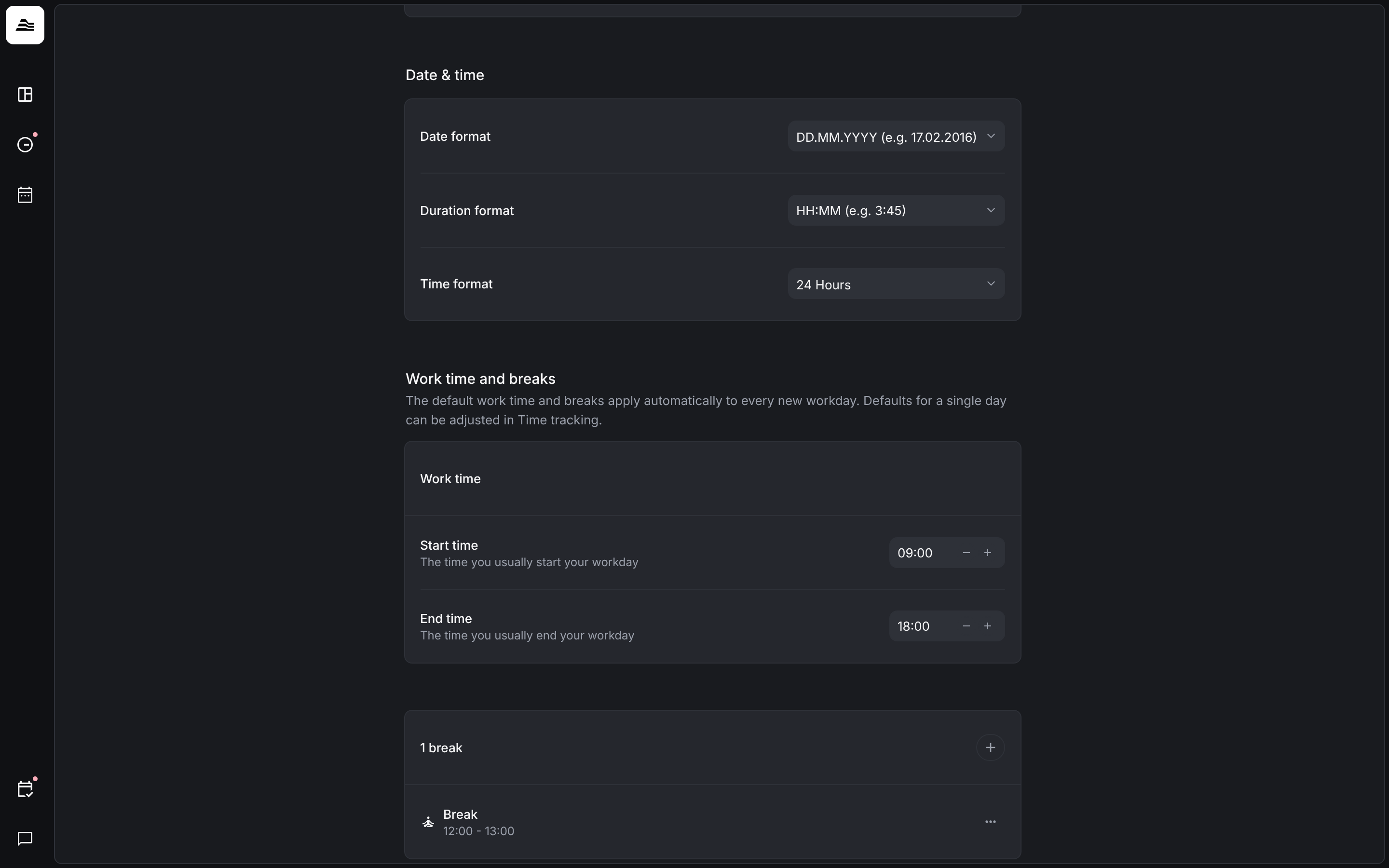
- Date & time: date format, duration format and time format.
Default work time and breaks
If your team tracks work time, set your usual Start time, End time and breaks under Work time and breaks. They apply automatically to every new workday. You can adjust a single day in time tracking.
Related
- Work time and breaks: track work time and breaks.
- First steps for staff: your first days in Aerion.