

Teams group your staff members. Each team can give its members rights over the other members of the same team, for example to approve their time. Create a team with New > Team in Team, or click a team row to edit it.
Required rights: Admin or a role with Extended staff management
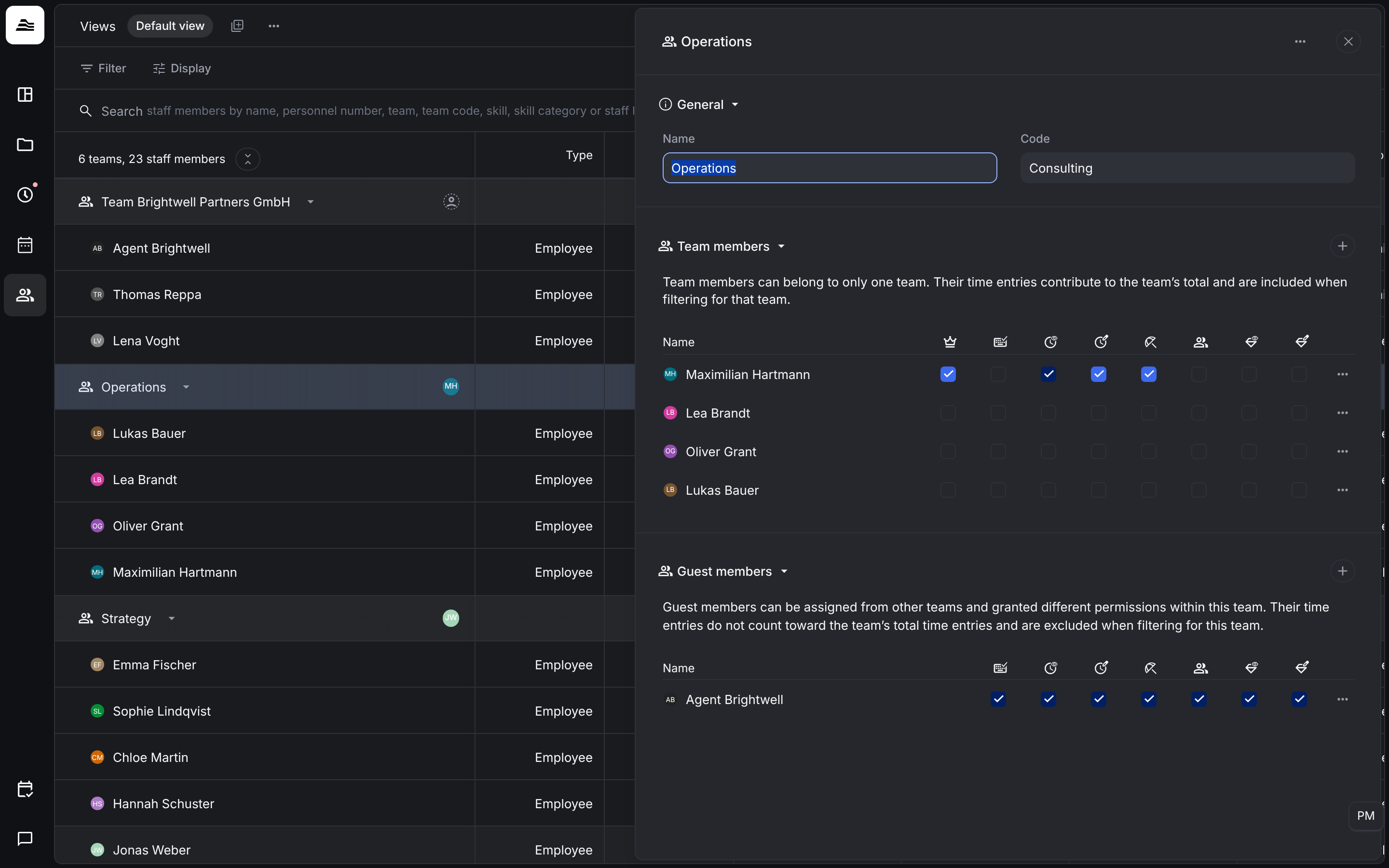
General
Name and Code of the team. The code can be used in the search.
Team members
A staff member can belong to only one team. Their tracked time counts toward the team's total and they are included when you filter for the team.
Per member you set what they may do for the other members of the team:
| Permission | What it allows |
|---|---|
| Team lead | Marks the staff member as team lead. Shown on the team and included in exports and the API. Grants no additional permissions. |
| Approve work time | Approve and reject work time and breaks of the team in Team approval, including compliance checks. Editing stays with the owner. |
| View project time | View project time entries of the team in the tracking view and in analytics. |
| Manage project time | Edit, approve and reject project time entries of the team, with access to Team approval and the Project time dashboard module. |
| Manage absences | Create, edit and delete absences for the team, approve absence requests and see absences even for hidden absence types. |
| Limited staff access | Access to the Team view and Team analytics for the team, view only for analytics, vacation, overtime and revenue and performance data. Documents and pay data are excluded. |
| View assigned skills | View the skills of the team in the profile and in the planner, and use skill search and skill filters. |
| Manage assigned skills | Assign skills to the team and edit them in the profile. |
Guest members
Guest members come from other teams and get their own permissions within this team. They have the same permissions as team members, except Team lead. Their time does not count toward the team's total and they are not included when you filter for the team.