

A super project groups several projects of the same client, for example a client programme with several workstreams. The projects inside it are called sub projects. You track, plan and invoice in the sub projects, and the super project shows the totals, so you can see at a glance how the whole engagement is doing.
Overview
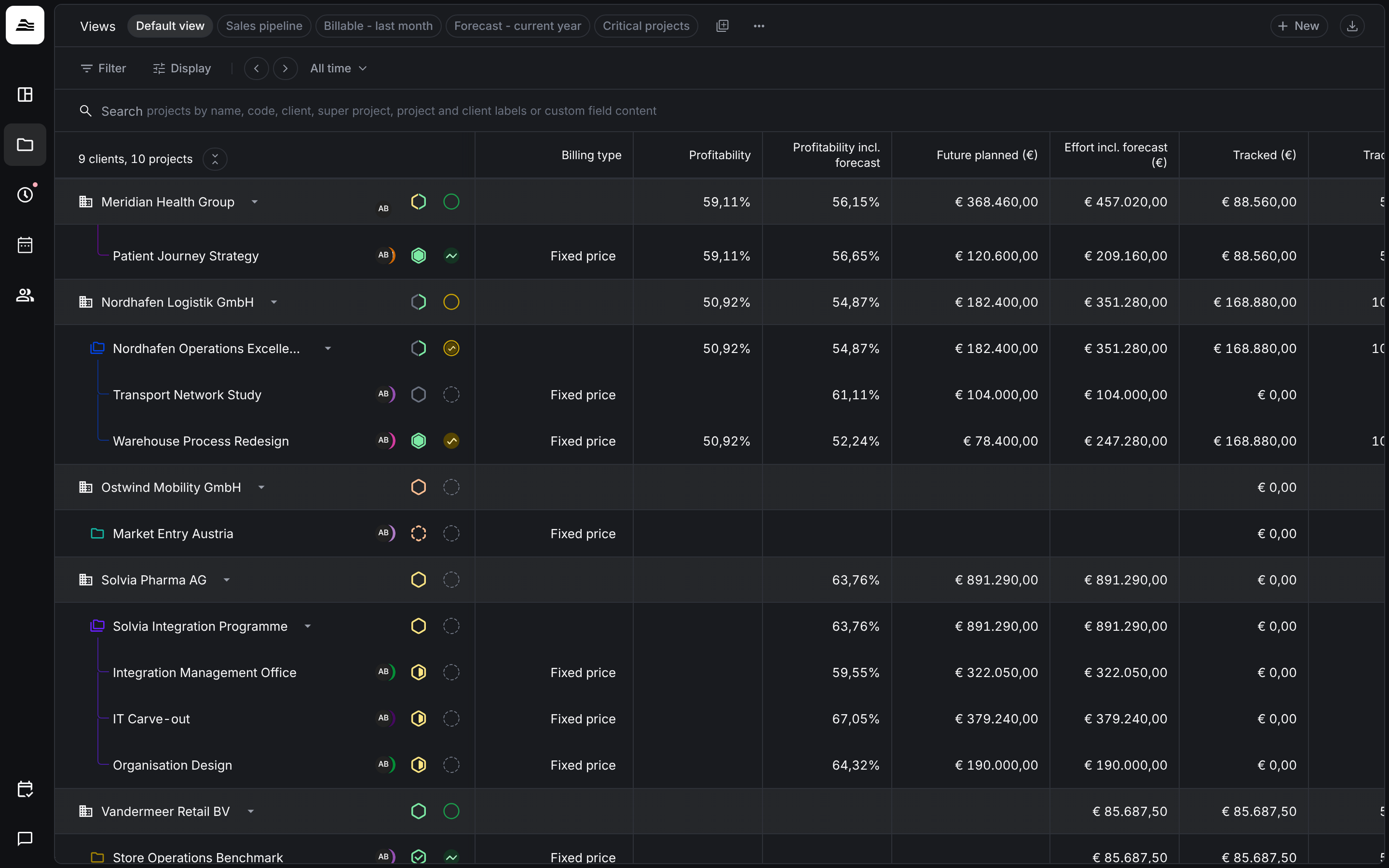
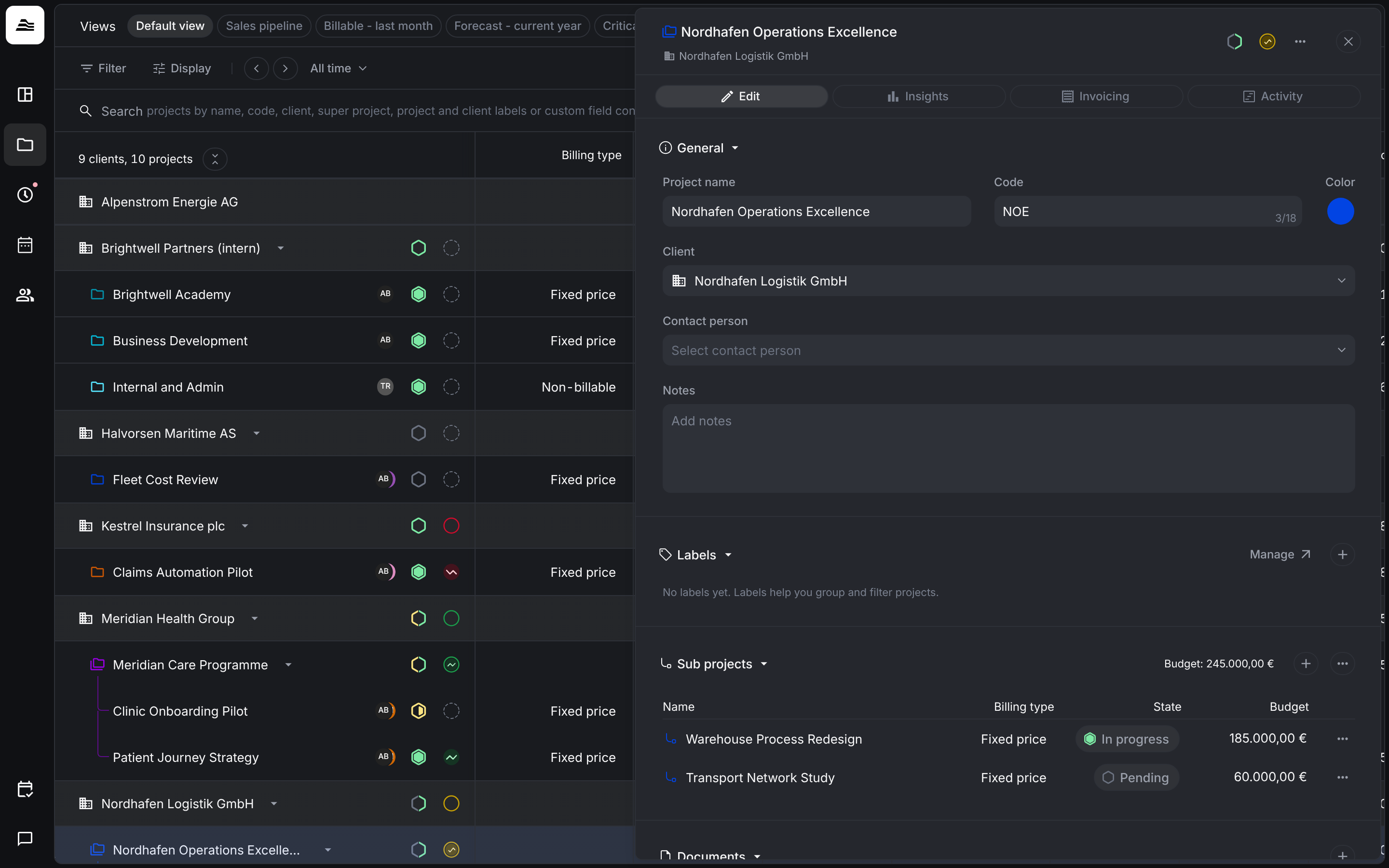
Example: Brightwell Partners runs the super project Nordhafen Operations Excellence for its client Nordhafen Logistik. It contains two sub projects, Warehouse Process Redesign (fixed price 185,000 €) and Transport Network Study (60,000 €). On the Clients & projects board, the super project row adds up profitability, effort, planned and tracked amounts of both sub projects, while each sub project can still be managed on its own.
| Super project | Sub project | |
|---|---|---|
| Budget | No budget of its own. The budget is the sum of the sub project budgets. | Own budget and billing type |
| Staff | Cannot be assigned | Staff are assigned here |
| Invoices | Shows the invoices and planned invoices of all sub projects | Invoices are created here |
| Custom fields | Available | Available |
| Client | Any client | Always the client of its super project |
Super projects are available in all plans.
Create a super project
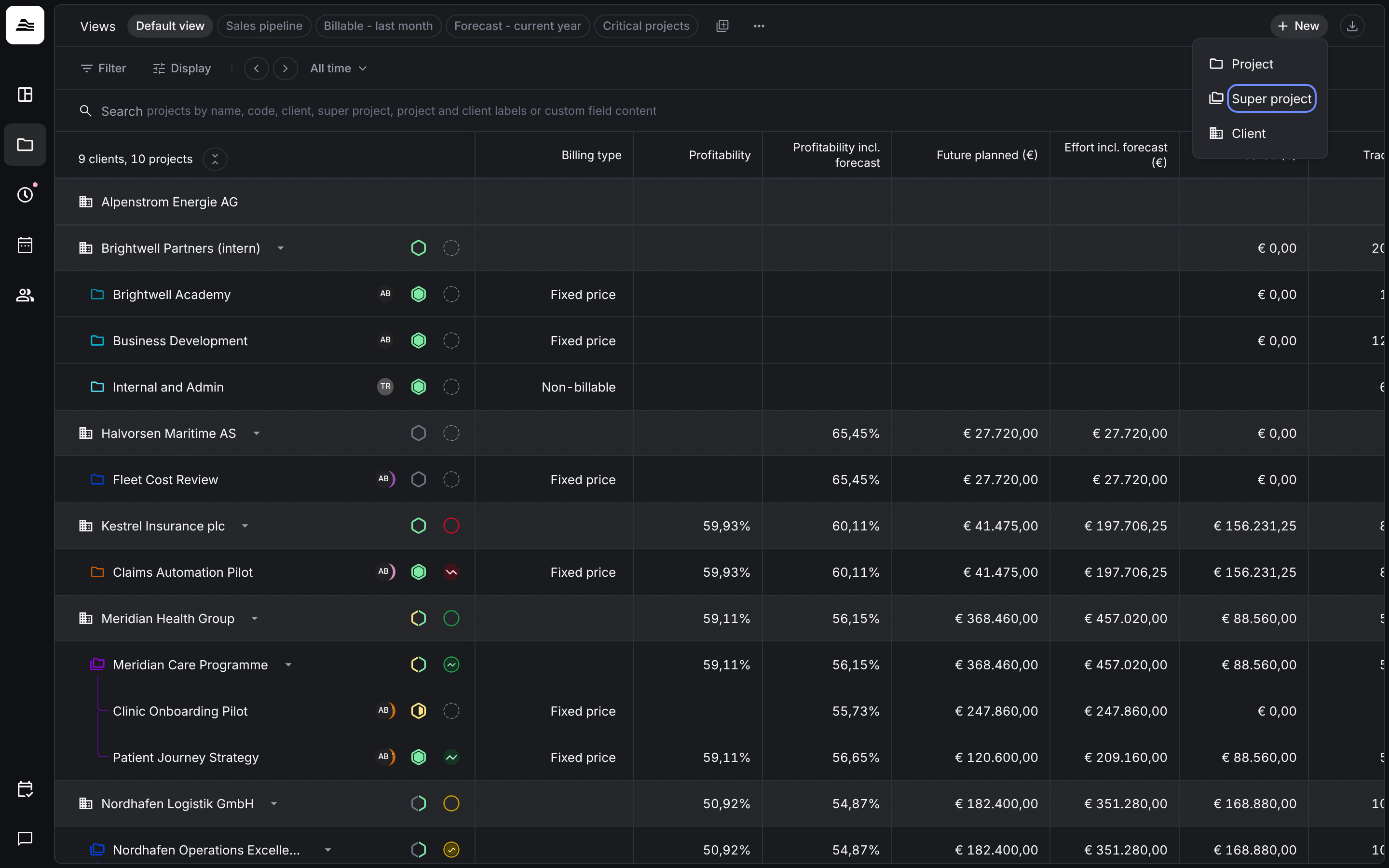
Open Clients & projects and select New → Super project. Aerion creates the super project right away and opens it, so you can set its name, client and color.
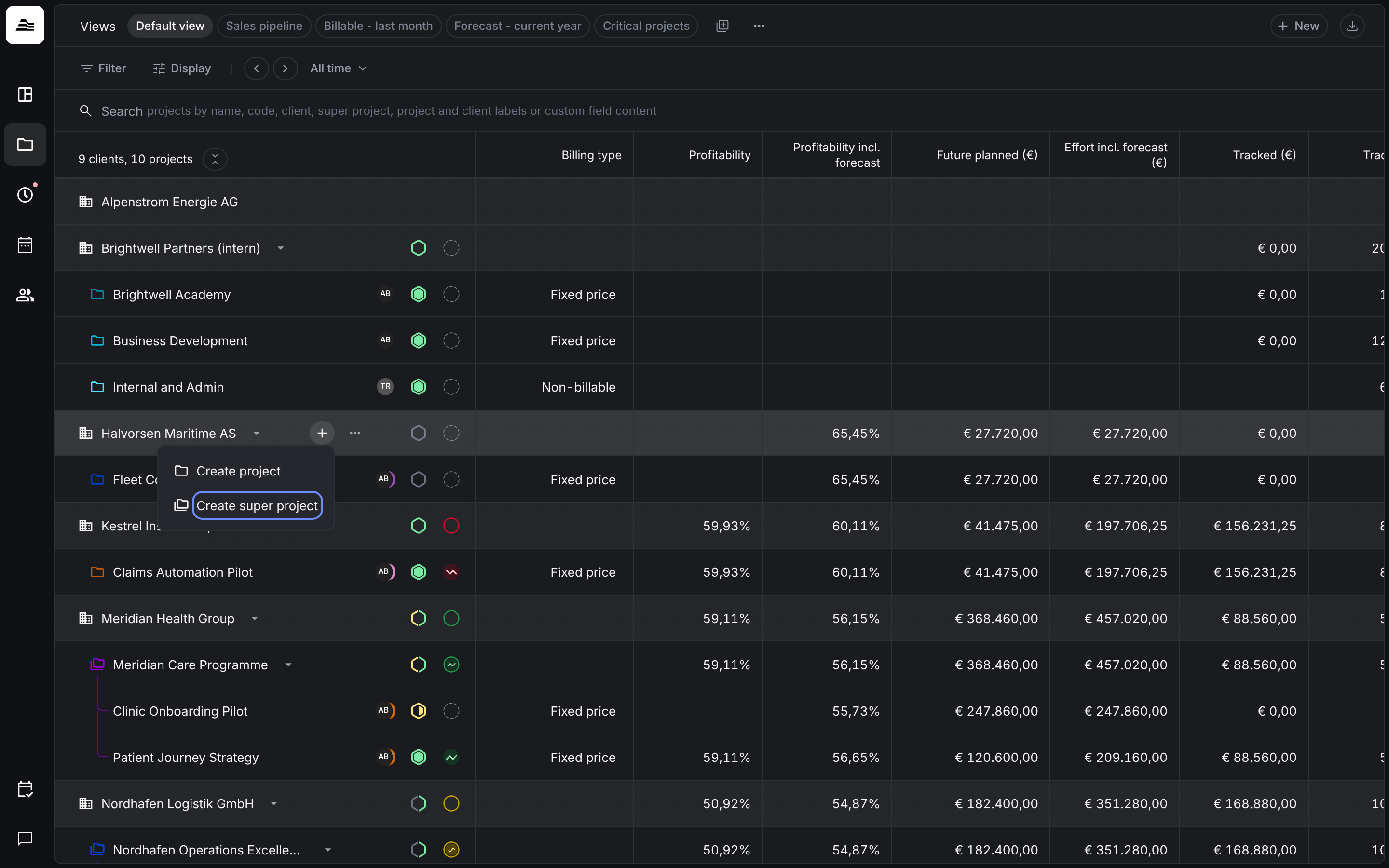
You can also create it directly at a client: hover over the client row, click + and select Create super project.
Add sub projects
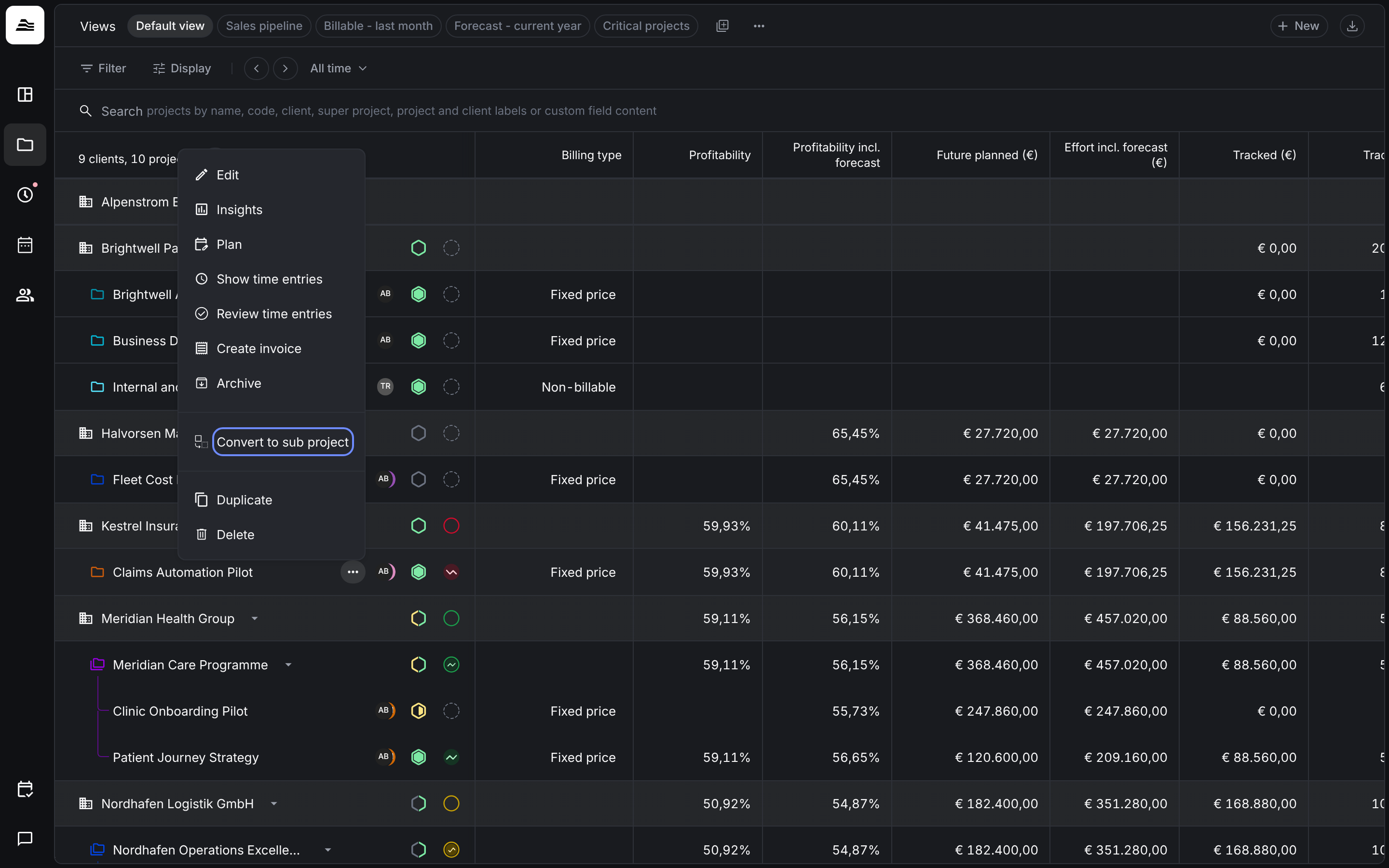
Convert an existing project. Hover over the project row on the Clients & projects board, open the … menu and select Convert to sub project.
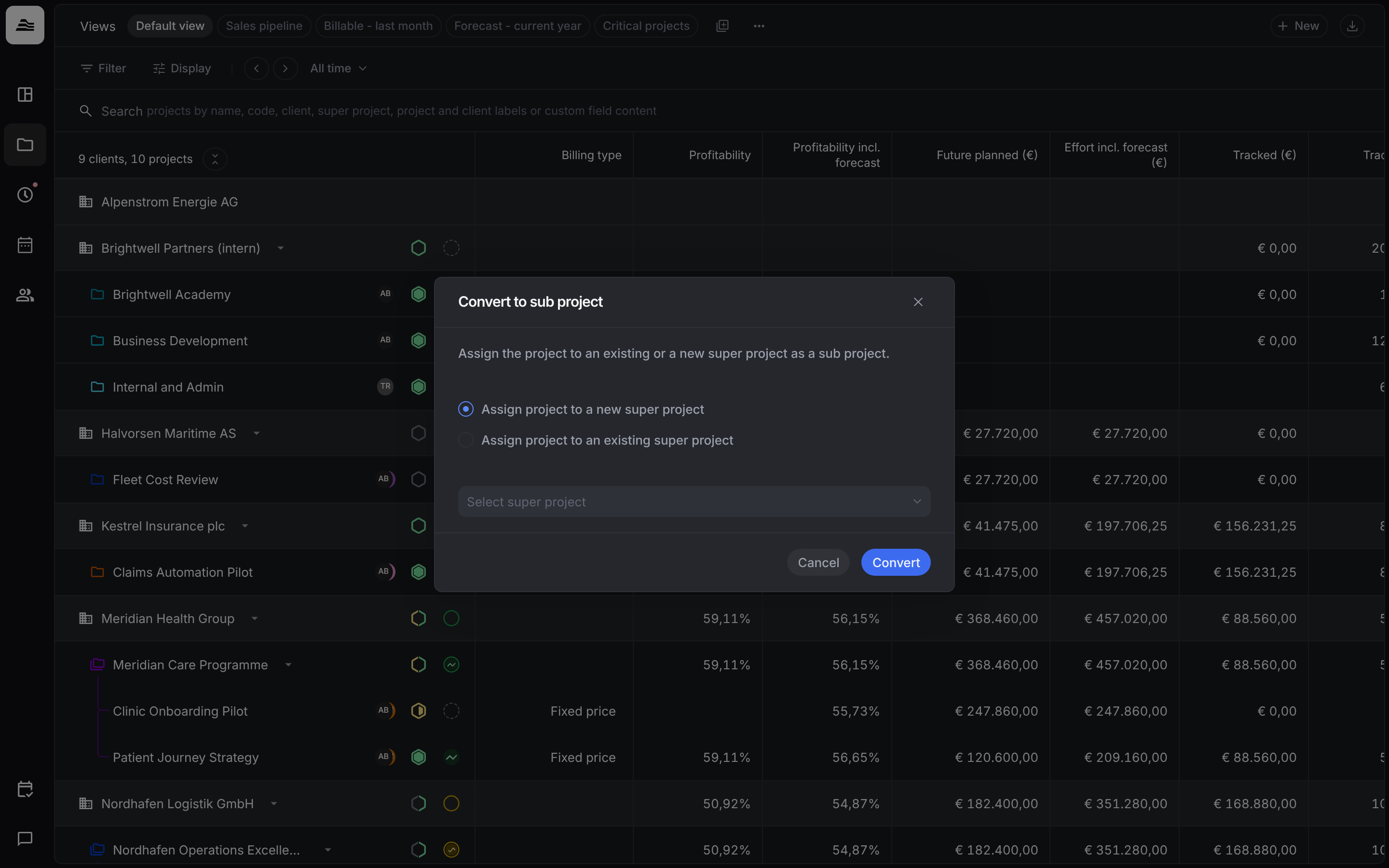
In the dialog, choose Assign project to a new super project or Assign project to an existing super project and select it under Select super project. Then click Convert. A new super project can also belong to a different client.
Create a new sub project. Open the super project and click + in the Sub projects section of the Edit tab.
Sub projects take on the color of their super project. There is only one level: a sub project cannot have sub projects of its own. To structure the work inside a sub project, use tasks.
Turn a sub project back into a project
Open the … menu of the sub project row and select Convert to project. The project then stands on its own again.
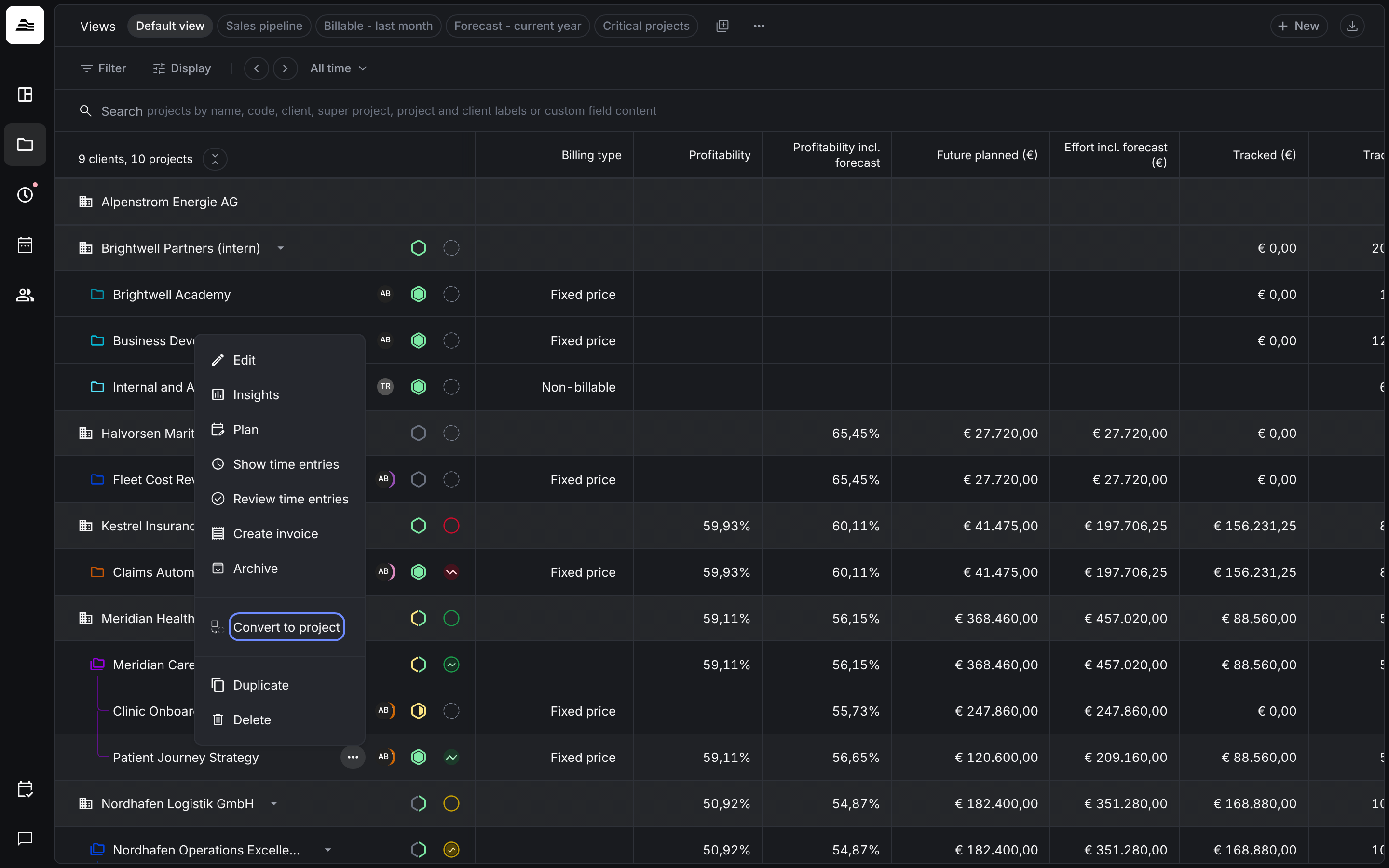
To move a sub project to a different super project, first convert it into a project, then convert it into a sub project of the other super project. A direct move is not possible.
Work with a super project
Click the super project row to open its panel.
Edit. Contains General, Labels, Sub projects, Documents, custom fields and the rules for submitting time entries. The Sub projects section lists every sub project with billing type, state and budget, plus the total budget. There is no budget section and no team section, because both belong to the sub projects.
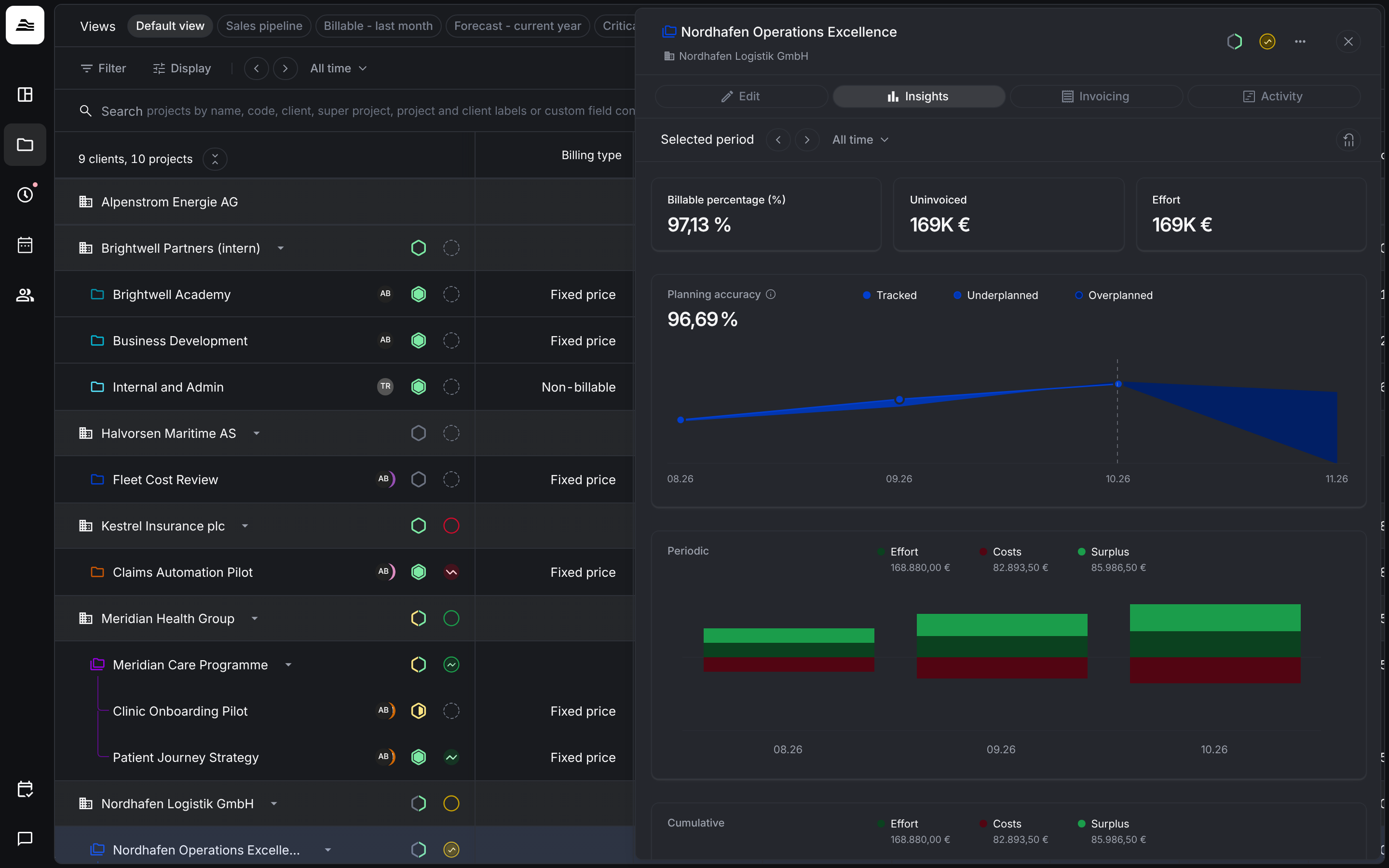
Insights. Shows the figures of all sub projects combined, with a breakdown by sub project.
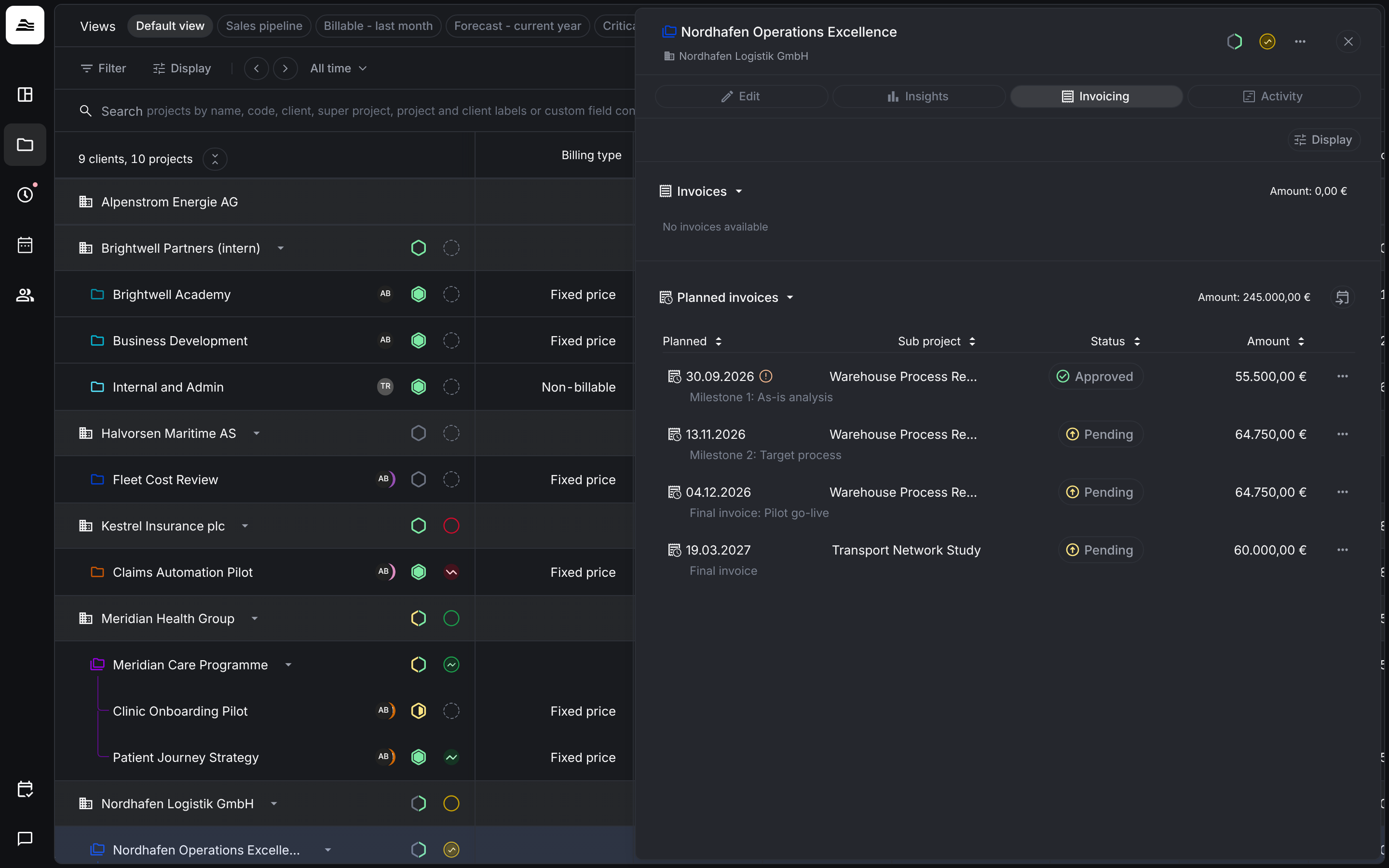
Invoicing. Shows the invoices and planned invoices of all sub projects in one place. Invoices themselves are always created in a sub project.
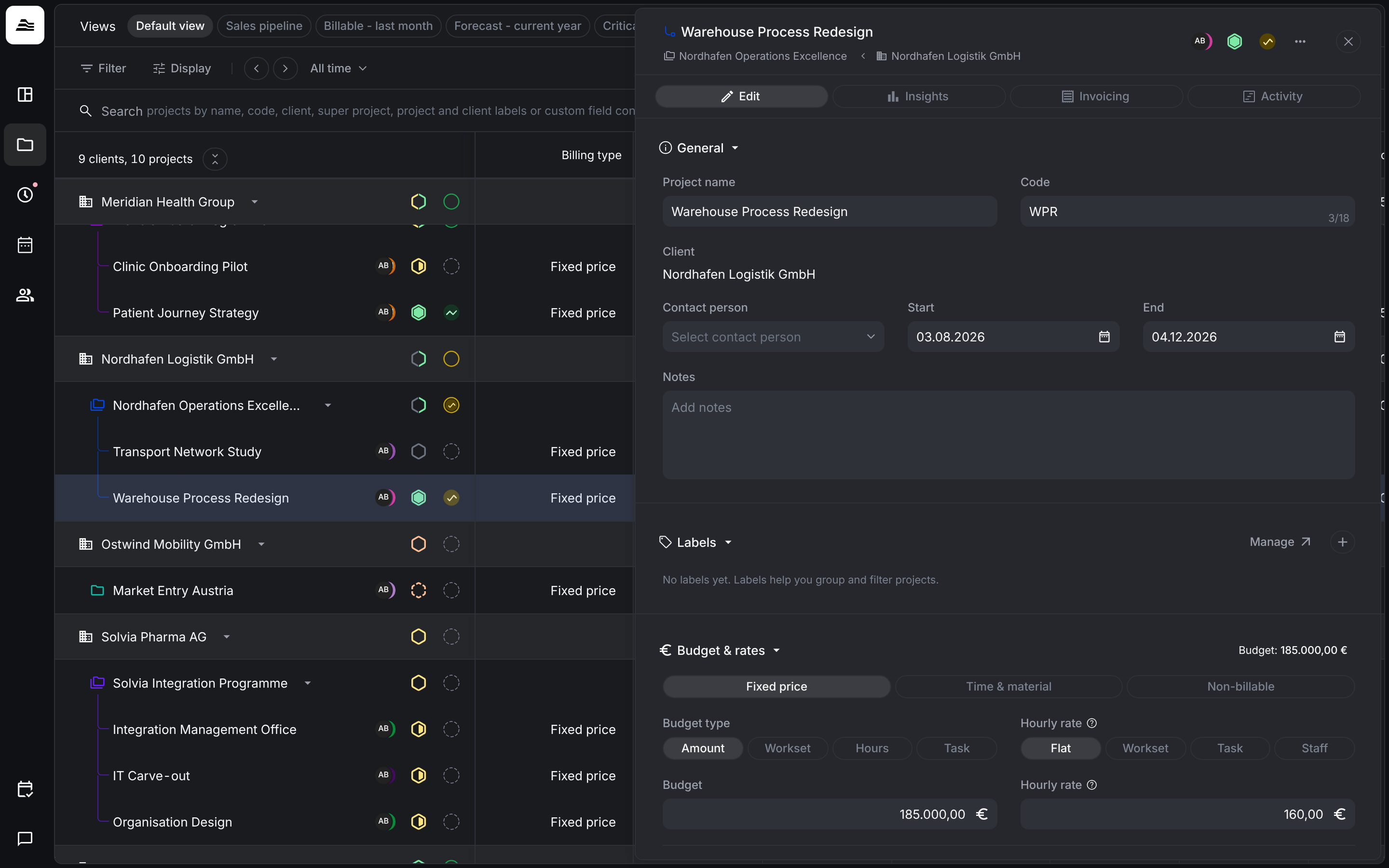
When you open a sub project, its panel shows the name of the super project in the header.
Find super projects and sub projects
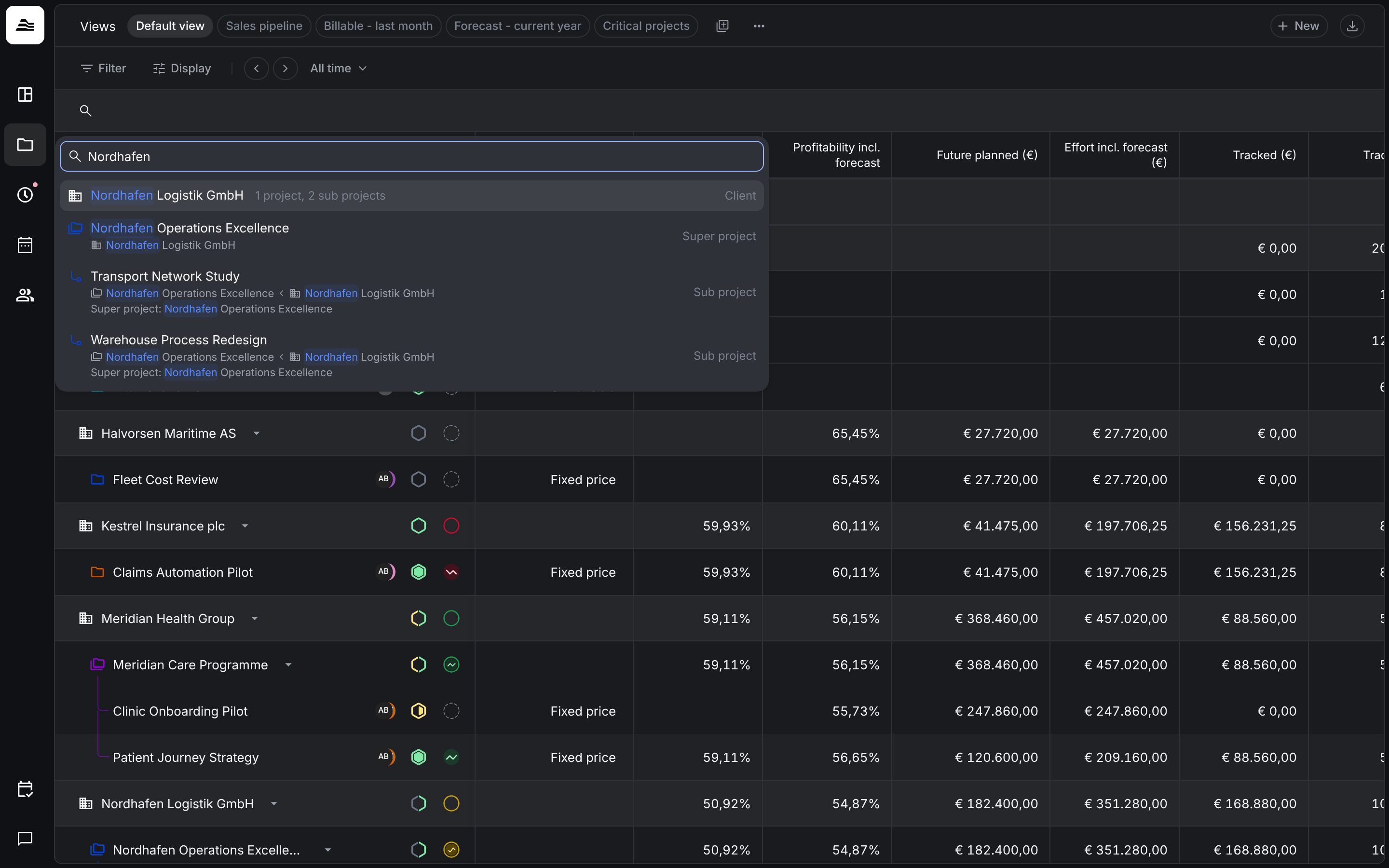
The search on the Clients & projects board also finds projects by the name of their super project. Each result is labelled as client, super project or sub project.
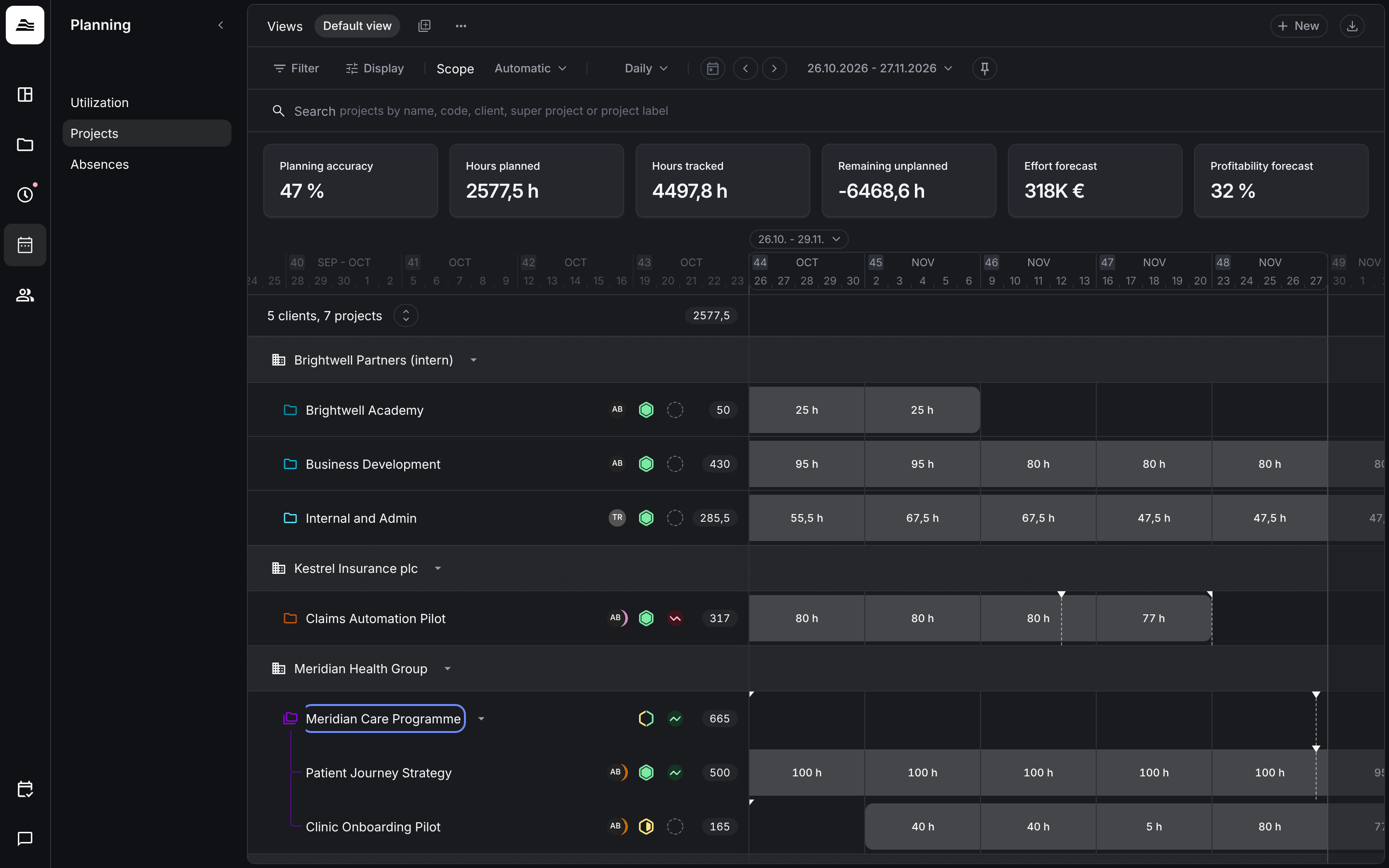
In the project planner, a super project appears as a row with its sub projects below it. Staff are always planned on the sub projects.
Archive and activate
| Action | Result |
|---|---|
| Archive a super project | All sub projects and their time entries are archived as well. |
| Activate an archived super project | The sub projects stay archived. Activate each one you need. |
| Activate a sub project of an archived super project | The super project is activated as well. |
| Archive a sub project | Possible while the super project stays active. |
A sub project can be archived while its super project is active. The opposite is not possible: an active sub project always has an active super project.
Give project managers read access
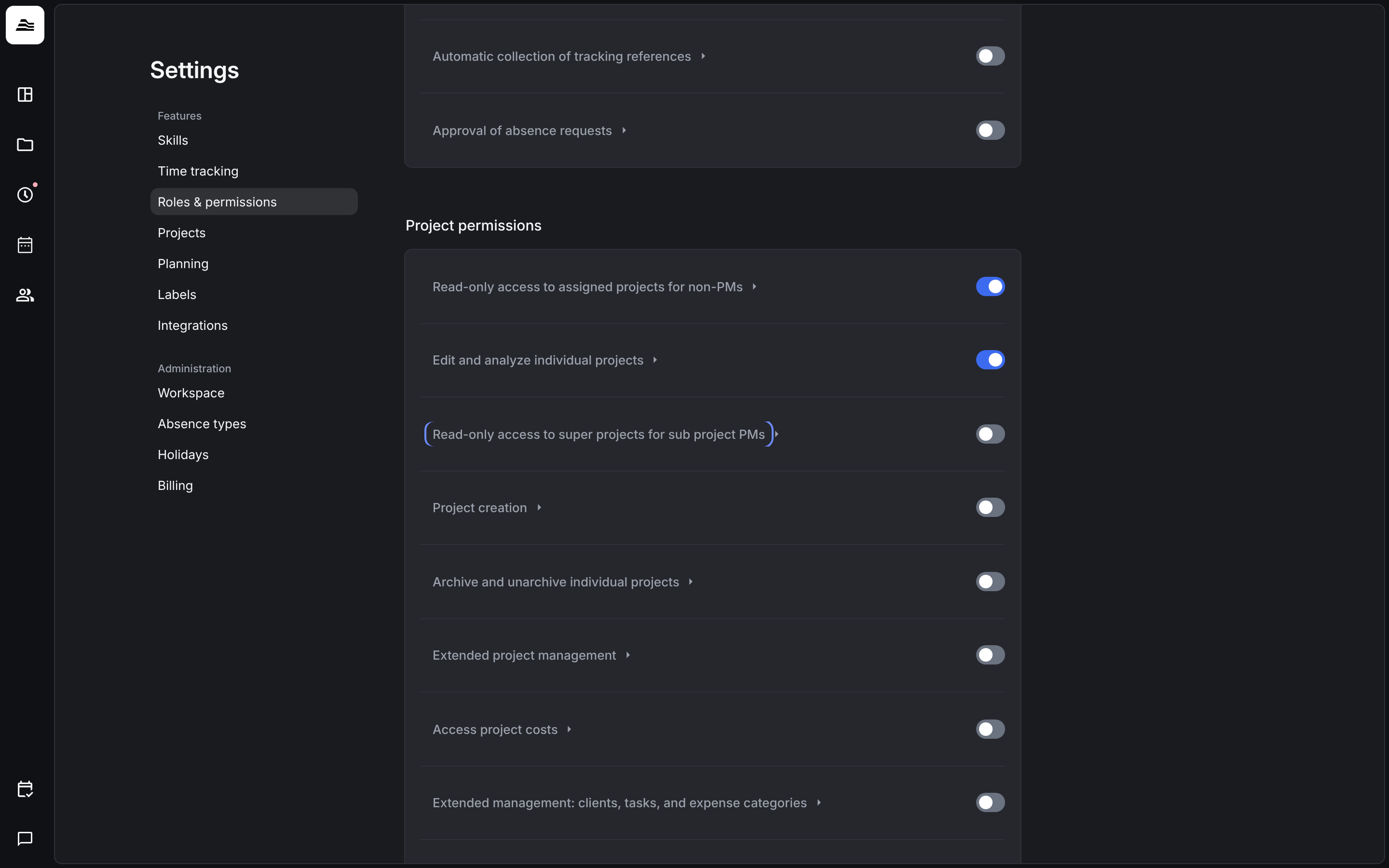
Under Settings → Roles & permissions, enable Read-only access to super projects for sub project PMs for a role. Anyone in that role who is project manager of at least one sub project can then view the super project, without being able to edit it.
Related
- Clients and projects: the board where super projects and sub projects are listed.
- Create and set up a project: all settings of a project and sub project.
- Project insights and activity: figures of a single project.
- Project planner: plan staff on sub projects.