
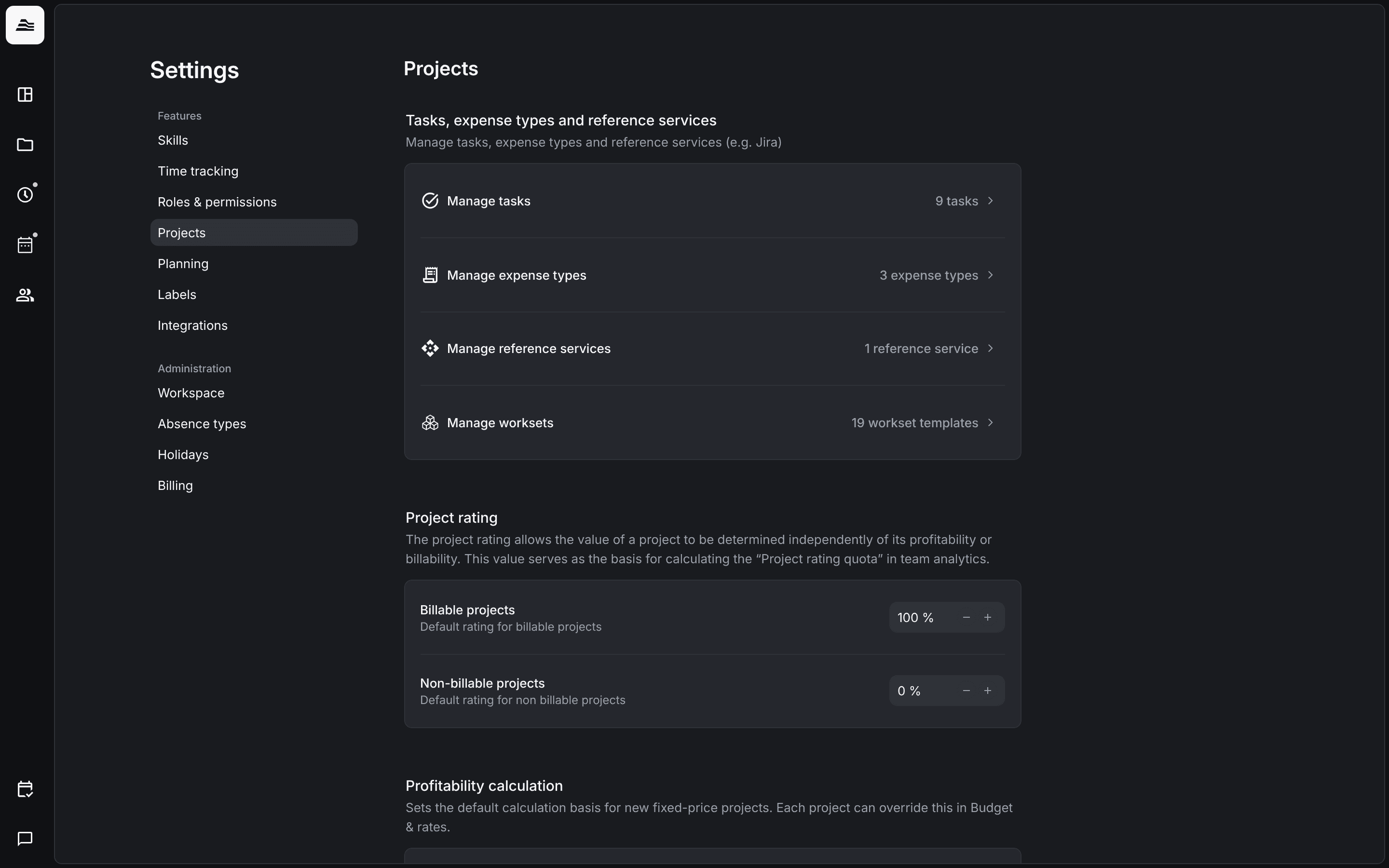
Project settings hold everything that applies to all projects: tasks, expense types, reference services, the project rating, the default profitability calculation and custom fields.
Required rights: Admin
Open Settings → Projects.
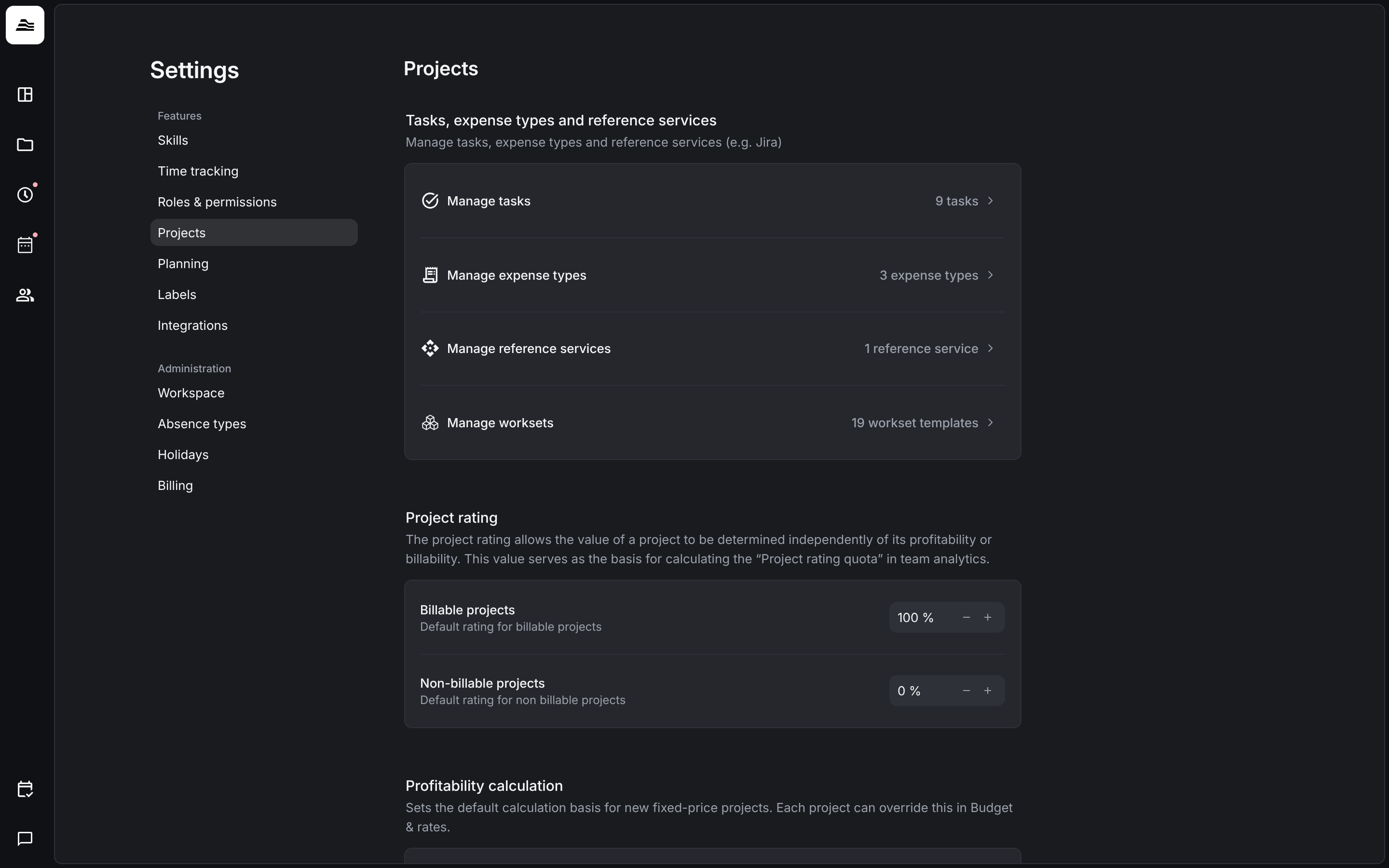
Tasks
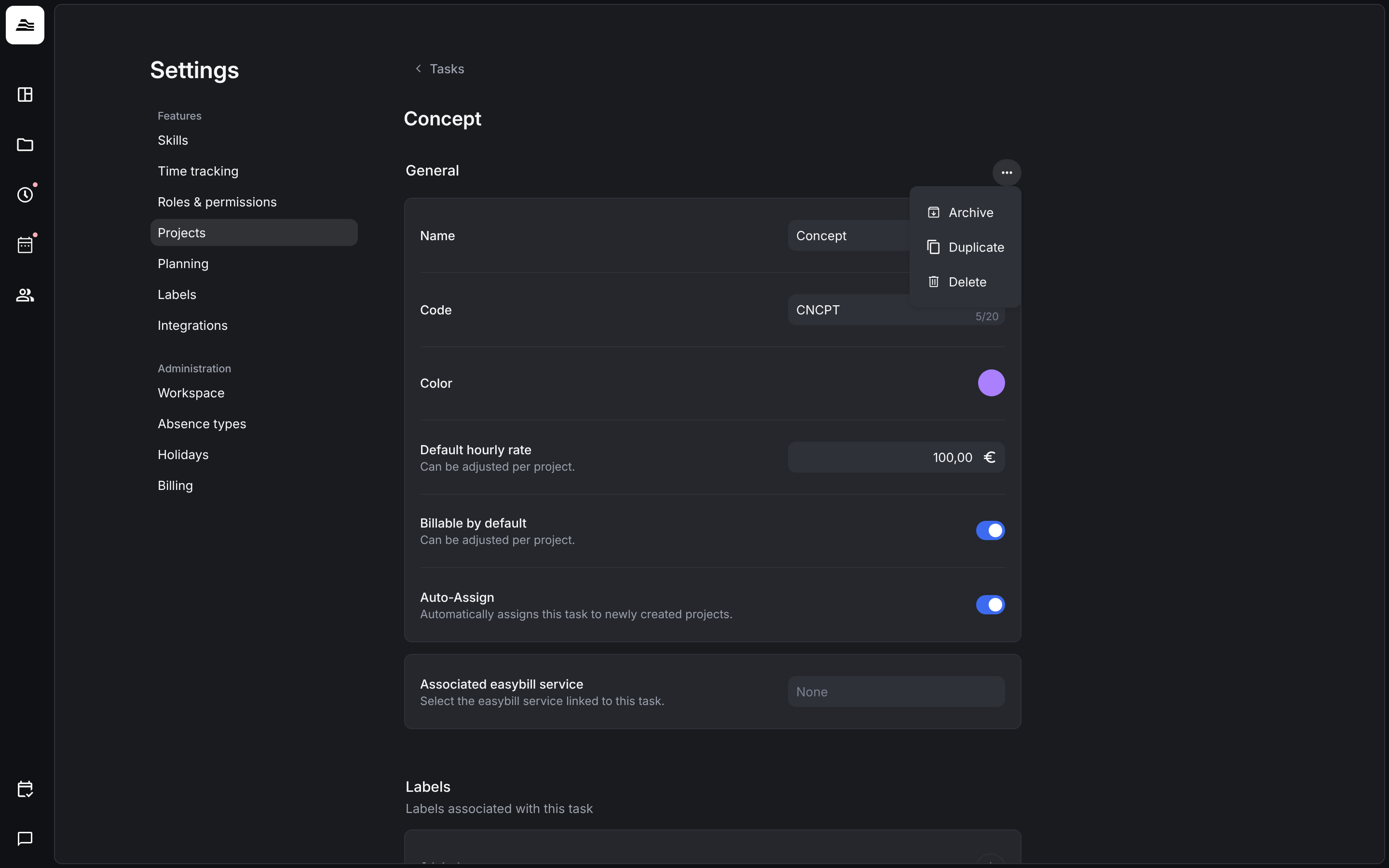
Staff members track their time on tasks, for example Concept or Project Management. Click Manage tasks to see the list. Each row shows the default hourly rate or non billable, and whether the task is added to new projects automatically. Filter the list with Only active tasks or All tasks, and add a task with +.
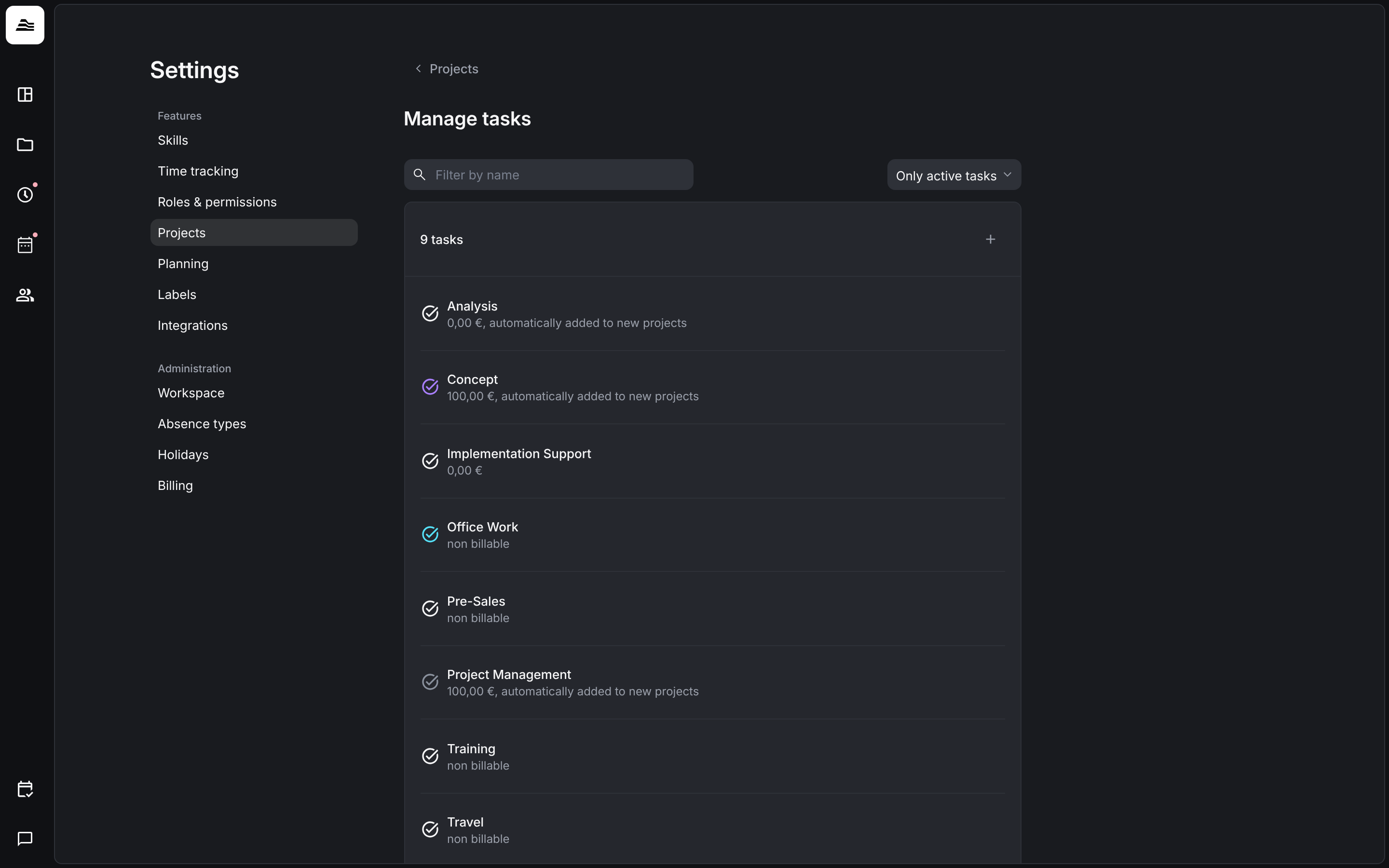
Click a task to edit it:
- Name, Code (up to 20 characters) and Color.
- Default hourly rate and Billable by default. Both can be adjusted per project.
- Auto-assign: the task is added to every new project automatically.
- Associated easybill service: the easybill service for this task. You only see this field when easybill is connected.
- Labels of the task.
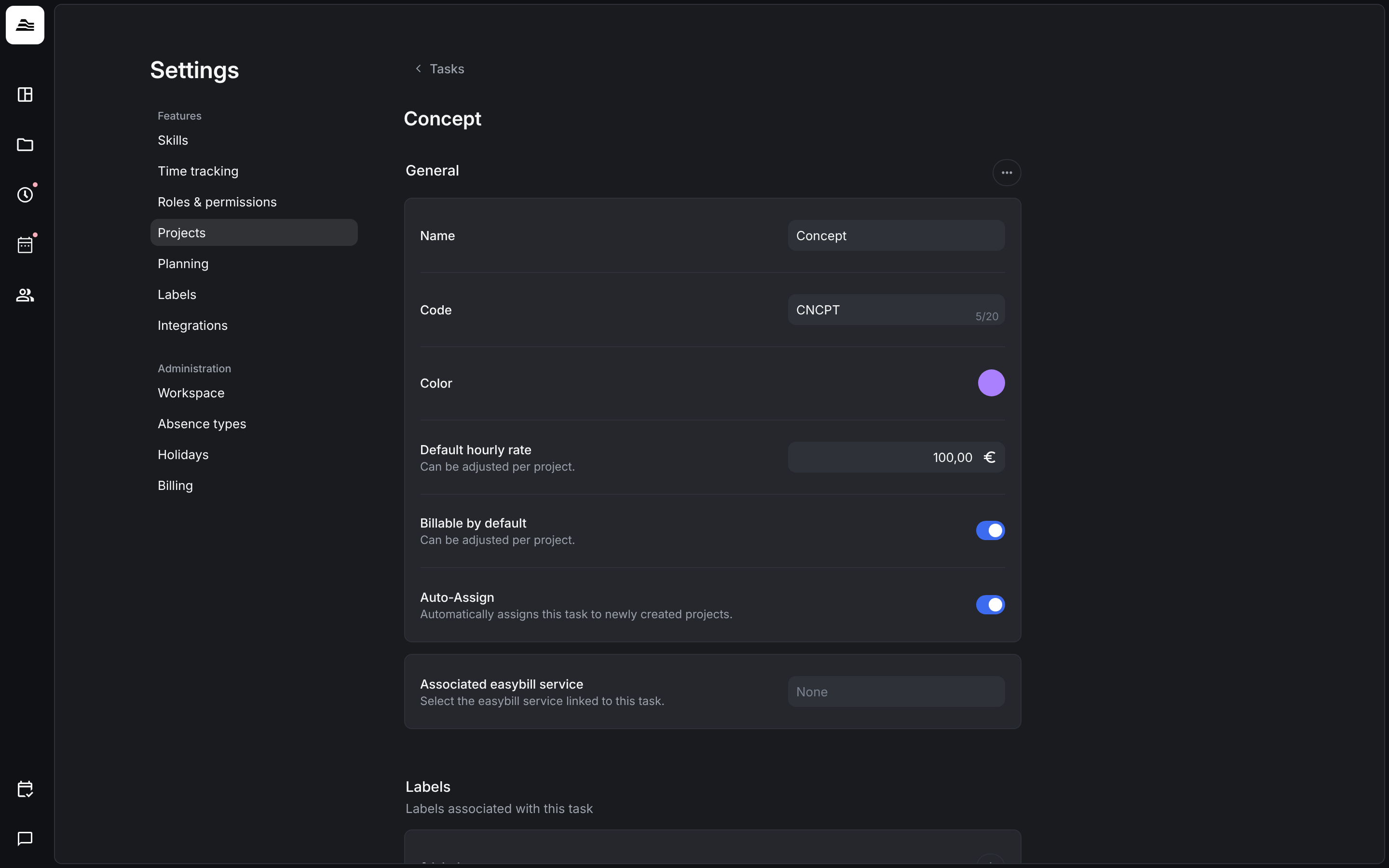
With … next to General you archive, duplicate or delete a task. An archived task disappears from the list of active tasks.
Expense types and reference services
- Manage expense types: amount based or percentage expense types. See Expenses and expense types.
- Manage reference services: ticket systems such as GitHub or Linear that staff members link their time entries to. See Tracking references.
Project rating
The project rating is an additional KPI. It rates a project independent of its profitability or billability, for example to rate strategic projects higher than others. It is the basis for the project rating quota in the team analytics, an early access feature.
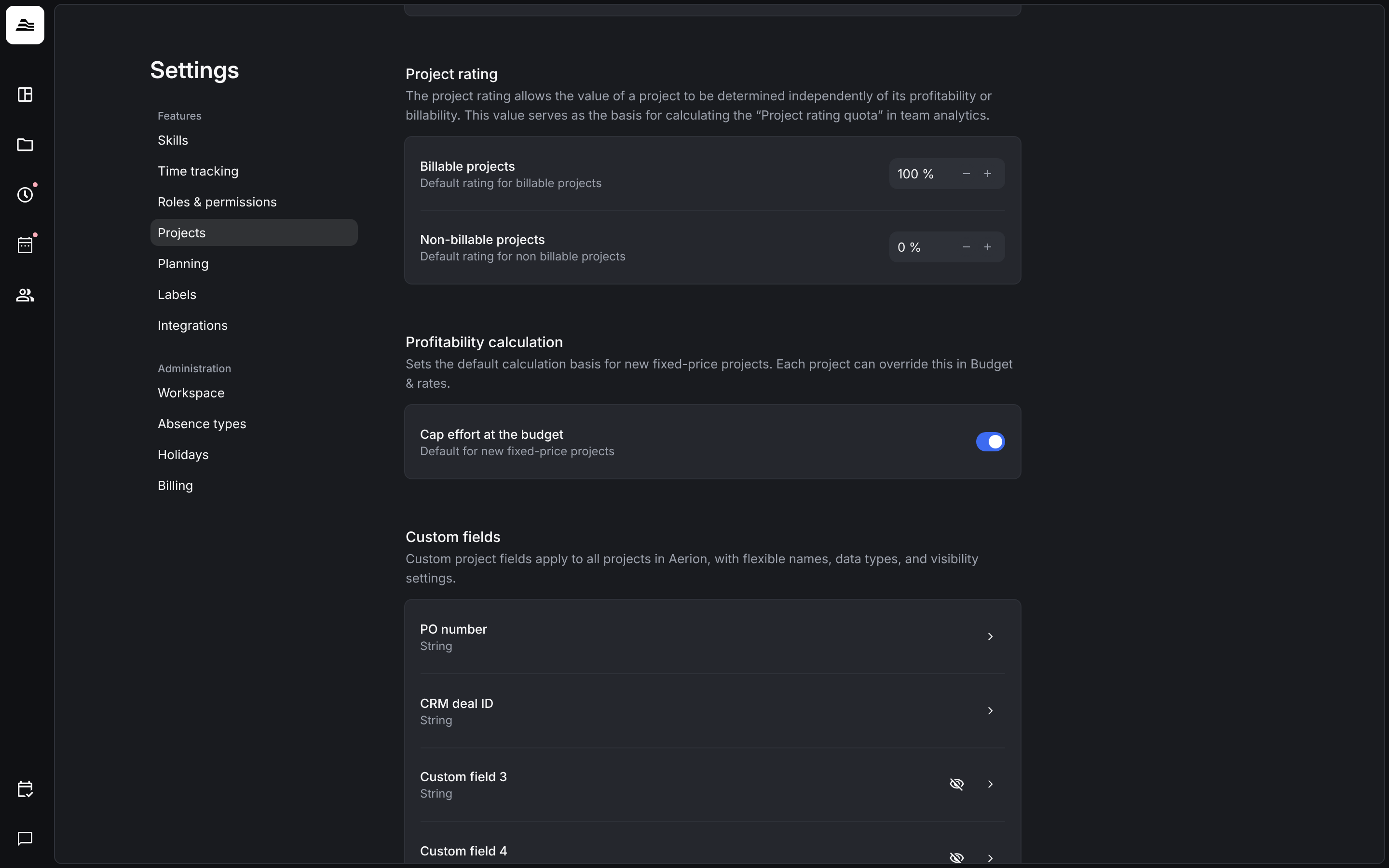
Set the default for Billable projects and Non-billable projects in percent. You adjust the value of a single project in the project under Budget & rates → Project rating.
Profitability calculation
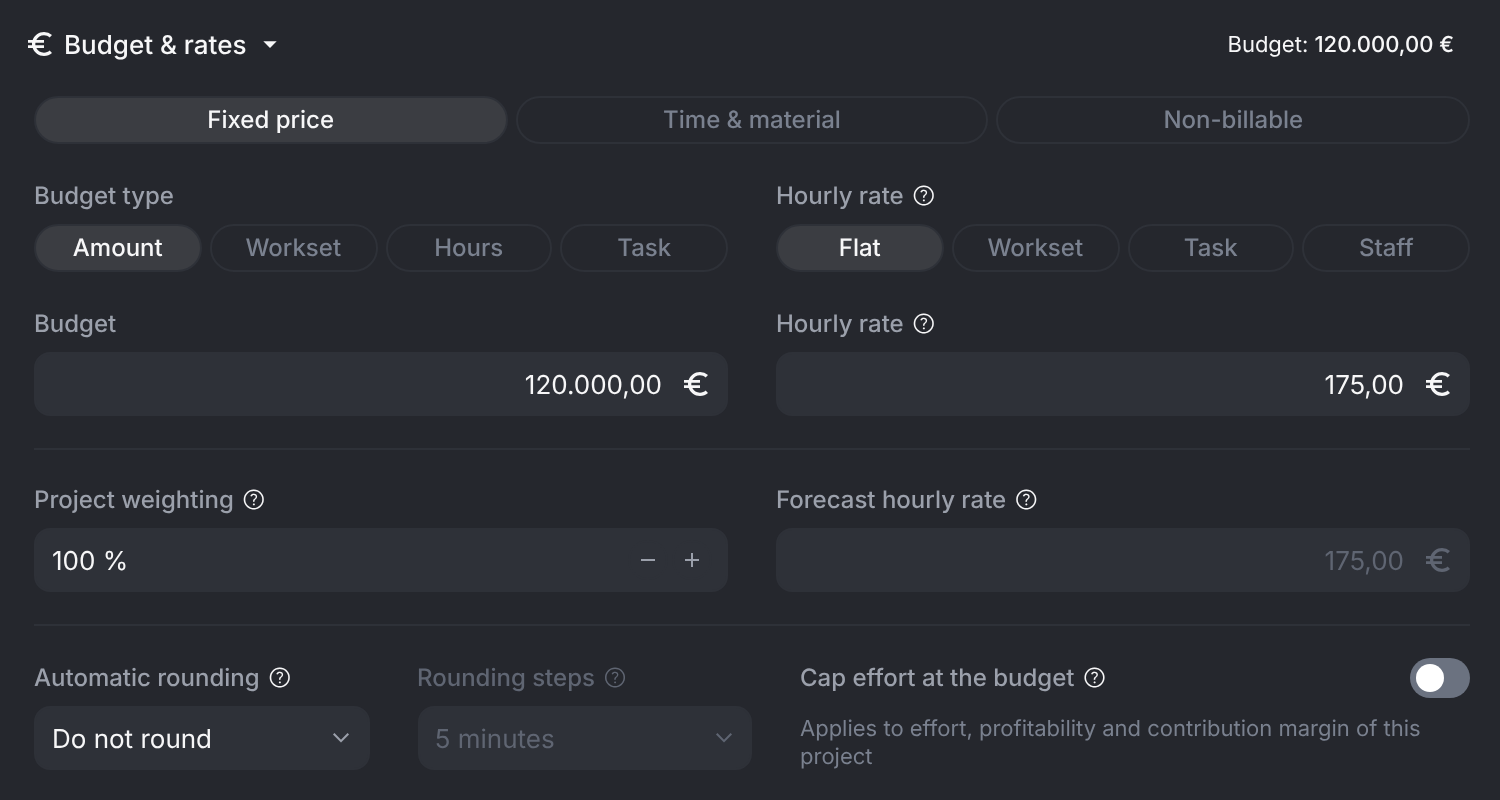
Cap effort at the budget is the default for new fixed-price projects. Effort, profitability and contribution margin then stop at the budget when a project runs over. Each project can override this under Budget & rates.
Custom fields
Under Custom fields you name up to ten extra project fields. See Custom fields and labels.
Related
- Budget and hourly rates: rates, rounding and caps per project.
- Create and set up a project: tasks and team of a project.
- Workspace settings: turn on early access features.