
Under billing you change the number of seats of your account, maintain your billing details and download the invoices for your Aerion subscription.
Required rights: Admin
Open Settings → Billing. For questions about billing, use the contact us link at the top of the page.
Change seats
Click Change seats, set the number of Seats and click Update. The change takes effect immediately and is billed pro rata.
Billing details
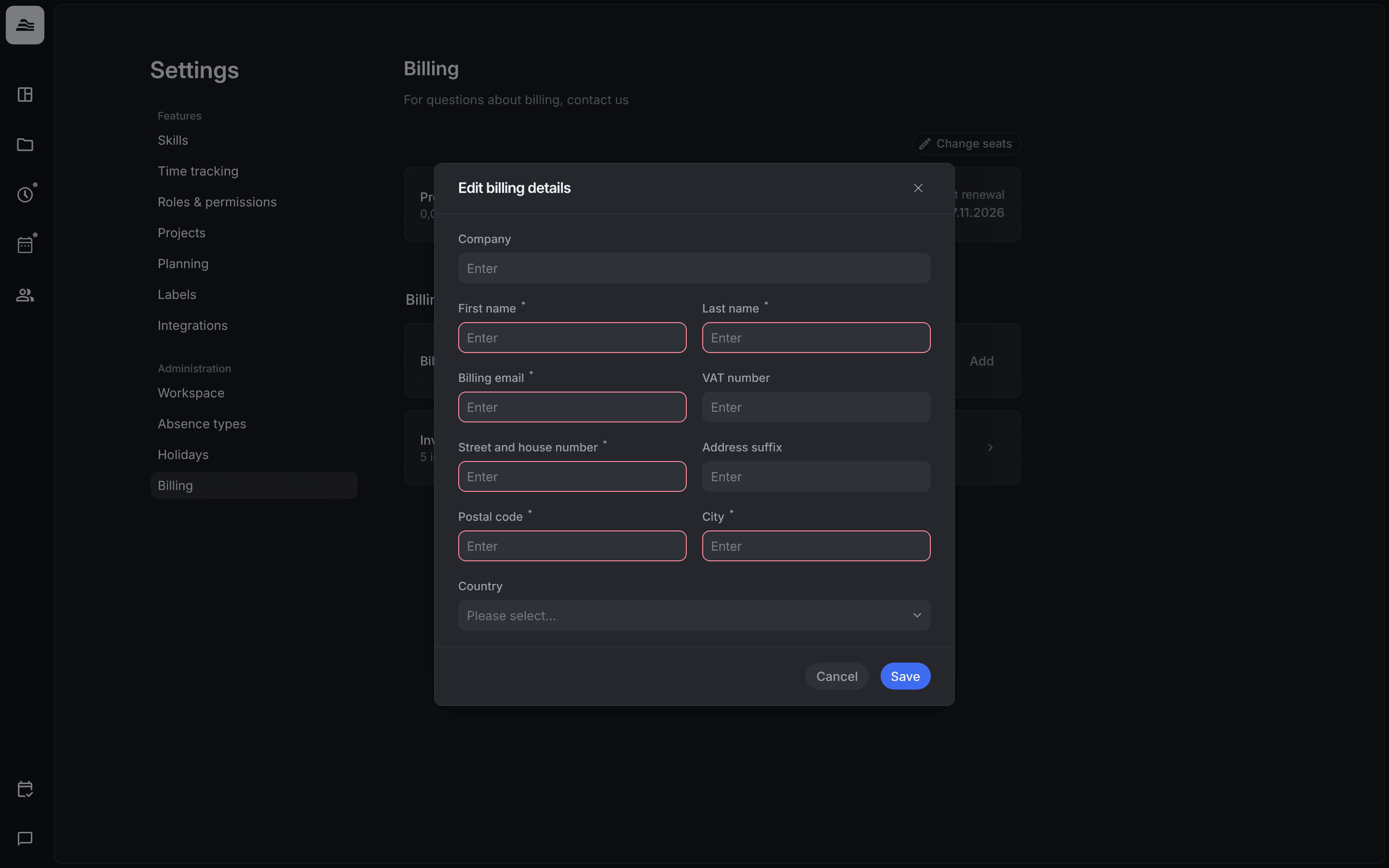
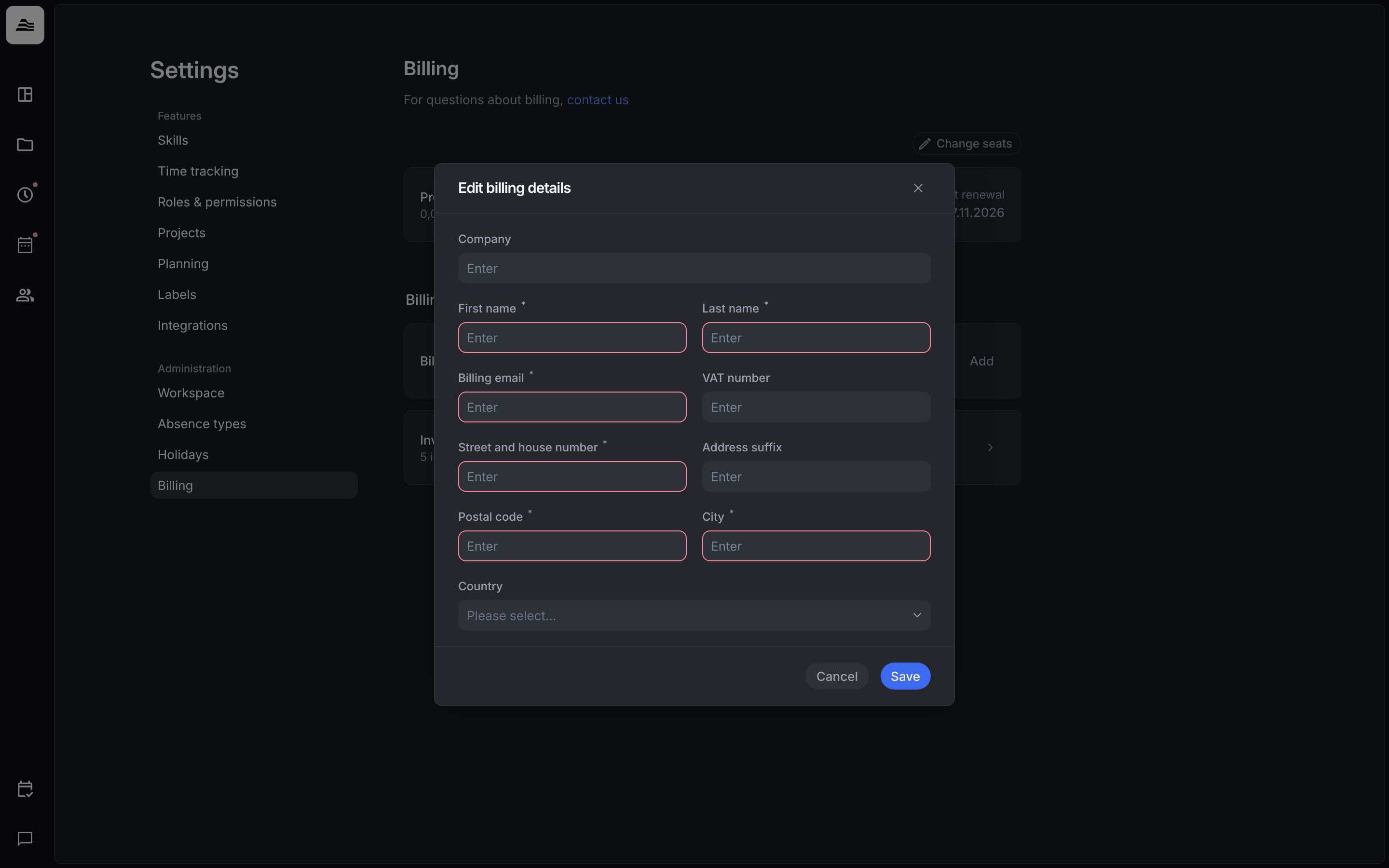
Under Billing details click Add, or edit your existing details. Enter the Company, First name, Last name, Billing email, VAT number, Street and house number, Address suffix, Postal code, City and Country and click Save. Fields marked with * are required.
Invoice history
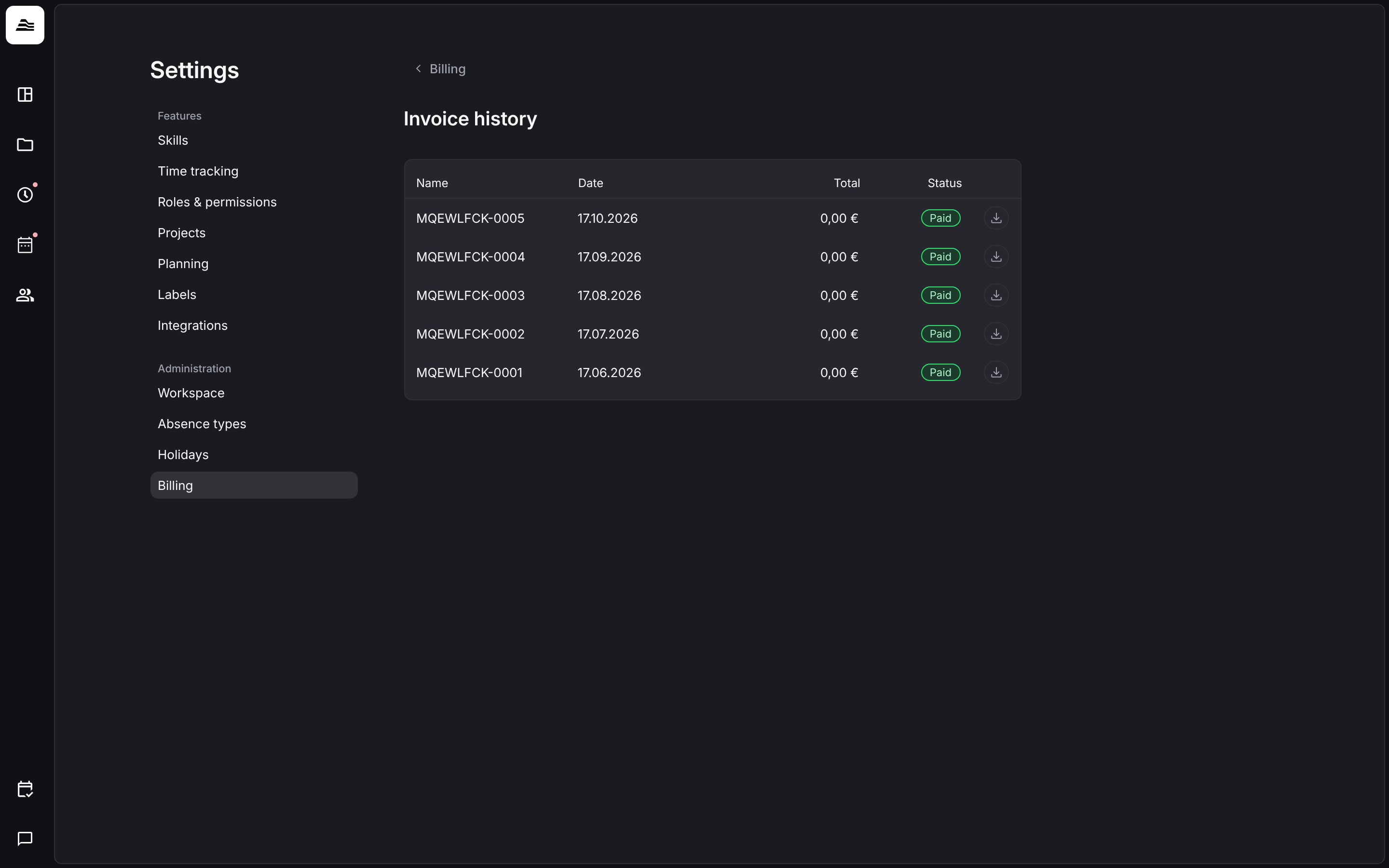
Click Invoice history to see all invoices with their date, amount and status. Download an invoice with the download icon in its row.
Related
- Add staff members: see how many seats are free when you add staff members.
- Workspace settings: company name and logo.