
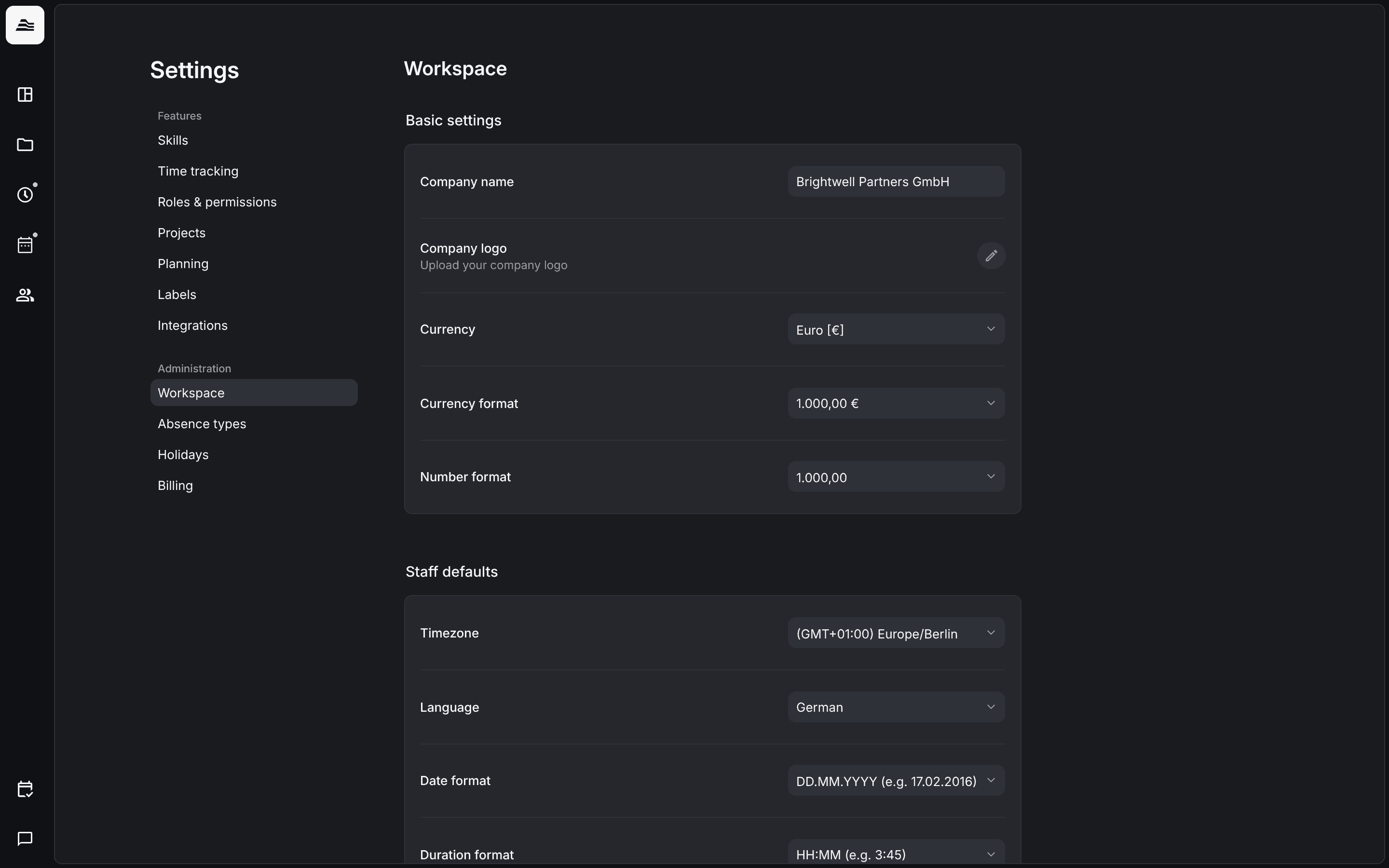
Workspace settings apply to your whole account: company details, currency, the defaults for new staff members, budget info, overtime, login methods and early access features.
Required rights: Admin
Open Settings → Workspace.
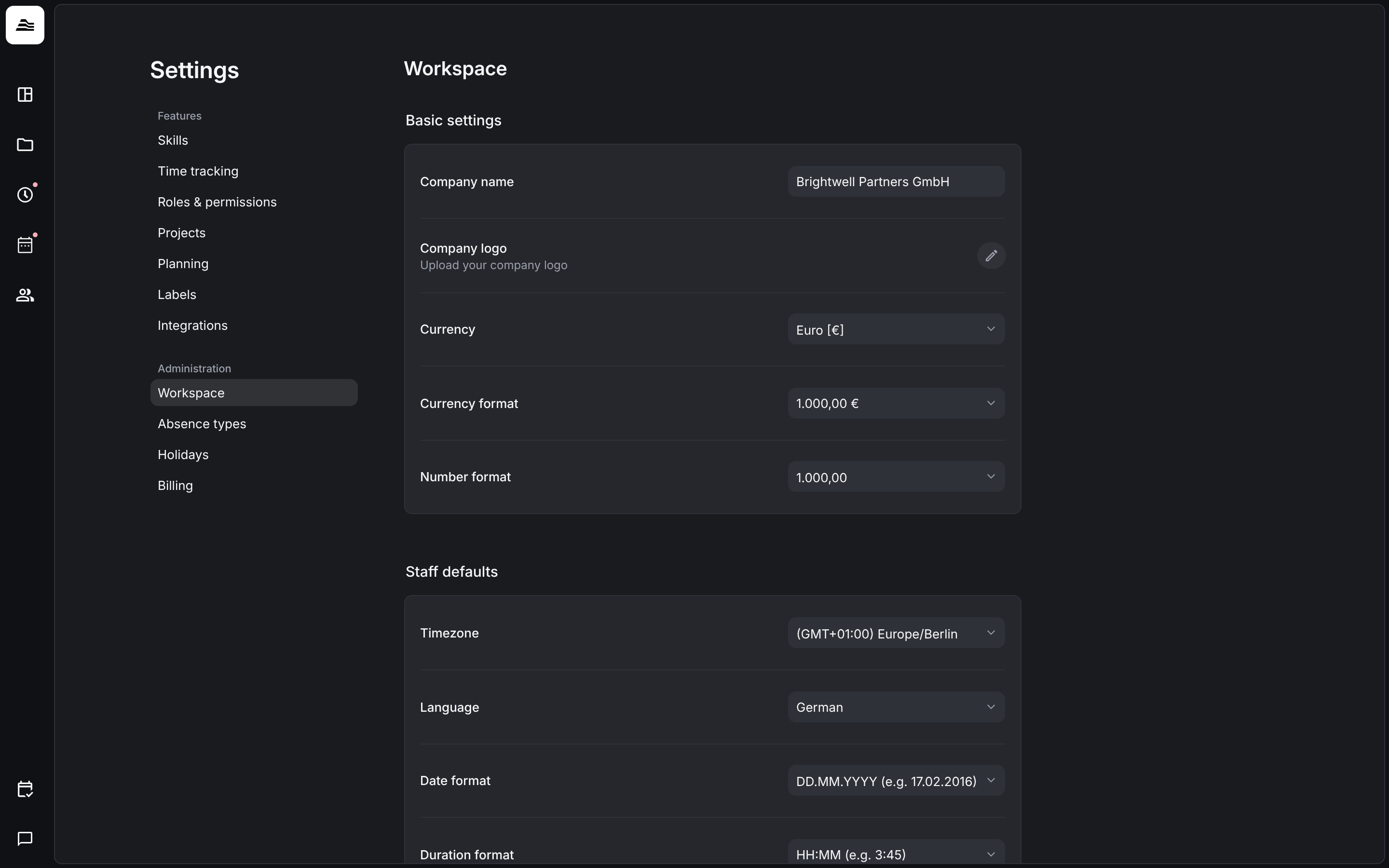
Basic settings
- Company name and Company logo.
- Currency, for example Euro [€].
- Currency format: 1.000,00 € or € 1.000,00.
- Number format: 1.000,00 or 1,000.00.
Staff defaults
These values apply to new staff members. Each staff member can change them later in their own preferences.
- Timezone
- Language: English or German
- Date format, for example DD.MM.YYYY
- Duration format: HH:MM or decimal
- Time format: 24 Hours or AM/PM
Budget info and overtime
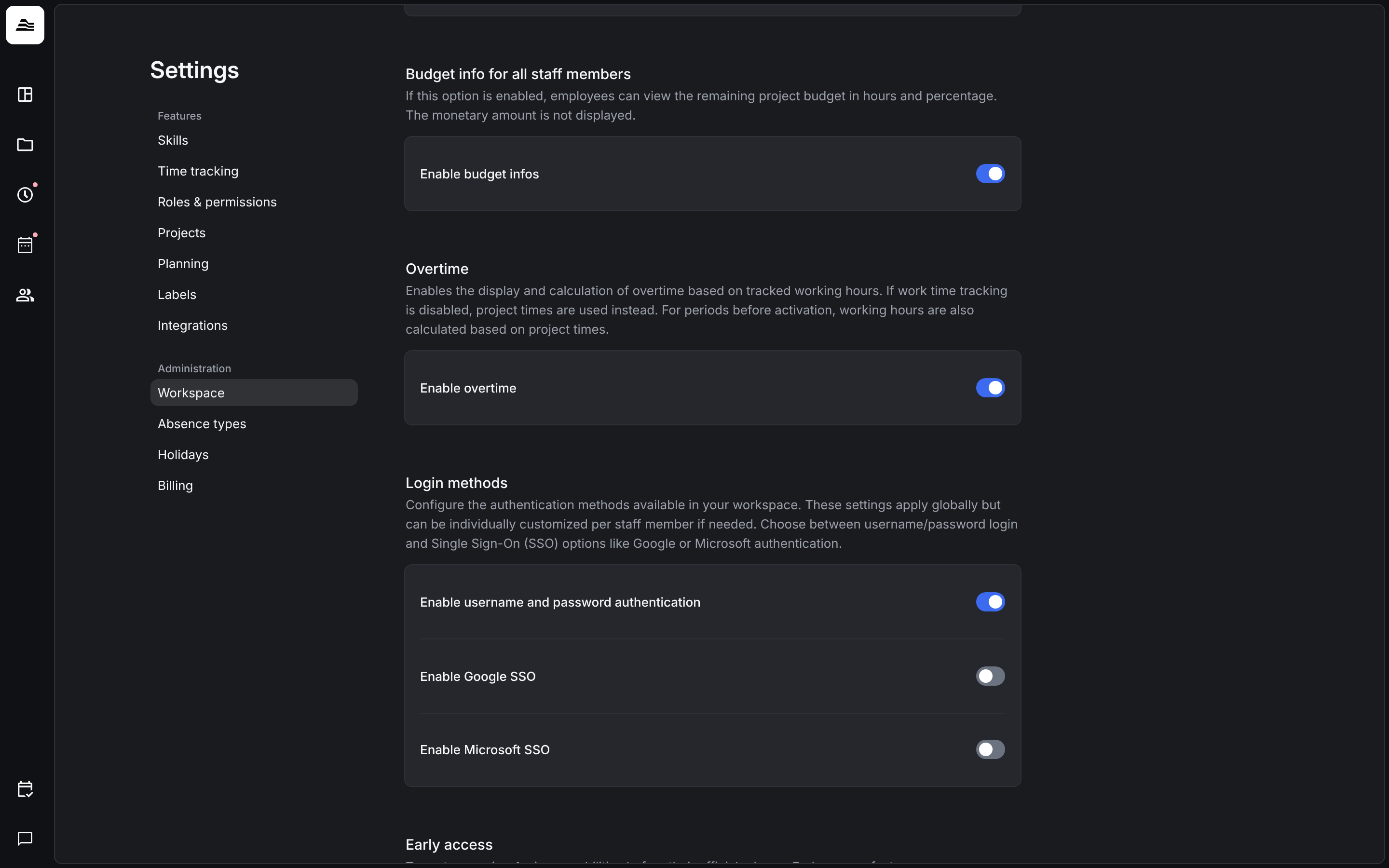
- Enable budget infos: staff members see the remaining project budget in hours and percent. The monetary amount stays hidden.
- Enable overtime: Aerion shows and calculates overtime based on tracked work time. If work time tracking is turned off, project time is used instead. For periods before you turned it on, Aerion also uses project time.
Login methods
Under Login methods you choose how your team signs in: Enable username and password authentication, Enable Google SSO and Enable Microsoft SSO. The settings apply to everyone and can be changed for a single staff member.
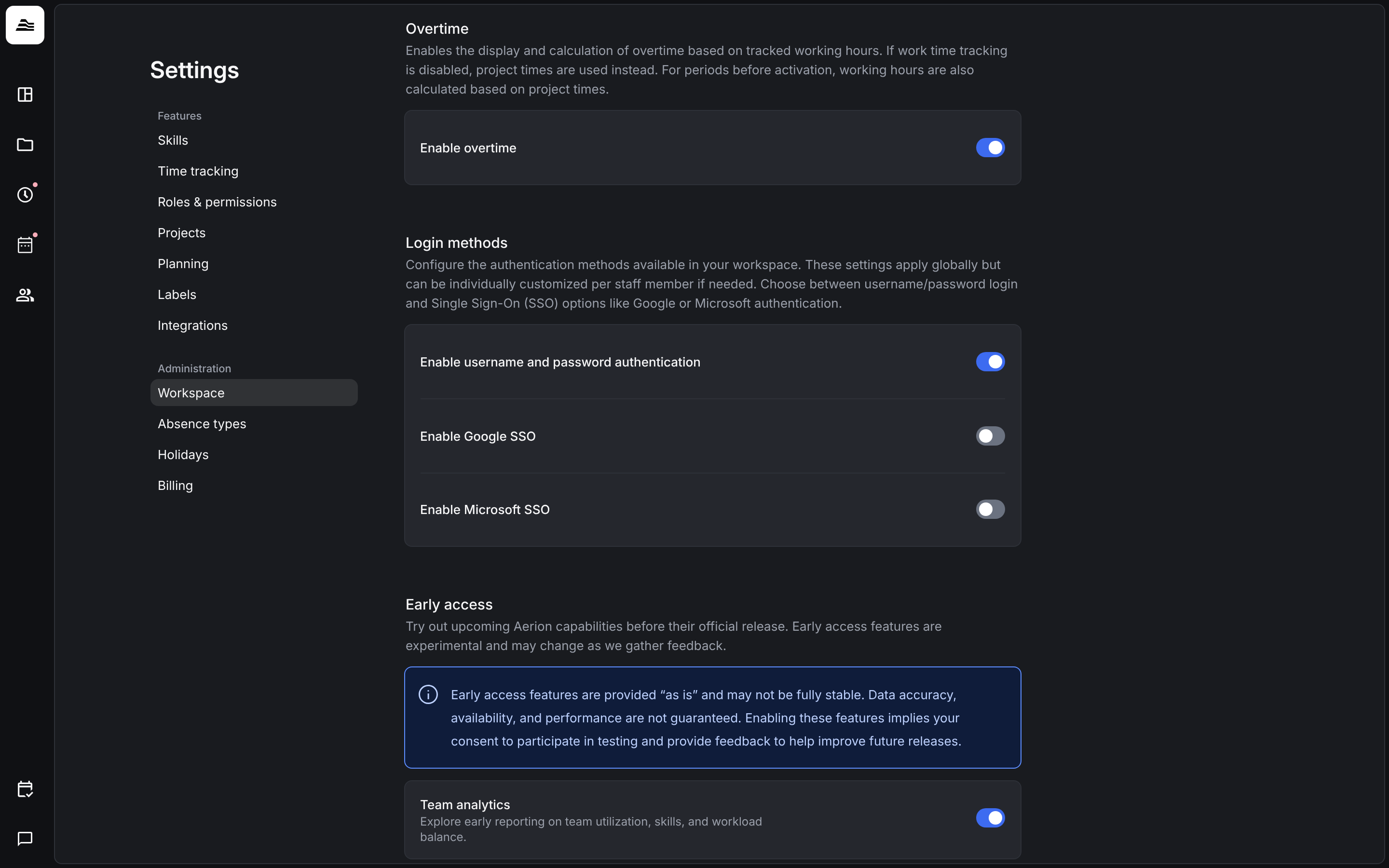
Early access
Under Early access you turn on new features before their official release. Early access features are still being tested, may not be fully stable and can change based on feedback.
Related
- Sign in and SSO: login methods for single staff members.
- Profile and preferences: personal settings of each staff member.
- Overtime: overtime balance and corrections.